ISO-certified studio · 80+ retouchers · 3M+ images +65 9050 7285 info@pixelretouching.com Open 24 hours
Start a Free Trial
eCommerce · Amazon · Shopify

Product Image Retouching and eCommerce Photo Editing

Professional eCommerce photo editing and product retouching, hand-finished from $0.39 an image. We cut out, clean, colour-correct and size every frame to the specification each marketplace requires, within 24 hours. Pixel Retouching has run eCommerce photo editing since 2014, from ISO-certified studios in Singapore and Dhaka.
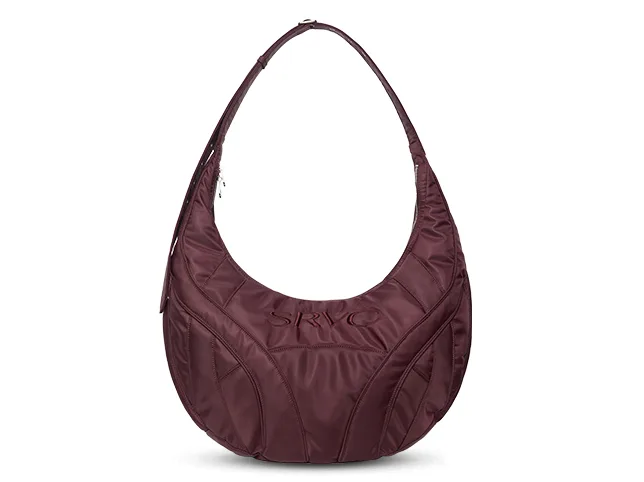
Handbag after retouching Handbag before retouching After editBefore

Hover to see before

3 products edited free. No credit card, no sign-up.

24h Turnaround
8,000+ Images a day
100% Hand-edited

Trusted by Online Sellers, Brands & Product Photographers

Marketplace sellers, private-label brands and studios send us raw product frames and get listing-ready files back the next working day.


ZEELUM
SQUARESHOT
soona
Pro Product Photo
OMS Photo
Prop Photo Studio
Northlane
VANTRA
Lumeo
Kindred & Co.
Atelier Nine
HALCYON
ZEELUM
SQUARESHOT
soona
Pro Product Photo
OMS Photo
Prop Photo Studio
Northlane
VANTRA
Lumeo
Kindred & Co.
Atelier Nine
HALCYON
3M+Images processed
80+In-house retouchers
8,000+Images a day
200+Brands worldwide
The service

What Is eCommerce Photo Editing?

eCommerce photo editing is the post-production that turns a raw studio frame into a file a marketplace will accept and a buyer will trust: a clean cut-out, accurate colour, a grounded shadow and the dimensions the platform asks for. Every file is finished by hand in Adobe Photoshop, with a named retoucher responsible for the batch and a second editor checking it before it ships.

Cut out by hand

A drawn path, not an automatic selection. Automated cut-outs fail on hair, mesh, glass and anything with a soft edge, which is most of a real catalogue.

Colour that ships

The colour on the listing has to be the colour in the box. Matching them is the single most effective way to bring product returns down.

Built to platform spec

Amazon, Shopify, eBay and Etsy each want different backgrounds, frame fills and dimensions. Tell us the destination once and it is applied to every batch.

Consistent at volume

A category page only looks professional if every tile matches. Your style guide is recorded once and applied across the whole catalogue.

How it works

How Our eCommerce Photo Editing Service Works

Four steps from raw frames to listing-ready files, with no account setup in between.

Step 01

Send your files

JPEG, PNG, TIFF or RAW by upload link, Dropbox, Google Drive, WeTransfer or straight to your FTP.

Step 02

Manual editing

A named retoucher paths, cleans, colour-corrects and sizes each frame by hand in Photoshop.

Step 03

Quality control

A second editor checks edges, colour, shadow and platform compliance against your style guide.

Step 04

Delivery

Files return within 24 hours, sized for your marketplace. Revisions are unlimited.

What we edit

Our eCommerce Photo Editing Services

Every operation that goes into a finished product image, from the clipping path to the final crop, each row shown on work that demonstrates it. Dust and scratch clean-up and white-balance correction happen on every file before any of this and are not charged separately, so they have no slider of their own; colour correction covers correction in its own right. Drag any slider to see the real file, before and after.

Green python-print belt with a gold buckle after a hand-drawn clipping path
Green python-print belt with a gold buckle before a hand-drawn clipping path
Before After

Clipping Path for Product Images

A hand-drawn vector path around the product, including the negative space inside handles, straps and gaps. This is the foundation every other edit sits on, and the reason a cut-out holds up when a buyer zooms in.

  • 100% hand-drawn, never automated
  • Negative space cut out properly
  • Clean edges at full zoom
  • Layered path supplied on request
Try it on 3 images

Background Removal & Replacement

The background is removed and replaced with pure white for marketplaces, a brand colour for your own site, or transparency for layouts. Amazon listings come back on the pure white their guidelines require.

  • Pure white for Amazon compliance
  • Custom brand colours or scenes
  • Transparent PNG for layouts
  • Same product, consistent backdrop
Try it on 3 images
Black framed sunglasses after background removal and lens cleanup
Black framed sunglasses before background removal and lens cleanup
Before After
Gold signet ring with a stone after product retouching that restores the metal
Gold signet ring with a stone before product retouching that restores the metal
Before After

Metal Finish and Material Changes

A ring photographed once, shown in every metal you sell it in. Gold, rose gold, white gold and platinum behave differently under the same light, so each is built rather than tinted — the highlight moves, the shadow warms, and the stones keep the colour they actually are against the new metal. The alternative is photographing the same design four times.

  • Every metal from one photograph
  • Highlights rebuilt, not tinted
  • Stone colour held against the new metal
  • Matched to your physical sample
Try it on 3 images

Shadow & Reflection Creation

A natural drop, cast or mirror reflection so the product sits on a surface instead of floating on white — the soft reflection under the band in the edited frame is the whole point of the row. Depth is set once for your account and held across the catalogue, because a grid where some products are grounded and others float is the giveaway.

  • Drop, cast or mirror reflection
  • Depth set once, held catalogue-wide
  • Product grounded, never floating
  • Works on white and custom backgrounds
Try it on 3 images
White gold diamond ring after shadow and reflection creation
White gold diamond ring before shadow and reflection creation
Before After
Cream and black striped dress after a colour change to cream and blue
Cream and black striped dress before a colour change to cream and blue
Before After

Colourways From One Photograph

One garment photographed once, listed in every colour it comes in. The recolour follows the weave and the shadow rather than filling a shape, so the variant reads as a photograph of the real thing — and every colourway is provably consistent with the others, because they are all the same frame.

  • Every colourway from one shoot
  • Weave, drape and shadow preserved
  • Matched against a physical swatch
  • No second shoot per colour
Try it on 3 images

Centering, Cropping & Resizing

Final files cropped to the frame fill each marketplace expects, centred, and exported at the dimensions and file sizes those platforms accept, with composition kept intact across every variant.

  • 85% frame fill for Amazon
  • Centred and squared consistently
  • Sized per marketplace spec
  • JPEG, PNG or TIFF output
Try it on 3 images
The same box recentred and cropped to fill the frame on pure white
Kraft product box sitting small and off-centre in the original frame
Before After
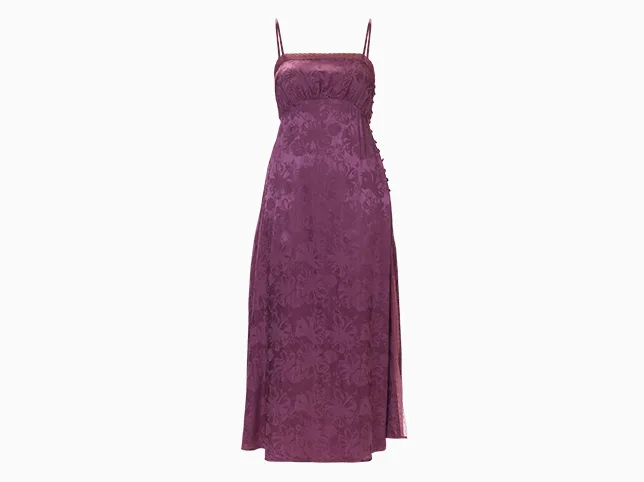
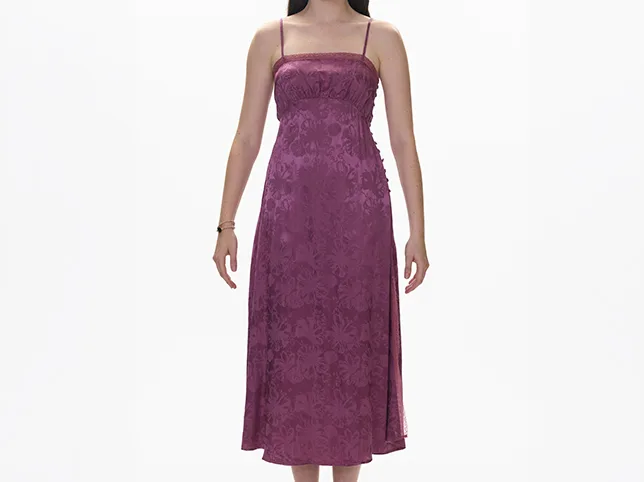
Purple textured slip dress after the mannequin was removed and the shoulder straps rebuilt
Purple textured slip dress before the mannequin was removed and the shoulder straps rebuilt
Before After

Ghost Mannequin for Apparel

For clothing lines, the mannequin is removed and the interior collar composited in so the garment holds its own three-dimensional shape. Covered in full on our dedicated ghost mannequin service.

  • Mannequin removed, shape retained
  • Neck, sleeve and hem joints built
  • Interior composited for real depth
  • Apparel catalogues at volume
Try it on 3 images

Bulk Catalogue Processing

The same treatment applied across a whole catalogue so a category page reads as one shoot. Style guides are recorded per account, so batch two matches batch one months later.

  • One style guide across every SKU
  • 8,000+ images a day of capacity
  • FTP integration for high volume
  • Consistent months apart
Try it on 3 images
The same bracelet delivered as three matching colourways on white
A single corded bracelet photographed on a green backdrop
Before After
Product categories

eCommerce Photo Editing for Every Product Category

Material and shape decide the technique, so the same brief produces a different edit in each of these. Six of the categories our product editors work on daily, and what actually changes between them.

The same black in every frame

Fashion and apparel is where inconsistency shows first. Black fabric photographs differently under a softbox than it does two days later under a replaced bulb, and a collection grid puts twenty of those frames side by side. The edit is less about any one garment than about pulling a whole shoot back to a single neutral and then holding it there — ghost mannequin, flat lay and on-model matched so the same shirt reads the same whichever way it was shot.

At macro, dust is the product

Jewellery and watches are photographed close enough that specks of dust, fingerprints and the lens itself become part of the picture. Most of the work here is removal: the studio, its lights and often the photographer show up in polished metal and have to be painted out without flattening the reflection that makes gold look like gold. Facets need to stay faceted rather than smoothed, which is exactly what an automated cleanup pass gets wrong.

Two shoes that have to look like a pair

Footwear is shot as a pair and judged as a pair. A small difference in angle, in how far the sole is compressed against the surface, or in the tension of the laces reads to a buyer as two different shoes. The edit squares the pair up, keeps the sole edge crisp where an automatic cut-out rounds it off, and protects suede and knit texture that aggressive noise reduction turns into a flat grey shape.

The screen is a mirror

Electronics arrive with the studio reflected in them. Gloss casings, glass fronts and brushed metal all pick up the softbox and the ceiling, and a screen meant to read as off shows the room instead. Rebuilding those surfaces is the job: a reflection deleted outright looks like plastic, so it has to be replaced with one that behaves like glass. Cable tidying and dead-straight edges come with it, because technical products are expected to look engineered.

Glass has no edge to cut

Beauty and cosmetics defeats automated tools, because a clear bottle has no boundary to detect. The background shows through it and has to be replaced behind the glass while the glass itself stays transparent — a masking problem, not a selection problem. Alongside that, small-print labelling has to survive being resized to a thumbnail, and gloss has to stay gloss instead of blowing out to a white patch.

Weight comes from the shadow

Furniture and homeware sells on whether it looks like it belongs in a room. A large item cut out and dropped onto white with no shadow floats, and floating reads as a render rather than a photograph. So the edit puts a grounded contact shadow back underneath, corrects the perspective until verticals are vertical, and keeps grain and weave legible at the size a category page actually displays them.

Who we work with

Who Uses Our eCommerce Photo Editing Services

From a first ten listings to catalogue teams shipping thousands of SKUs a season. What changes between them is not the editing, it is what goes wrong at their scale.

Your first hundred listings

New sellers usually arrive with images shot at home, in mixed light, on whatever surface was free. There is no minimum order, so the first batch can be ten files rather than a commitment, and the point of it is to find out what your photographs need before you pay for a catalogue of them. Most first batches turn out to need colour and a cut-out, not a reshoot.

One house style, held across a season

Private label brands are not buying an edit, they are buying repeatability. Your background, shadow weight, crop and colour targets are written up as a style guide on the first order and applied to every batch after it, including the ones photographed months later by someone else. That is what stops a season of drops from looking like four separate brands on one collection page.

One shoot, four marketplaces

Sellers listing in more than one place have to satisfy specifications that contradict each other — pure white here, a 4:3 crop there, a different minimum resolution again. Rather than reshooting or compromising on one master file, we cut each destination from the same edit, so the product is identical everywhere and only the frame around it changes.

Overflow capacity under your own name

Agencies and photographers use us white-label when a catalogue lands on a deadline they cannot staff. Files come back unbranded, in your naming and folder convention, ready to hand to your client as your own work. We do not contact your client and we are not credited anywhere in the delivery.

Catalogues measured in thousands

At catalogue scale the difficulty stops being any individual image and becomes drift: image four thousand slowly stops matching image one. Capacity is 8,000 images a day across 80+ retouchers, and the batch is checked against the style guide and against the rest of the set rather than only against the brief, because that is where drift is visible.

Why it converts

Why Product Photo Retouching Is Essential for Your Store

The product image is the only thing a buyer can inspect. Everything else on the listing is a claim.

The thumbnail wins the click

On a search results grid your image competes at postage-stamp size against a dozen others. A clean cut-out on white reads instantly; a cluttered frame does not.

Compliance keeps you listed

Marketplaces suppress listings whose images break their rules. Meeting the background, frame fill and dimension requirements is not presentation, it is availability.

Colour accuracy cuts returns

A product that arrives a different shade than the listing showed is the most avoidable return there is, and the one most likely to end in a poor review.

Consistency reads as trust

When every tile in a category shares a background, a shadow and a crop, the store looks established. Mismatched images make a real brand look like a drop-shipper.

Our workflow

Our Product Retouching Workflow

The same four stages run on a three-image trial and a four-thousand-image catalogue.

  1. 01

    Path & cut-out

    Hand-drawn path around the product, background removed or replaced.

  2. 02

    Retouching

    Dust, scratches and marks cleaned, colour corrected, shadow built.

  3. 03

    Quality control

    Second editor checks the file against your style guide and platform rules.

  4. 04

    Delivery

    Cropped, sized and delivered by link or FTP within 24 hours.

Marketplace ready

Marketplace Optimised Product Images

Tell us the destination once and its specification is applied to every batch that follows. Figures below are each platform’s published requirements, last checked August 2026.

Amazon: white is scanned, not eyeballed

Pure white at RGB 255, 255, 255, with the product filling at least 85% of the frame and a longest side of 1,600 pixels or more so buyers keep the zoom. Amazon checks main images automatically, which is why “near enough” white is the most common reason a listing gets suppressed. No text, logos or watermarks on the main image.

Shopify: the grid is the product

Square files at 2,048 × 2,048, which is what Shopify’s own guidance recommends and what stays sharp on a high-DPI screen. Shopify enforces almost nothing, so the discipline has to come from you: we hold crop and shadow depth constant across the set, because a collection grid that steps up and down as it scrolls is the giveaway.

eBay: the floor is low, the thumbnail is not

eBay enforces only a 500-pixel minimum on the longest side and recommends rather than requires a white background. That floor is far below what competes: the gallery thumbnail is what wins the click, so we work at 1,600 pixels and up on clean white regardless of what the platform will accept.

Etsy: the crop is the whole decision

Etsy displays at 4:3, recommends roughly 2,700 × 2,025, and imposes no background rule at all. With nothing to comply with, framing becomes the only variable that matters, so we crop for Etsy’s own re-cropping rather than centring the product and hoping.

Walmart: the other one that means it

2,000 × 2,000 minimum at 1:1 or 4:3, pure white on the hero image, and no text, logos or watermarks. Walmart and Amazon are the two marketplaces that genuinely enforce a white background, so a file built for either will pass on the other.

Print: one master, two colour spaces

CMYK-ready TIFF at print resolution, cut from the same master file as the web set. Editing print and web separately is how a catalogue page and a product listing end up as two different colours of the same jumper, and it is not a mistake you find until both are produced.

Pricing

eCommerce Photo Editing Pricing, per Image

Starting rates for standard complexity. Send a sample and we confirm the exact price before any work begins.
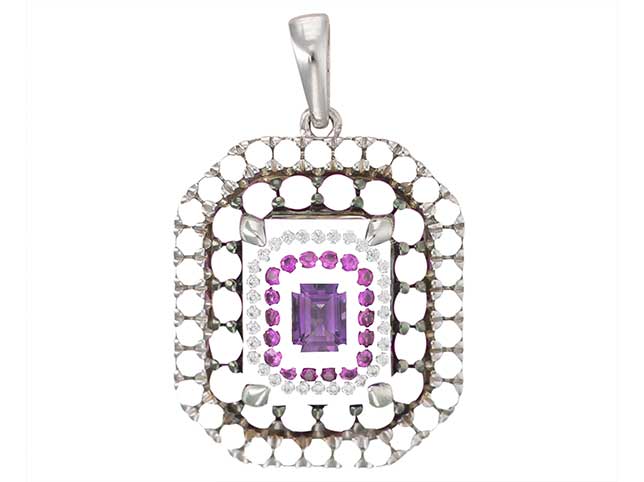
Clipping path & background removal

Hand-drawn path, background removed, delivered on white or transparent.
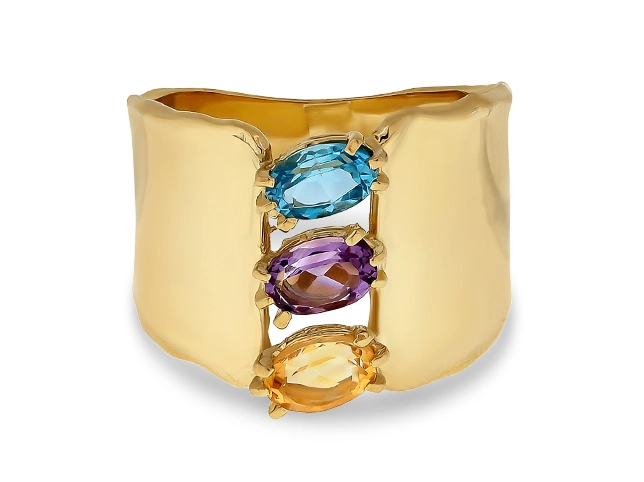
From $0.39 Try it free
Product clean-up
Product clean-up

Dust, scratch and blemish removal on top of the cut-out.
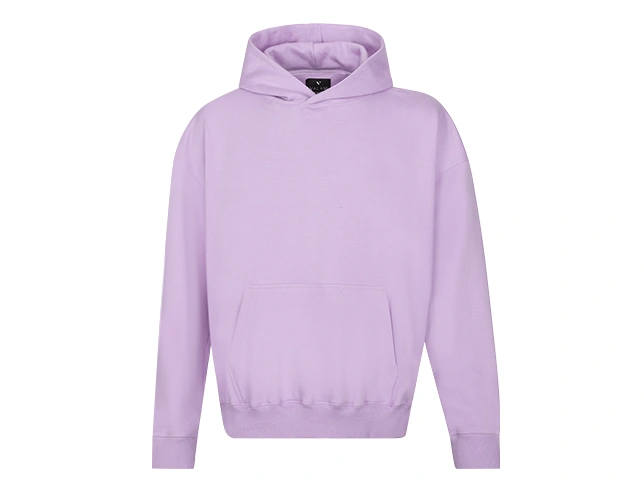
From $0.50 Try it free
Shadow or reflection

Natural drop, cast or mirror reflection added to an edited product.
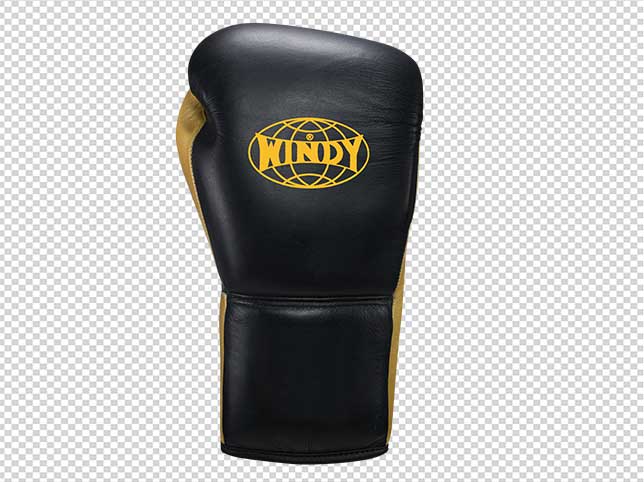
From $0.50 Try it free
Colour correction
Colour correction

Colour matched to the physical product, white balance and cast corrected.
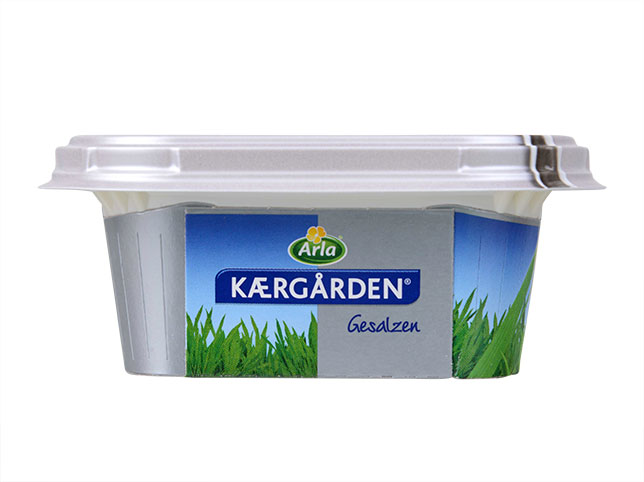
From $0.50 Try it free
eCommerce ready package

Background, shadow, sharpening, crop, resize, centre and format in one pass.

From $1.50 Try it free
Bulk catalogue work
Bulk catalogue work

Ten images or more. Send a sample and we quote the whole batch upfront.

From Custom Try it free

Bulk orders of 10+ images qualify for discounted pricing, and 100+ for up to 50% off.

Common questions

Frequently Asked Questions

Prices, turnaround and platform specifications on this page were last reviewed in August 2026.

What types of product photos do you edit?

All eCommerce categories: fashion and apparel, jewellery and accessories, footwear, electronics, home goods and furniture, beauty and cosmetics, food packaging, sports equipment, toys and auto parts. If your category is not listed, send a sample and we will confirm feasibility and price.

How do I send you my product images?

By our upload portal, Dropbox, Google Drive or WeTransfer — whichever suits you. We accept JPEG, PNG, TIFF and RAW from any camera, and for high volume we can connect directly to your FTP server.

What is your turnaround time?

Standard turnaround is 24 hours for most orders, and 24–48 hours for complex or high-volume work. For large catalogue projects we agree a delivery timeline upfront and meet it. Rush and same-day editing is available.

Do you handle bulk product photo editing?

Yes, and it is one of our core strengths. Capacity runs to 8,000 images a day, and your style guide is recorded once so batch two matches batch one months later. Amazon sellers, fashion brands and agencies use us this way routinely.

Do you meet Amazon image requirements?

Yes. Amazon listings are returned on pure white with the product filling at least 85% of the frame at compliant dimensions. Shopify, eBay, Etsy and Walmart work is matched to each platform’s own grid, aspect ratio and file size limits.

Can you remove and replace backgrounds?

Yes. Backgrounds can be removed entirely and replaced with pure white, a custom brand colour, a gradient, a lifestyle scene, or left transparent as a PNG for your own layouts.

Can you edit reflective or transparent products?

Yes. Glass, acrylic, polished metal and mesh are edited with channel and alpha masking rather than a hard vector path, so transparency and soft edges survive instead of being clipped away.

Do you deliver layered PSD files?

Yes, on request. A flattened JPEG, PNG or TIFF is standard, and we can supply the layered PSD alongside it so your team can adjust the file in-house later.

What if I am not happy with the edited images?

Revisions are unlimited on every order. Tell us what needs to change and we keep working until it is right. If revisions still do not resolve the issue, a money-back guarantee applies.

Is there a minimum order?

No. You can send a single image, or start with the free trial of three products. There is no minimum quantity and no sign-up required.

Do you offer bulk discounts?

Yes. Orders of 10 or more images qualify for discounted custom pricing, and orders above 100 images qualify for discounts of up to 50%. Send a representative sample and we will quote the whole batch upfront.

Is my product imagery kept confidential?

Yes. Unreleased product photography is treated as confidential by default, files are not used in our portfolio without written permission, and we will sign your NDA on request.

Related services

Related Photo Editing Services

Product work pairs naturally with clipping path work, ghost mannequin editing for apparel lines, and jewelry retouching for accessories.

This page covers the editing itself. Running it inside a particular business changes the constraints rather than the technique, and those are set out separately for Shopify stores, Etsy sellers, jewellery retailers and online boutiques.

Get started

Start Your Free eCommerce Editing Trial

Send three products and see the difference before you commit to anything. No credit card, no sign-up, no obligation.

Scroll to Top