ISO-certified studio · 80+ retouchers · 3M+ images +65 9050 7285 info@pixelretouching.com Open 24 hours
Start a Free Trial
Clipping Path · Multi-Path · Retouching

Multiple Clipping Path Services for eCommerce & Product Photos

Multiple clipping path and product retouching services, hand-drawn from $0.30 an image. A multiple clipping path separates a product into individually editable parts, so one photograph can produce every colourway, every isolated component and every background variant. Drawn by hand with the Pen Tool — from $0.30 an image, within 24 hours. Pixel Retouching has drawn paths by hand since 2014, from ISO-certified studios in Singapore and Dhaka.
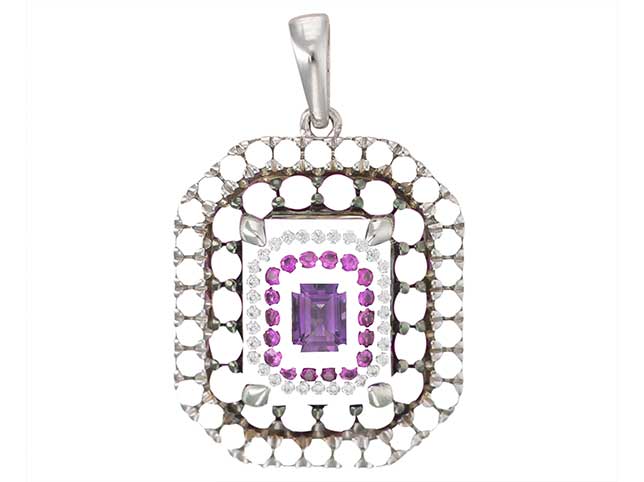
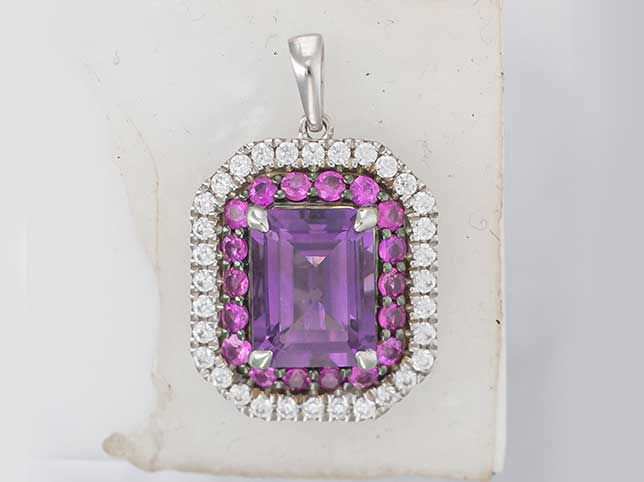
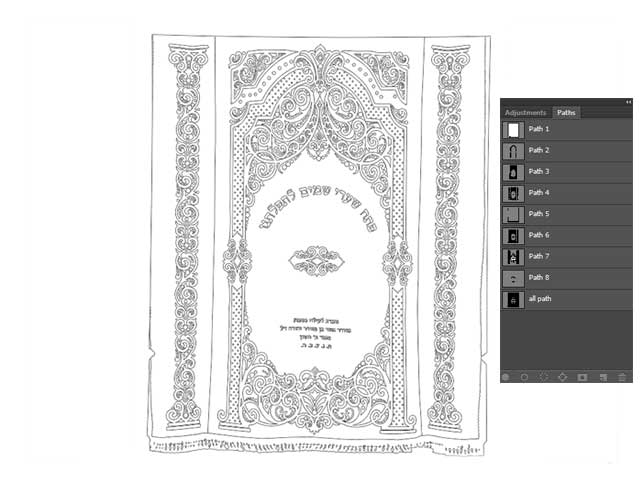
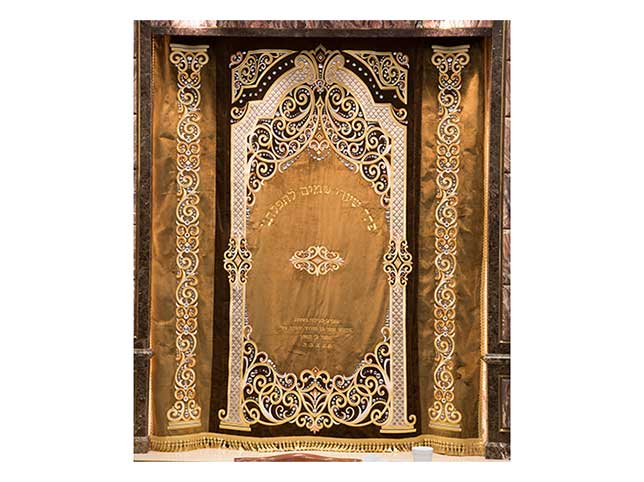
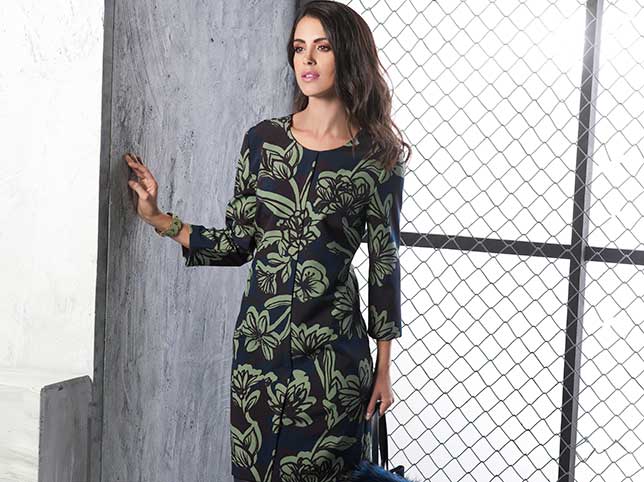
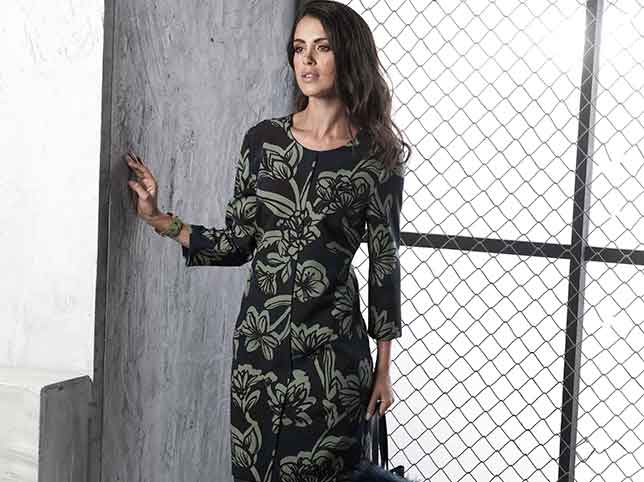
Multiple clipping path after retouching Multiple clipping path before retouching After editBefore

Hover to see before

3 images pathed free. No credit card, no sign-up.

24h Turnaround
100% Pen Tool
8,000+ Images a day

Trusted by Online Stores, Studios & Agencies

Retailers, product photographers and creative agencies send us raw frames and get layered, fully editable files back the next working day.


ZEELUM
SQUARESHOT
soona
Pro Product Photo
OMS Photo
Prop Photo Studio
Northlane
VANTRA
Lumeo
Kindred & Co.
Atelier Nine
HALCYON
ZEELUM
SQUARESHOT
soona
Pro Product Photo
OMS Photo
Prop Photo Studio
Northlane
VANTRA
Lumeo
Kindred & Co.
Atelier Nine
HALCYON
3M+Images processed
80+In-house retouchers
8,000+Images a day
200+Brands worldwide
The service

What Is a Multiple Clipping Path?

A single clipping path outlines a product. A multiple clipping path outlines every part of it separately, so each component can be recoloured, replaced or masked on its own without touching the rest of the image.

Drawn with the Pen Tool

Every path is placed by hand. Automatic selection tools guess at edges and fail on anything soft, reflective or thin, which is most of a real catalogue.

One path per component

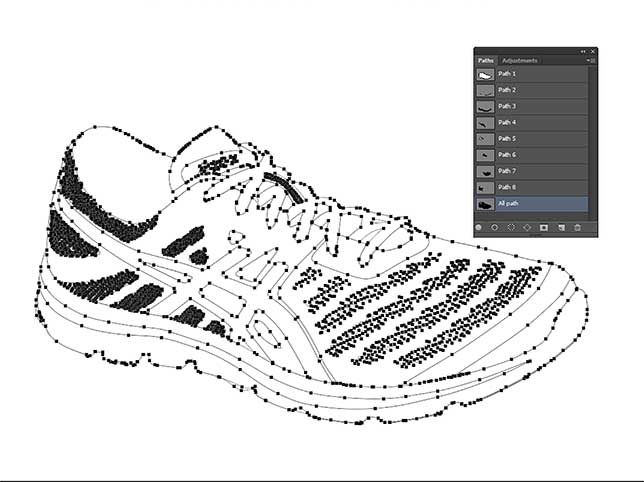
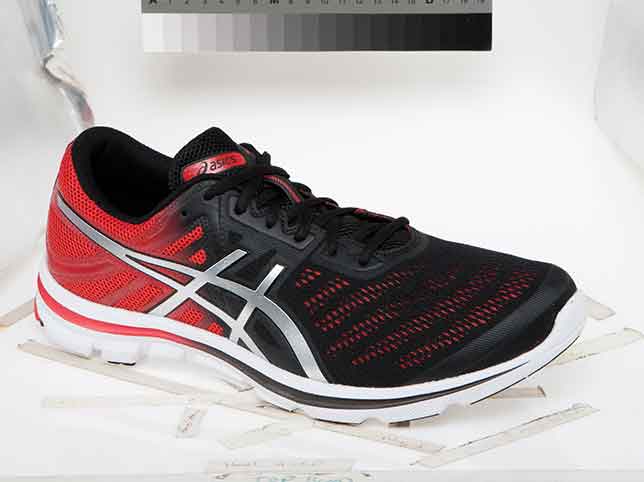
A shoe becomes upper, sole, laces and eyelets. Each part carries its own path, so a colour change touches only the part it should.

Colourways without a reshoot

Once the parts are separated, a single photograph generates every colour variant a listing needs, at a fraction of the cost of shooting each one.

Layered files, not flattened

Paths are delivered inside the PSD so your team can keep using them. A flattened JPEG throws away the work you paid for.

How it works

How Our Multiple Clipping Path Service Works

Four steps from raw frames to listing-ready files, with no account setup in between.

Step 01

Send your files

JPEG, PNG, TIFF or RAW by upload link, Dropbox, Google Drive, WeTransfer or straight to your FTP.

Step 02

Manual pathing

A named retoucher draws each path with the Pen Tool, one per component, with anchor points placed by hand.

Step 03

Quality control

A second editor checks every edge at full zoom and confirms the layer structure matches your brief.

Step 04

Delivery

Layered PSD plus flattened output, returned within 24 hours. Revisions are unlimited.

What we edit

Types of Multiple Clipping Path We Provide

Path count and complexity decide the price, not the product category. Drag any slider to see the real file, before and after.
basic multiple clipping path for photographer after
basic multiple clipping path
Before After

Basic Clipping Path

A single closed path around a product with a simple, continuous outline — boxes, books, phones, bottles. The fastest and cheapest option, and the right one when there is nothing to separate.

  • One path, simple outline
  • Straight and gently curved edges
  • Boxes, books, phones, bottles
  • Turnaround measured in minutes
Try it on 3 images

Medium Clipping Path

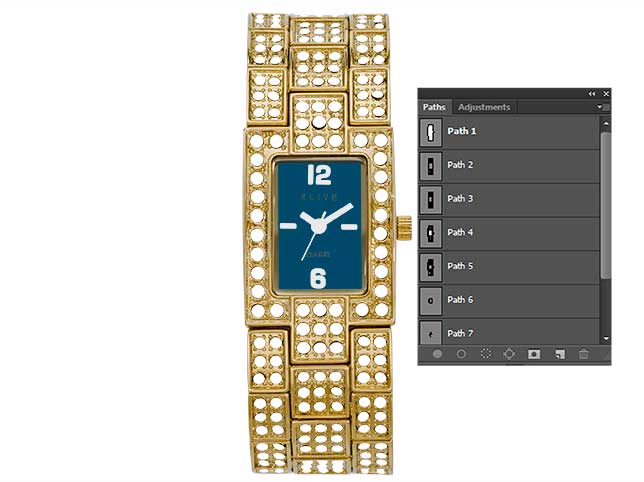
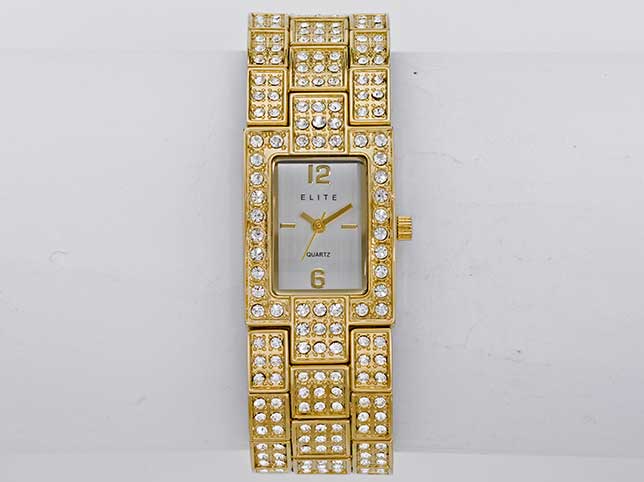
Products with a handful of interior holes or separable parts — a mug with a handle, a bag with straps, a watch with a strap and face. Several paths, each on its own layer.

  • Multiple paths per image
  • Interior holes cut out cleanly
  • Bags, mugs, watches, tools
  • Parts kept individually editable
Try it on 3 images
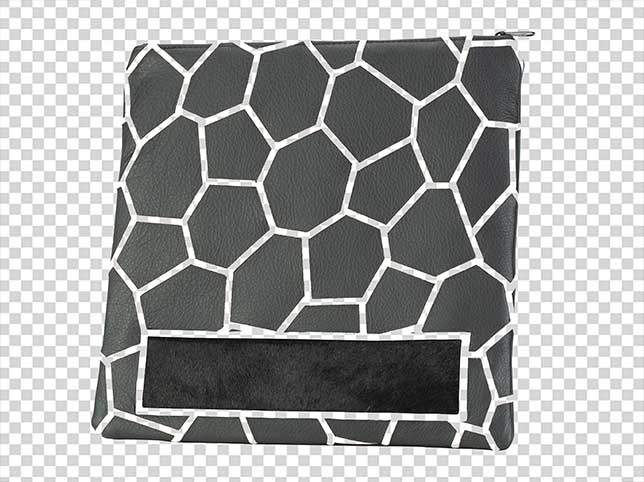
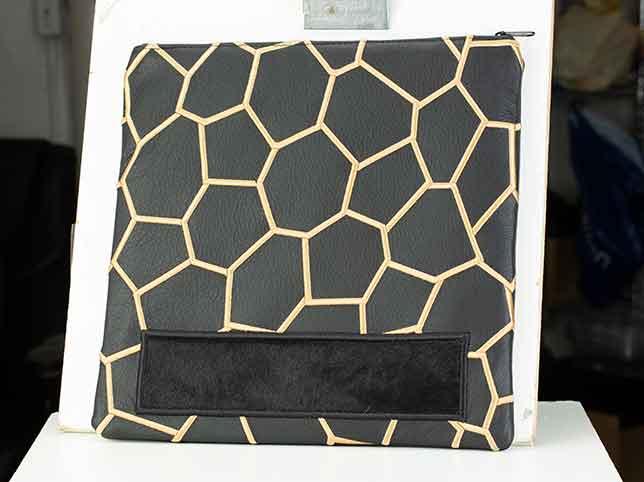
medium multiple clipping path after
medium multiple clipping path for photographer
Before After
complex multiple clipping path after
complex multiple clipping path
Before After

Complex Clipping Path

Many separate components, fine gaps and overlapping parts — jewellery with chains and settings, furniture with slats, bicycles, electronics with cabling.

  • Dozens of paths per image
  • Fine gaps and chains handled
  • Jewellery, furniture, bicycles
  • Overlaps resolved by layer order
Try it on 3 images

Super Complex Clipping Path

The highest path counts we take on: nets, grilles, wire racks, dense product groups and multi-item flat lays where every item needs isolating.

  • Hundreds of paths per image
  • Nets, grilles and wire racks
  • Group shots and flat lays
  • Every item isolated separately
Try it on 3 images
super complex multiple clipping path after
super complex multiple clipping path before
Before After
quality multiple clipping path service after
quality multiple clipping path service before
Before After

Shoe & Footwear Multi-Path

Uppers, soles, laces, eyelets and stitching each pathed separately, so a single pair photograph produces the full colourway range a footwear listing needs.

  • Upper, sole, laces, eyelets split
  • Full colourway range from one shot
  • Stitching and trim isolated
  • Left and right matched
Try it on 3 images

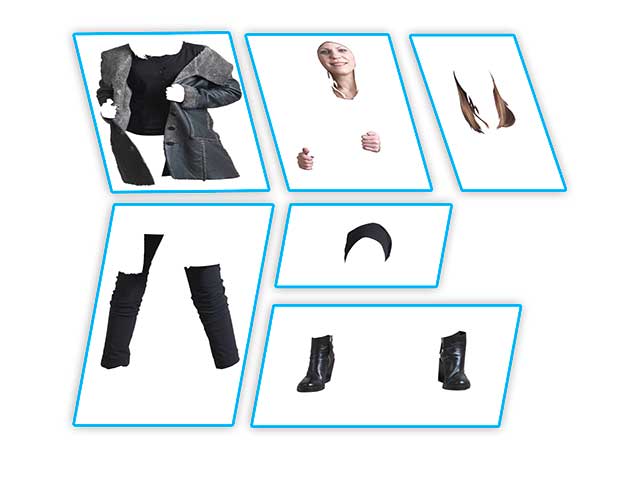
Model & Fashion Clipping Path

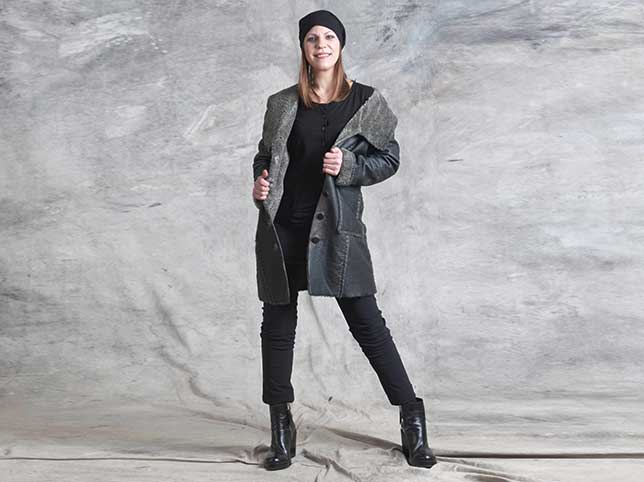
Garments separated from the model and from each other, so a lookbook frame can be recoloured, recomposed or moved onto a clean background for the listing grid.

  • Garment separated from model
  • Each layer independently editable
  • Hair handled with masking, not paths
  • Lookbook frames reused as listings
Try it on 3 images
fashion photo editing retouching services after
Model & Fashion Clipping Path before editing
Before After
When to use it

When to Use Multiple Clipping Path Services

A multi-path costs more than a single outline, and it pays for itself when one of these five is true of your catalogue. If none of them are, order a single clipping path instead — you will not see the difference.

You sell the same shape in several colours

This is what most multi-path work is for. With the garment separated from its trims, buttons, stitching and sole, one photograph produces the entire colour range — and it produces it consistently, because every variant is the same frame with different values rather than nine shoots that have to be matched afterwards. The saving is a shoot day per colourway; the quieter benefit is that the variants cannot drift apart.

One component has to move independently

Isolating a single part — a sole, a lid, a clasp, a screen — lets it be lifted for a close-up, an exploded diagram or a spec sheet without rebuilding it. It also means a component can be replaced when the product changes without reshooting the whole item, which matters for ranges where one part is revised between seasons.

Different materials need different treatment

A shoe is leather, rubber and mesh in one frame, and each responds differently to the same adjustment: brighten the upper and the sole goes grey. Separate paths mean each material is adjusted on its own, which is the difference between a product that looks photographed and one that looks like it has had a filter applied evenly across three surfaces that should not match.

The background changes per placement

A banner, a marketplace listing, a print page and an email each want something different behind the product. Paths held separately mean the background is swapped per channel without touching the product itself, so the same file serves all of them and no version quietly acquires a different edge or shadow along the way.

A designer or a printer has to act on it

Delivered as a layered file with the paths intact rather than flattened, this is artwork someone else can work with: a designer recomposes it without asking you for another version, and a print workflow can act on pre-separated components directly. That is usually what makes a multi-path cheaper than a single path plus three rounds of requests afterwards.

Who we work with

Who Needs Multiple Clipping Path Services

Anyone who needs one photograph to do the work of several. What differs is whether that is about colour, about materials, or about what happens to the file after we hand it back.

Brands selling ranges rather than products

Apparel, footwear and accessories all share one economics problem: the range is many colourways of a few shapes, and photographing each is the largest avoidable cost in the catalogue. Multi-path turns that into one shoot plus editing, and keeps every variant provably identical apart from the colour.

Products that are several materials at once

Jewellery, watches, tools and anything assembled from parts need each material adjusted separately or none of them look right. Path counts run high on these — a chain and setting can need dozens — which is why they are quoted per image rather than at the standard rate.

Agencies and designers who need to keep working

A flattened cut-out is finished; a layered multi-path is material. Agencies order this specifically so the asset can be recomposed for placements nobody had thought of when the brief was written, without a round trip back to the retoucher for each one.

Photographers delivering more than a photograph

Offering separated files rather than flat JPEGs is a way to charge for post-production rather than absorb it. Delivered white-label under your own studio name, in your naming convention, with nothing identifying us in the files.

Interiors, furniture and anything with finish options

Rooms and furniture are sold on combinations — this frame, that fabric, the other wood — and photographing the combinations is impossible past a handful. Components separated once let the options be generated, which is the same problem colourways present, at a larger scale.

Why it converts

Why Path Quality Decides the Whole Edit

Every other edit sits on top of the path. If the outline is wrong, nothing downstream can be right.

Automated selection fails at the edge

Wands and AI cut-outs guess. On hair, mesh, glass, chrome and anything semi-transparent that guess is visibly wrong at the zoom level buyers use.

A halo cannot be fixed later

A path drawn slightly wide leaves a fringe of old background that follows the product onto every colourway and every banner it is ever used in.

Separation is what enables reuse

A flat cut-out gives you one image. A layered multi-path gives you every variant, every close-up and every recomposition from the same frame.

Consistency compounds at volume

Paths drawn to one standard mean a category page of hundreds of products shares the same edge quality, which is what makes a catalogue look professional.

Our workflow

Our Clipping Path Workflow

The same four stages run on a three-image trial and a four-thousand-image catalogue.

  1. 01

    Path planning

    Components identified and the layer structure agreed against your brief.

  2. 02

    Manual pathing

    Each part drawn with the Pen Tool, anchor points placed by hand.

  3. 03

    Quality control

    Second editor checks every edge at full zoom and verifies layer names.

  4. 04

    Delivery

    Layered PSD plus flattened output by link or FTP within 24 hours.

Portfolio

Before & After Gallery

Real client files, grouped by path complexity. Drag any slider to compare.

basic multiple clipping path for photographer after
basic multiple clipping path
Before After
Basic path
medium multiple clipping path after
medium multiple clipping path for photographer
Before After
Medium path
complex multiple clipping path after
complex multiple clipping path
Before After
Complex path
super complex multiple clipping path after
super complex multiple clipping path before
Before After
Super complex
quality multiple clipping path service after
quality multiple clipping path service before
Before After
Footwear multi-path
fashion photo editing retouching services after
Model & fashion before editing
Before After
Model & fashion
Pricing

Clipping Path Pricing, per Image

Starting rates for standard complexity. Send a sample and we confirm the exact price before any work begins.

basic multiple clipping path for photographer after
Basic path

One simple closed path — boxes, books, phones, bottles.

From $0.30 Try it free
medium multiple clipping path after
Medium path

A handful of paths with interior holes — bags, mugs, watches.

From $0.60 Try it free
complex multiple clipping path after
Complex path

Many components and fine gaps — jewellery, furniture, electronics.

From $1.20 Try it free
super complex multiple clipping path after
Super complex path

Nets, grilles, wire racks and dense multi-item group shots.

From $2.50 Try it free
quality multiple clipping path service after
Multi-path colourway set

Components split for a full colour range from one photograph.

From Custom Try it free
multiple clipping path service afater
Bulk catalogue work

Ten images or more. Send a sample and we quote the whole batch upfront.

From Custom Try it free

Bulk orders of 10+ images qualify for discounted pricing, and 100+ for up to 50% off.

Common questions

Frequently Asked Questions

Prices and turnaround on this page were last reviewed in August 2026.

What is the difference between a clipping path and a multiple clipping path?

A clipping path is one outline around the whole product, used to remove the background. A multiple clipping path is a separate outline around each component, so every part can be recoloured, replaced or adjusted independently while the rest of the image stays untouched.

What tools do you use?

Photoshop’s Pen Tool, on every path, placed by hand. Automatic selection and AI cut-out tools are not used, because they fail at exactly the edges that matter — hair, mesh, chrome, glass and anything semi-transparent.

What kind of photos do you edit?

All product categories: fashion and apparel, footwear, jewellery, furniture, electronics, home goods, food packaging and automotive parts. If your category is not listed, send a sample and we will confirm feasibility and price.

Can you handle bulk orders?

Yes. Capacity runs to 8,000 images a day while holding one edge standard across the batch, and your layer-naming convention is recorded once so batch two matches batch one months later.

What is your turnaround time?

Standard turnaround is 24 hours, and 24–48 hours for complex or high-volume work. For large catalogue projects we agree a delivery timeline upfront and meet it. Rush and same-day editing is available.

Do you deliver layered PSD files?

Yes, and for multi-path work it is the point. Paths are delivered inside the PSD with named layers so your team can keep using them, alongside a flattened JPEG, PNG or TIFF.

Can you edit transparent or reflective products?

Yes. Glass, acrylic, chrome and mesh are handled with channel and alpha masking alongside the paths, so transparency and soft edges survive instead of being clipped away by a hard outline.

How do you price a multi-path job?

By path count and edge complexity, not by product category. Send a representative sample and we will tell you which tier it falls into and quote the batch before any work starts.

Can you create colour variants from one photo?

Yes, that is the most common reason clients order multi-path work. Once components are separated, we can generate the full colourway range from a single photograph without a reshoot.

Can you meet urgent deadlines?

Yes. Expedited editing is available for urgent deadlines, and it does not change the standard: paths are still drawn by hand and still pass the same quality check.

Is there a minimum order?

No. You can send a single image, or start with the free trial of three. There is no minimum quantity and no sign-up required.

What is your refund policy?

Unlimited free revisions are included. If the result still does not meet your requirements after revisions, a money-back guarantee applies.

Related services

Related Photo Editing Services

Clipping path work underpins background removal, colour variants and ghost mannequin editing — most catalogue jobs combine two or three of them.

Get started

Start Your Free Clipping Path Trial

Send three images and see the edge quality before you commit to anything. No credit card, no sign-up, no obligation.

Scroll to Top