ISO-certified studio · 80+ retouchers · 3M+ images +65 9050 7285 [email protected] Open 24 hours
Start a Free Trial
Built for TikTok Shop TikTok Shop photo editing

Product Photo Editing & Retouching for TikTok Shop

Professional product photo editing for TikTok Shop sellers, delivered square and vertical from $0.39 an image. A tile is judged at postage-stamp size, in motion, beside video — so we crop tighter, push separation harder and deliver every shot twice. Pixel Retouching has run TikTok Shop image editing since 2014, from ISO-certified studios in Singapore and Dhaka.

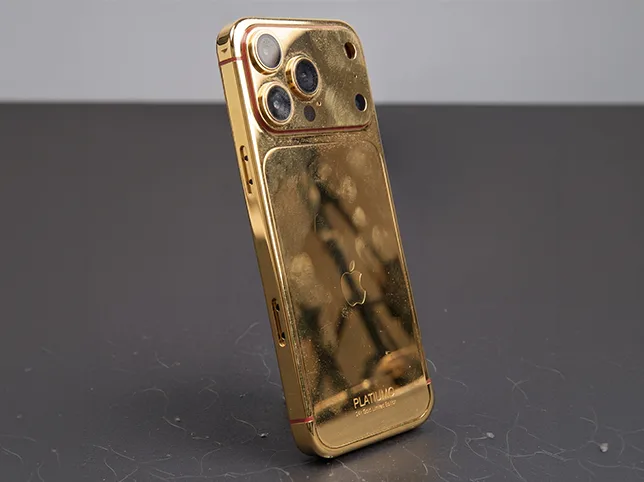
Product tile after retouching Product tile before retouching After editBefore

Hover to see before

Send three products. They come back square and vertical, both legible at thumbnail size.

$0.39 per image
24h standard turnaround
3M+ images edited

The production floor behind two hundred brands

Eighty in-house retouchers and 8,000 images a day, which is what it takes to keep up with a channel that moves this fast.


ZEELUM
SQUARESHOT
soona
Pro Product Photo
OMS Photo
Prop Photo Studio
Northlane
VANTRA
Lumeo
Kindred & Co.
Atelier Nine
HALCYON
ZEELUM
SQUARESHOT
soona
Pro Product Photo
OMS Photo
Prop Photo Studio
Northlane
VANTRA
Lumeo
Kindred & Co.
Atelier Nine
HALCYON
3M+Images processed
80+In-house retouchers
8,000+Images a day
200+Brands worldwide
The real constraint

Why TikTok Shop Images Fail

Not because they are bad photographs. Because they were edited for a desktop product page and then shown somewhere else entirely.

Judged at thumbnail size

Detail that carries a full-width hero image disappears at 200 pixels. If the product does not read instantly at tile size, the shot has already lost, however good it looks when you open it.

One second of attention

The tile competes with video for a scroll that does not slow down. Separation between product and background has to be stronger than a classic catalogue edit would ever allow.

Two shapes, not one

The shop grid wants square. Feed placements want vertical. Centre-cropping a square down to 9:16 slices the product in half, so the two need composing separately.

Product floating in the frame

Space around the product is wasted at tile size. Filling the frame is the single cheapest improvement available, and it costs nothing but a considered crop.

Delivery spec

What We Deliver for TikTok Shop

Every shot delivered in both shapes as standard, because one edit should produce both rather than being quoted twice.

Recommended size
800 × 800 px or larger for the main image
Aspect ratio
1:1 for the shop grid, plus 9:16 for feed placements
Background
White or clean for the main image, styled for secondary slots
Grading
Contrast and separation pushed for thumbnail legibility
File format
JPG, or PNG where transparency is needed
Turnaround
24 hours standard, same day for small batches before the cut-off

TikTok Shop requires a clean, generally white background on the main product image. Secondary slots are far more permissive, and that is where lifestyle and in-use shots belong.

What we edit

What We Edit for a TikTok Shop

Five jobs, all aimed at the same target: legibility at tile size. Each links to the service page that performs the technique.

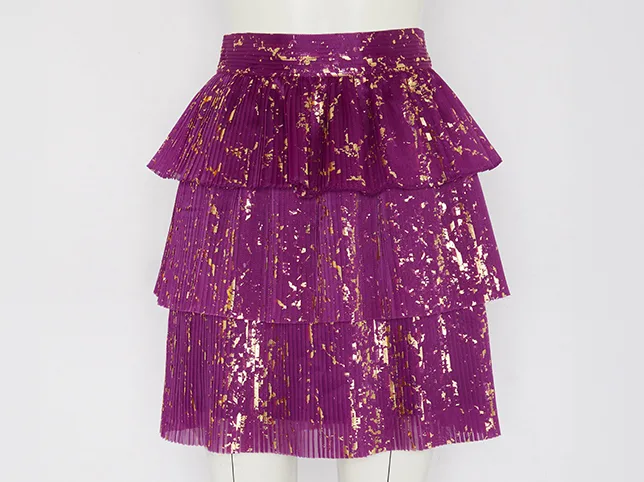
Sequinned skirt after the hanger was removed and the garment squared to fill the frame
Sequinned skirt before the hanger was removed and the garment squared to fill the frame
Before After

Product Filling the Frame

The single highest-return change on this channel. The crop is tightened until the product occupies the frame, so the tile carries at 200 pixels instead of showing a small object surrounded by empty white that communicates nothing.

  • Frame fill judged per product, not batch-cropped
  • Centred and squared for the grid
  • Enough margin left that nothing clips
  • Sharpening applied per output size

How this is done: Cropping & Resizing

Try it on 3 images

Hanger Shots Turned Into Product Shots

Photographing on a hanger is the fastest way to get a whole rail shot and the worst way to present any of it, because the hanger sits in front of the garment rather than behind it. Removing it means rebuilding the shoulder line and collar underneath, and the shape that goes back has to match every other piece from the same rail rather than just look plausible on its own.

  • Hanger and hook removed
  • Shoulder line and collar rebuilt
  • Shape matched across the whole rail
  • Delivered square and vertical from one edit

How this is done: Cropping & Resizing

Try it on 3 images
T-shirt shot on a hanger after it was cut out and recomposed for square and vertical crops
T-shirt shot on a hanger before it was cut out and recomposed for square and vertical crops
Before After
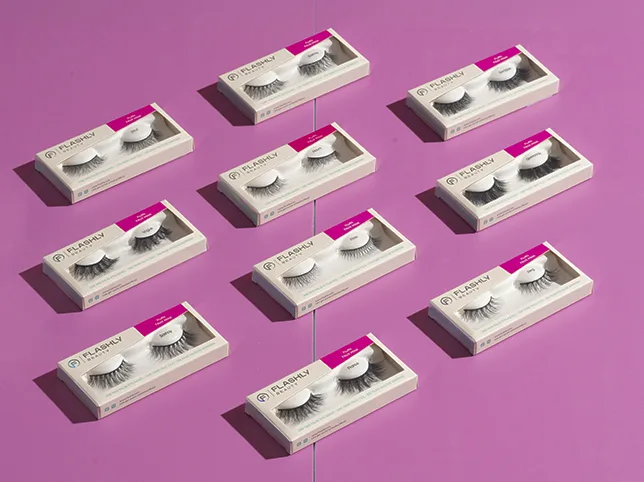
Lash boxes on a pink backdrop after colour and contrast were lifted for a feed thumbnail
Lash boxes on a pink backdrop before colour and contrast were lifted for a feed thumbnail
Before After

Contrast That Survives the Scroll

Grading for this channel is deliberately more aggressive than for a catalogue. Separation between product and background is pushed so the shape reads instantly, while the colour stays true enough that the buyer is not surprised when the parcel arrives.

  • Separation pushed for small-size legibility
  • Colour kept accurate to the product
  • Highlights held rather than blown out
  • Consistent grade across the shop

How this is done: Colour Change

Try it on 3 images

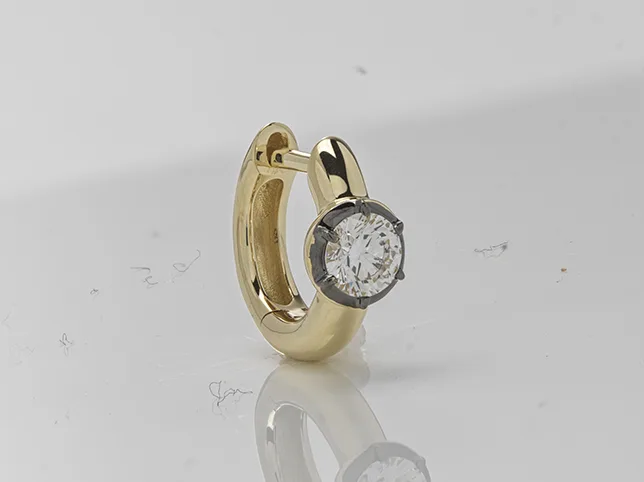
Detail Shots That Actually Show Detail

Secondary slots are where the sale is closed, and a full product shot repeated four times wastes them. Close-up crops pulled from the same master show the stitching, the finish and the scale without needing another shoot.

  • Close-up crops from the existing master
  • Sharpened for the smaller display size
  • Scale and finish made obvious
  • No reshoot required

How this is done: Cropping & Resizing

Try it on 3 images
Gold and diamond earring after dust was cleared and the stone sharpened at macro
Gold and diamond earring before dust was cleared and the stone sharpened at macro
Before After
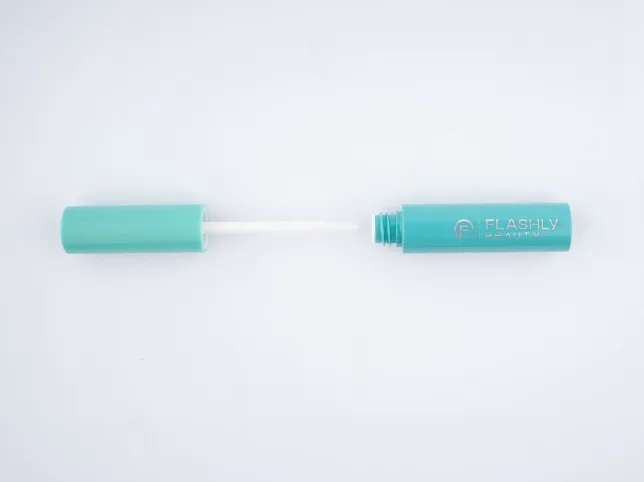
Teal beauty pen after it was cut out and normalised to the range standard
Teal beauty pen before it was cut out and normalised to the range standard
Before After

Small Products That Get Lost in the Tile

A slim applicator or a single-use sachet occupies almost none of a square tile if it is framed the way it was shot, and on a feed scrolled at speed that is the same as not being there. The crop is tightened until the product owns the frame, contrast is pushed further than a catalogue edit would allow, and the label stays readable at the size it is actually seen.

  • Cropped until the product fills the tile
  • Contrast pushed for a fast scroll
  • Label kept legible at feed size
  • Same treatment across the range

How this is done: eCommerce Photo Editing

Try it on 3 images
The services behind it

The Services a TikTok Shop Bundles

Mostly cropping, colour and the standard listing edit. Each page carries its own rate and before-and-after.

How it runs

How a TikTok Shop Order Runs

Built around the fact that this channel moves faster than a catalogue cycle.

  1. 01

    Send the shots and say which slots they fill

    Tell us which images are main and which are secondary. The main image has a background requirement the others do not, and knowing that upfront avoids a rejected listing.

  2. 02

    We confirm the crop treatment

    How tight to go is the one decision worth agreeing in advance, because it is the change you will notice most. We show it on the first image before applying it to the rest.

  3. 03

    Hand-edited and graded for small display

    Edited in Photoshop and checked at tile size, not just at full width. An image is only signed off if it reads at 200 pixels, which is where it will actually be seen.

  4. 04

    Delivered square and vertical together

    Both ratios come back from the same edit, correctly sized and named. Revisions are unlimited until it is right.

The work

Marketplace Work, Before and After

Real client files. Drag any slider, then imagine each one at a quarter of the size.

Cosmetic jar on a plain backdrop after it was composited into a styled spa scene
Cosmetic jar on a plain backdrop before it was composited into a styled spa scene
Before After
Lifestyle scene built for a promo
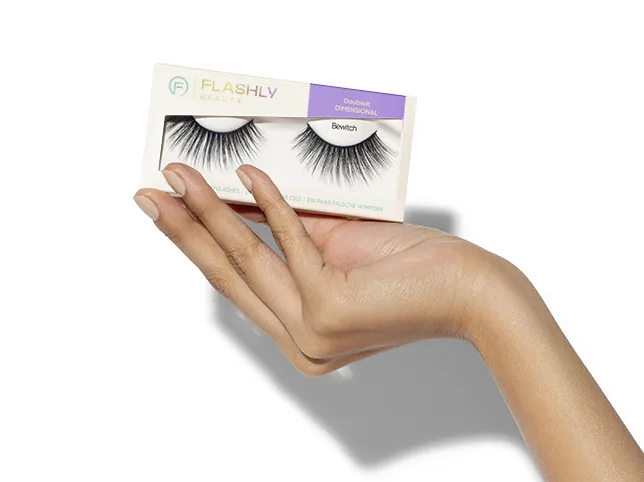
Hand holding a lash box after the skin and packaging were cleaned and evened
Hand holding a lash box before the skin and packaging were cleaned and evened
Before After
In-hand product clean-up
Common questions

Frequently Asked Questions

What image size does TikTok Shop require?

800 × 800 pixels or larger for the main product image, at a 1:1 ratio. The main image also needs a clean, generally white background. Secondary slots are much more permissive, which is where lifestyle and in-use shots belong — and where most sellers leave value on the table by repeating the same shot.

Do I really need both square and vertical versions?

If your products appear beside feed content, yes. Square serves the shop grid; vertical serves feed placements. The important part is that they are composed separately — centre-cropping a square down to 9:16 typically slices the product in half, which looks careless in exactly the place you least want it to.

Do you charge twice for the second ratio?

No. Retouching is charged once per image and every additional size or ratio is exported from that same master. This is normally the biggest single saving for sellers listing the same stock across TikTok Shop, a storefront and another marketplace.

Why does my product look fine on desktop but bad in the shop grid?

Because it was edited at full width and displayed at tile size. Detail, subtle contrast and fine texture all disappear at 200 pixels, while an over-tight crop and stronger separation, which can look slightly aggressive at full size, are exactly what make a tile readable. We check every file at the size it will actually be seen.

Can you edit product photos taken on a phone?

Yes, and it is common on this channel. Resolution is rarely the limitation; lighting and background are, and both are fixable. If a shot is genuinely out of focus we will say so instead of taking the order, because sharpening does not recover detail that was never captured.

How fast can you turn a drop around?

Standard turnaround is 24 hours and small batches sent before the cut-off usually come back the same working day. Capacity is 8,000 images a day, so a full range landing on one launch date is a normal job rather than an exception. We confirm the delivery date before starting.

Will editing make the product look different from what arrives?

It should not, and we treat that as a hard limit. Contrast and separation are pushed for legibility, but colour is held accurate to the product. Exaggerating a colour to make a tile pop is how a seller collects returns and bad reviews, which costs far more than the click it won.

How do I test it before paying?

Send three products through the free trial and say where they are going. They come back edited, in both ratios, with no card and no account required. You keep the files whether or not you order anything else.

Get started

Send Three Products and Check Them at Tile Size

That is the only test that matters on this channel, and it takes about ten seconds once the files are back.

Scroll to Top