Your product photos are often the first—and sometimes only—impression a potential customer gets before they hit “buy.” On Amazon, where trust is currency and competition is fierce, a mediocre image can cost you sales. The good news? Following proven photography and editing best practices can dramatically boost your conversion rates and send your sales climbing.
Here’s what every Amazon seller needs to know about creating product images that actually sell.
Why Product Photography Matters on Amazon
Amazon’s algorithm rewards products with high-quality images. The platform’s own research shows that listings with professionally edited photos experience higher click-through rates, fewer returns, and increased customer satisfaction. When shoppers see a clear, well-lit, expertly edited product image, they feel confident in their purchase—and confidence converts browsers into buyers.
But great photography starts long before you upload to Amazon. It begins with the shot itself, and then gets polished through professional editing.
The Essentials: What Every Amazon Product Photo Needs
1. White or Neutral Background
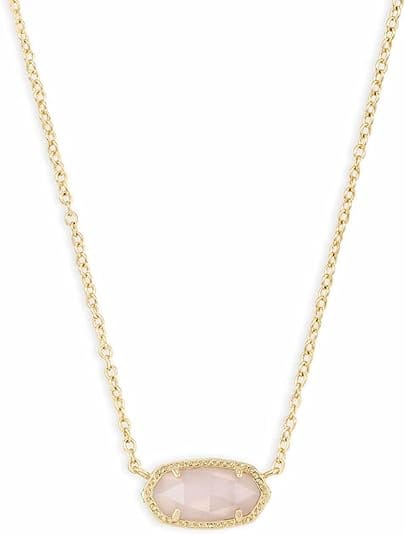
Amazon’s guidelines prefer clean, white backgrounds for the main product image (the hero shot). Why? Because of a white background:
- Draws the customer’s eye directly to the product
- Looks professional and trustworthy
- Takes up 85% of the frame (Amazon’s recommendation)
- Allows Amazon’s search algorithm to feature your image more prominently
If your product looks better against a lifestyle background, use it for secondary images—but always lead with a clean white background for your primary listing image.
2. Sharp Focus and Proper Lighting
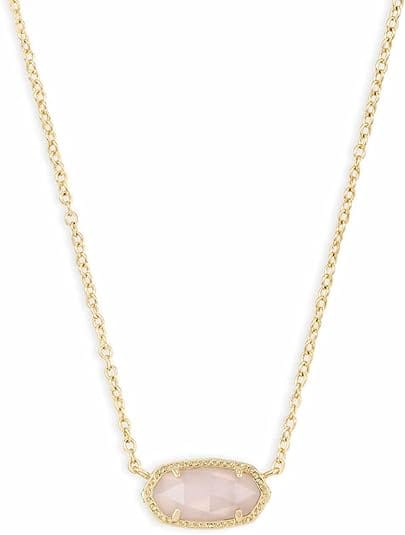
Blurry or poorly lit images scream “unprofessional.” Your product should be crisp and clearly visible from every angle. This means:
- Using proper studio lighting or natural diffused light
- Avoiding harsh shadows or overexposed areas
- Ensuring the product fills the frame (but not so much that important details are cut off)
- Shooting at high resolution (at least 1500 pixels on the longest side; 2560+ is better)
3. Multiple Angles
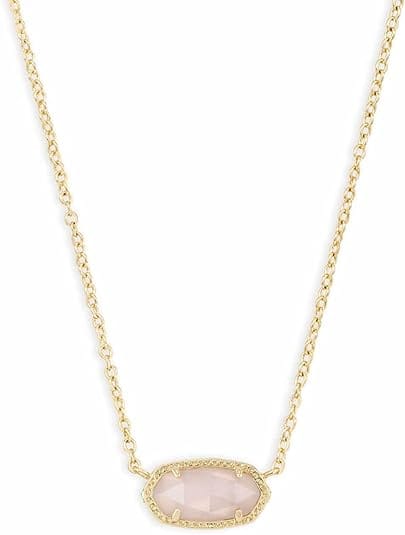
Show your product from multiple perspectives. For a shirt, that’s front, back, and side views. For jewelry, it’s the piece from different angles and close-ups of details. For electronics, show the device on, off, from the front, back, and with accessories. Customers want to feel like they’ve thoroughly inspected the item before buying.
4. Lifestyle Context (When Appropriate)
While your main image should be clean and isolated, secondary images can show the product in use. A water bottle being held, a pillow on a bed, a tool in action—these build emotional connection and help customers envision the product in their lives. But don’t overdo it; keep the focus on the product itself.
5. Size and Scale References

For small items, include a size reference—a hand holding the product, a coin nearby, or a common object for scale. This prevents confusion and reduces returns due to “it was smaller than I expected.”
The Hidden Power of Professional Editing
Taking the shot is just half the battle. The magic happens in post-production.
Many sellers upload raw images directly from their camera or phone, expecting them to perform. But unedited images often suffer from:
- Inconsistent color and tone across multiple shots
- Uneven backgrounds or stray marks
- Poor contrast or brightness
- Artifacts from phone cameras or entry-level equipment
Professional editing transforms these images into conversion machines. Here’s what it does:
Background Perfection: Even the best white backdrop has imperfections. Professional editors remove dust, wrinkles, and inconsistencies, creating a flawless white background that meets Amazon’s exacting standards. For product shots that require custom backgrounds (lifestyle images, themed settings), editors ensure the background enhances rather than distracts from the product.
Color Accuracy: Professional editors ensure your product’s true colors shine. This is especially critical for fashion, home décor, and beauty products where color is a key purchase driver. Consistent color across all your product images also builds brand trust.
Shadow and Reflection Enhancement: Subtle shadows and highlights add depth and dimension to product photos, making them pop on screen. Professional retouchers add these strategically to create visual interest without making the product look unrealistic.
Clarity and Sharpness: Editors sharpen your images to crisp, professional standards while avoiding the oversharpened “fake” look. This clarity is especially important for products where detail matters—jewelry, fabrics, electronics.
Cropping and Framing: Sometimes a raw image is great, but the composition could be better. Professional editors crop and resize your images to optimal Amazon dimensions while maintaining ideal composition and visual balance.
Platform-Specific Optimization
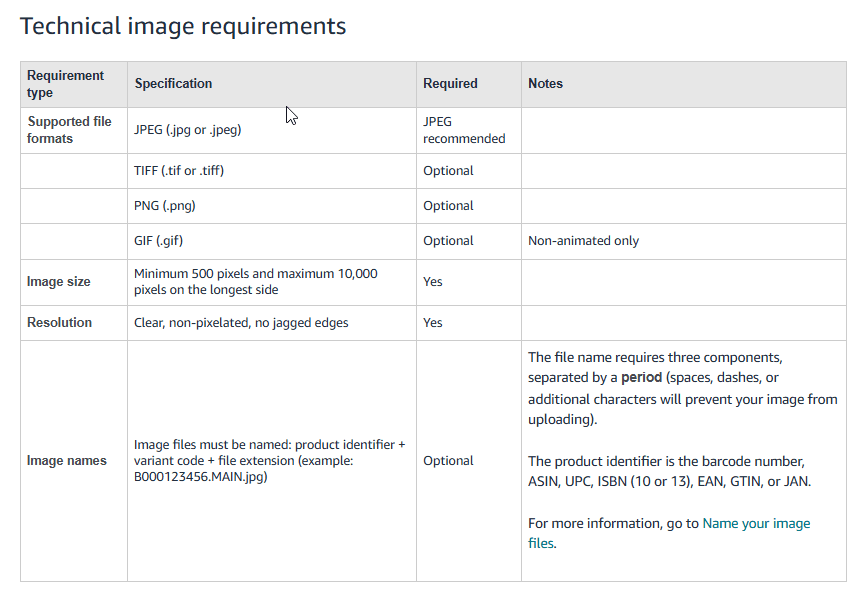
Different platforms have different requirements—and Amazon is particularly strict. Professional Amazon product photo editing services familiar with Amazon guidelines ensure your images meet all technical specs:
- Image dimensions: Amazon accepts images from 500 x 500 pixels to 10,000 x 10,000 pixels
- File format: JPEG is standard (PNG for transparency)
- Aspect ratio: 1:1 is ideal for the main image
- No watermarks or logos (except small ones for legitimate branding)
- No text overlays promising discounts or urgency (violates Amazon policy)
Working with editors who understand these requirements saves you headaches and ensures your listings stay compliant—and visible.
The Real ROI of Professional Product Photography
You might think professional editing is an unnecessary expense. Consider the math:
If you sell products at an average price of $50, and professional product photography increases your conversion rate by just 5%, that pays for itself within your first 10 sales. Most sellers see improvement significantly beyond 5%.
When customers click on a product with a professional image:
- They’re more confident in their purchase
- They’re less likely to return the item
- They’re more likely to leave a positive review
- They’re more likely to buy again from you
Better images also mean better keyword visibility. Amazon’s algorithm favors listings with high-quality images, so you’ll rank higher for relevant searches—driving more traffic to your products naturally.
Getting Started: Your Action Plan
- Audit your current images. Are they sharp? Well-lit? Do they show the product clearly from multiple angles? Would you buy the product based on these photos?
- Invest in basic equipment. You don’t need a professional studio. A light box ($30-50), a smartphone camera, and good natural light get you surprisingly far.
- Take multiple shots. Photograph from every angle and in different lighting conditions. You’ll have plenty of options to choose from when editing.
- Use professional editing. This is where amateur listings transform into professional ones. Even if you’re handy with Photoshop, outsourcing editing frees up your time to focus on growing your business. Professional services like Pixel Retouching handle background removal, color correction, shadow enhancement, and Amazon-guideline compliance—starting at just $0.39 per image with bulk discounts available.
- A/B test. Try your professionally edited images and monitor results. Most sellers see immediate improvements in click-through rate and conversions.
The Bottom Line
Amazon product photography isn’t an art project—it’s a sales tool. Every element, from lighting to composition to post-production editing, should serve one purpose: convincing shoppers that your product is worth buying.
The sellers who dominate their categories aren’t always the ones with the cheapest products or fastest shipping. They’re the ones who invested in photography that builds trust, communicates value, and removes friction from the buying decision.
Your images are doing the selling while you sleep. Make sure they’re working as hard as you are.