Choosing between RapidRAW and darktable isn’t about which is objectively better—it’s about which matches your workflow. Both are completely free and open-source, but they approach RAW editing from fundamentally different philosophies. At Pixel Retouching, we process thousands of RAW files monthly, giving us unique insight into what makes these editors work.
Quick Comparison at a Glance
| Feature | RapidRAW | darktable |
| Learning Curve | Easy | Steep |
| Speed | Extremely Fast | Fast |
| File Size | ~20MB | ~150MB |
| Editing Power | Basic-Intermediate | Professional |
| Photo Management | Folder-based | Database |
| Best For | Beginners | Professionals |
RapidRAW: Speed Meets Simplicity
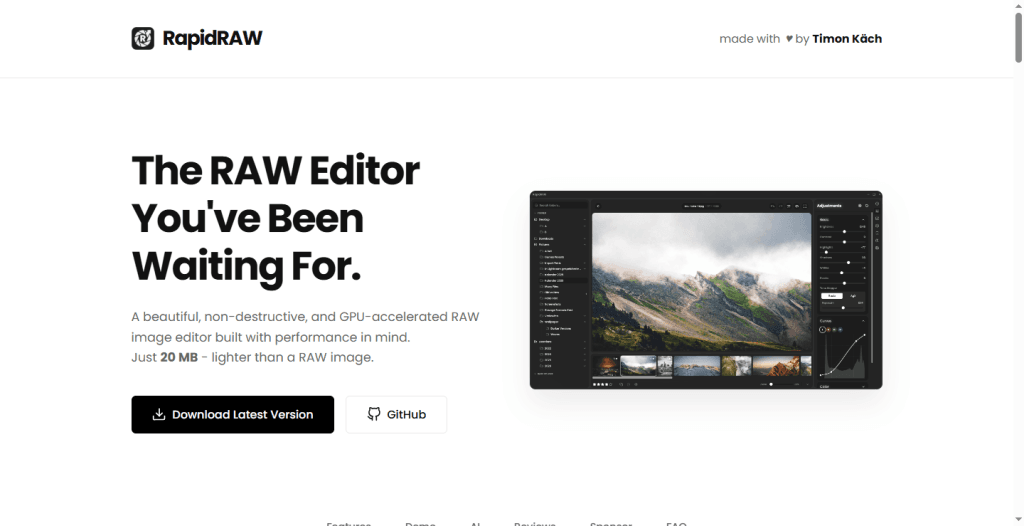
RapidRAW is the newcomer built for photographers who value speed and simplicity. At just 20MB, this lightweight editor delivers GPU-accelerated processing that feels instant, even on older hardware. Created as a personal project, it’s evolved into a genuinely useful tool for straightforward RAW editing.
Strengths:
- Blazing fast performance with real-time adjustments
- Clean, modern interface perfect for beginners
- Session-based workflow without complex catalogs
- AI-powered automatic keyword tagging
- Minimal system requirements
Limitations:
- Limited RAW camera support (growing but incomplete)
- Basic editing tools compared to professional alternatives
- Still in active development with occasional bugs
- No advanced masking or local adjustments
Best for: Beginners, hobbyists, and photographers who prioritize quick editing over extensive control.
darktable: The Professional Powerhouse
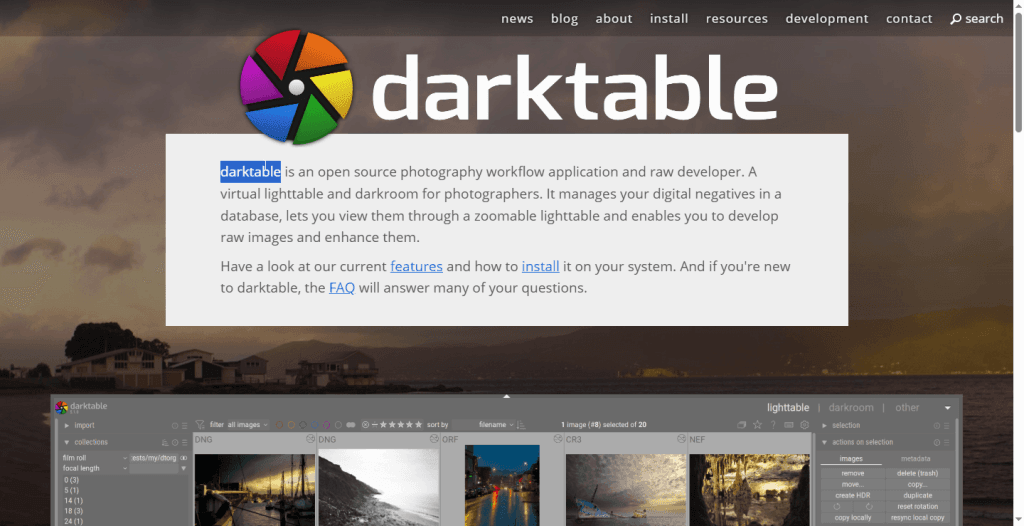
darktable is the open-source alternative to Adobe Lightroom, offering professional-grade RAW processing with comprehensive photo management. It’s built on cinema-grade color science and provides pixel-perfect control over every aspect of image development.
Strengths:
- Professional color grading and tone mapping
- Advanced masking system for precise local adjustments
- Robust database-driven photo organization
- Extensive RAW format support for virtually all cameras
- Tethered shooting capability
- Lua scripting for automation
Limitations:
- Steep learning curve with dense interface
- Requires more system resources
- Can feel overwhelming for casual users
Best for: Professional photographers, wedding shooters, and serious enthusiasts who need complete control. When you require advanced photo retouching services beyond RAW editing, our team works seamlessly with darktable files.
Head-to-Head: Key Differences
Performance
RapidRAW wins on raw speed. Its lightweight architecture and GPU acceleration deliver instant responsiveness. darktable is fast with proper hardware but carries more computational overhead due to its comprehensive feature set.
Editing Capabilities
darktable dominates here. Its advanced masking, professional color science, and extensive adjustment tools handle complex edits that RapidRAW simply can’t match. RapidRAW covers essentials well but lacks depth for serious work.
User Experience
RapidRAW excels in approachability. You can start editing within minutes. darktable requires hours of tutorials before you feel comfortable. However, darktable’s complexity serves a purpose—once mastered, the workflow becomes efficient and powerful.
Photo Management
darktable’s database system handles thousands of images with ease, offering robust tagging, rating, and search. RapidRAW’s folder-based approach works fine for casual shooting but becomes limiting for professional volumes. For high-volume product photography or e-commerce work, professional retouching services complement either editor perfectly.
Which Should You Choose?
Choose RapidRAW if you:
- Want to start editing immediately without a learning curve
- Need speed for quick turnarounds
- Have modest hardware or edit on the go
- Shoot casually and need basic adjustments
Choose darktable if you:
- Need professional-quality color accuracy
- Manage large image libraries
- Require advanced local adjustments and masking
- Shoot professionally (weddings, portraits, commercial)
- Want a complete Lightroom replacement
The Hybrid Approach: Many photographers use both. RapidRAW for quick culling and simple edits, darktable for images requiring serious work. Both are free—there's no penalty for keeping both installed.
The Bottom Line
RapidRAW brings refreshing simplicity to RAW editing. It’s perfect for photographers who value efficiency and ease of use. darktable remains the professional’s choice, offering control and features that rival any commercial software.
Both excel at RAW processing, but complex retouching, beauty work, or commercial finishing often requires expert help. At Pixel Retouching, we take your RAW-edited files and transform them into publication-ready masterpieces. View our portfolio or request a free trial to see the difference professional retouching makes.