In August 2025 Etsy quietly doubled the number of photographs a listing can carry, from ten to twenty. Most jewellery listings are still running five. That is not laziness: jewellery is small, fiddly and slow to shoot, and five good photographs already feels like a day’s work. But it does mean the average jewellery listing is now using a quarter of the space it is allowed, on a marketplace where the buyer cannot pick the piece up.
This is a plan for what to put in those twenty slots when what you sell is jewellery: which shots decide the click, which ones answer the questions that otherwise arrive as messages, and which ones you can skip if you only have an afternoon. Every slot also carries a note on the editing it needs, because on jewellery the difference between a photograph and a listing image is almost always retouching.
Before you scroll: the images in this article are not AI output.
Every before and after here is real client work, retouched by hand by the team at Pixel Retouching. We use our own portfolio rather than generated examples, so what you are looking at is the standard the advice is aiming at.
Etsy’s actual image requirements
Worth having in front of you before you shoot, because two of these have changed:
- Up to 20 photographs per listing, plus one video. This went from 10 to 20 in August 2025.
- At least 2000 pixels on the shortest side. Etsy recommends 2000 × 2500 for the listing itself.
- Your first photograph gets cropped, and not the same way everywhere. Etsy shows search thumbnails at roughly 4:3 on desktop and 1:1 on mobile. Shoot the first image with room around the piece so neither crop cuts into it.
- Five to six photographs is the practical floor for a listing that reads as complete. Everything past that is buyer confidence rather than compliance.
The number of photographs does not directly move you up Etsy search. What it moves is the decision of the person who is already looking at your listing, which for a piece of jewellery they cannot hold is most of the sale.
Slots 1 to 3: the ones that decide the click
These three do almost all the commercial work. Slot one is your search thumbnail; slots two and three are what a shopper flicks to within the first two seconds of landing.
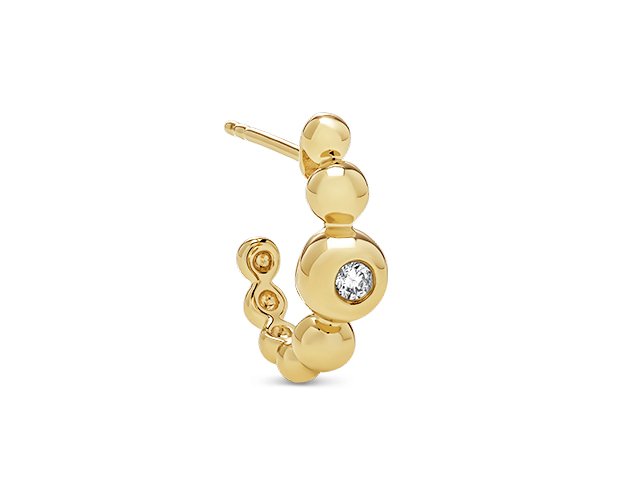
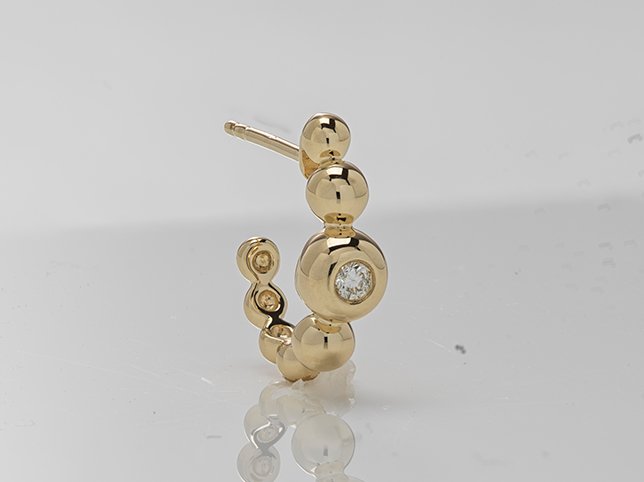
Before
After
Handmade jewellery cleaned up for a listing. Drag to compare.
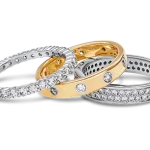
Slot 1: The hero. The whole piece, sharp front to back, on a background that does not compete with it. Centre it and leave breathing room on all four sides so the 4:3 and 1:1 crops both work. Resist the styled flat lay here; props are wonderful at slot six and a liability at slot one, where the thumbnail is 200 pixels wide and a dried flower reads as visual noise.
Slot 2: The alternative angle. Three-quarter, side, or the piece turned to show depth. For a ring this is the profile that shows the band and the setting height. For earrings it is the pair, not one.
Slot 3: Scale. The single most requested photograph in jewellery, and the one most listings do not have. A coin, a ruler, a hand, a ear. Anything that answers “how big is this actually” without the buyer having to convert millimetres in their head.
Editing these three: dust and fibre removal, a clean and consistent background, and accurate metal colour. Nothing clever. At thumbnail size clever is invisible and clean is not.
Slots 4 to 8: the ones that answer questions
Every question you answer in a photograph is a message you do not have to reply to, and a buyer who does not leave the page to think about it.
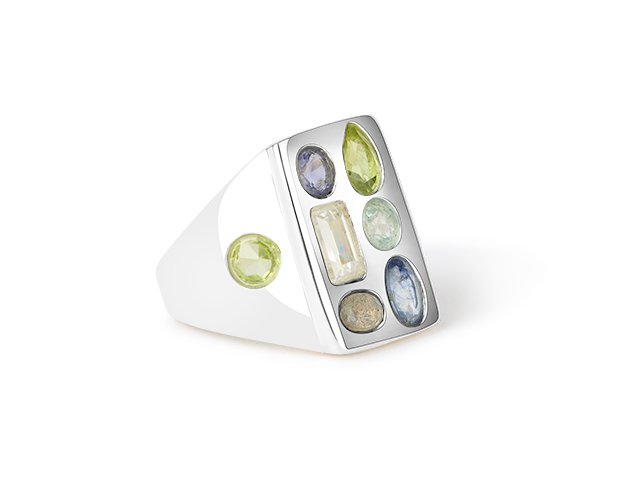
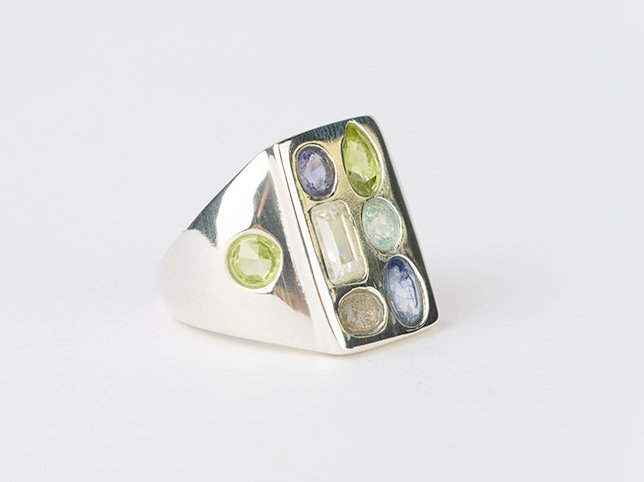
Before
After
Gemstone ring. The stone has to stay the colour it actually is.
Slot 4: The stone, close. Macro on the setting. Facets, colour, any inclusion you are being honest about. If the stone is the reason for the price, this is the photograph that justifies it.
Slot 5: The hallmark or maker’s mark. Stamped karat, assay mark, your own maker’s stamp. Buyers of gold and silver look for this specifically, and its absence from a listing is read as an answer.
Slot 6: The clasp or fitting. Lobster, spring ring, butterfly back, screw back. This is a genuine purchase factor for anyone with sensitive ears or limited dexterity, and almost nobody photographs it.
Slot 7: The back. How a pendant sits, how an earring post is finished, whether a ring is open at the back. Handmade buyers read the back of a piece as evidence of how it was made.
Slot 8: Length or measurement laid out. A chain on a ruler, a bangle diameter, a drop length. Photograph it once and you can reuse the graphic across a whole collection.
Editing these five: this is where jewellery retouching earns its money. Macro shots arrive full of dust that was invisible at the time, stones drift in colour under the lights, and the metal in a close-up reflects the room. The rule that matters: clean, do not soften. A model or a heavy-handed edit that removes dust by blurring also removes the facet edges and the file marks, and on a handmade piece those are the product.
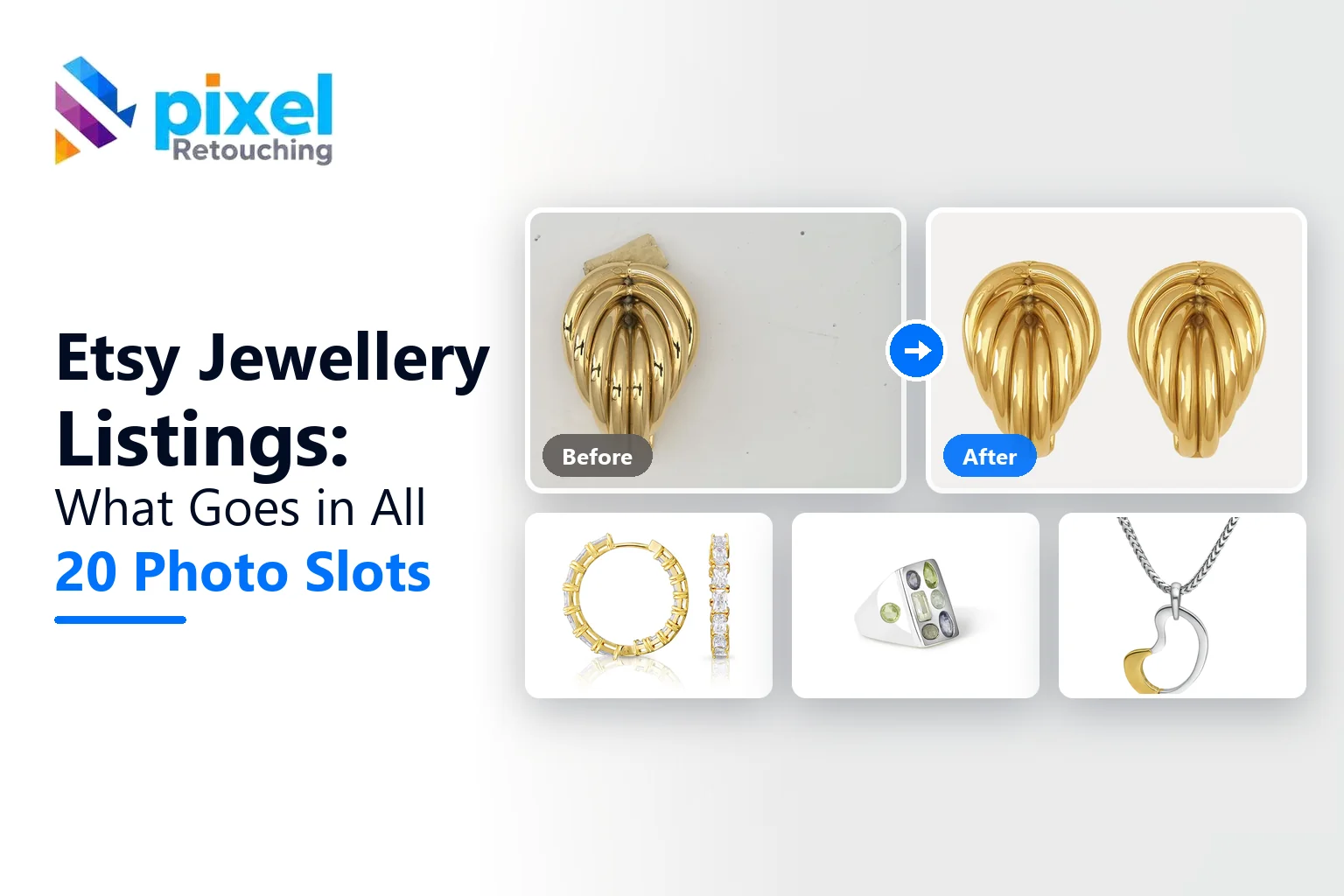
Before
After
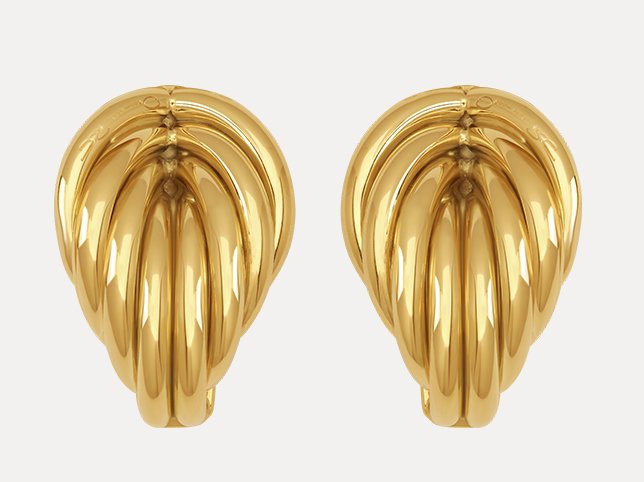
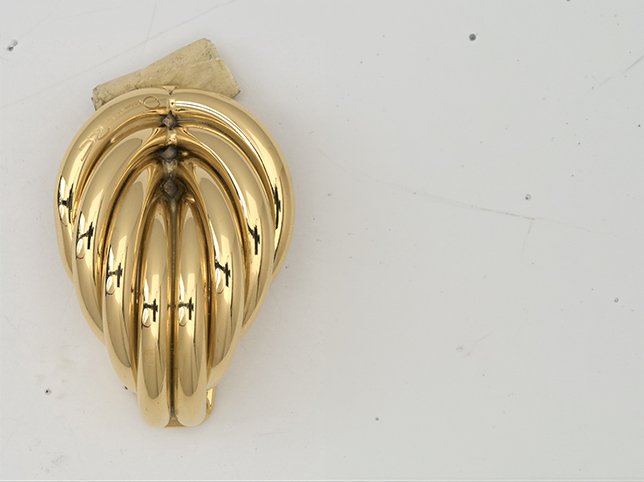
Gold earrings. Yellow gold, rose gold and brass sit close together: a white balance correction can move one into another.
Slots 9 to 14: the ones that build trust
Etsy buyers are not only buying an object. They are buying it from a person, and these six slots are where the person shows up.
Before
After
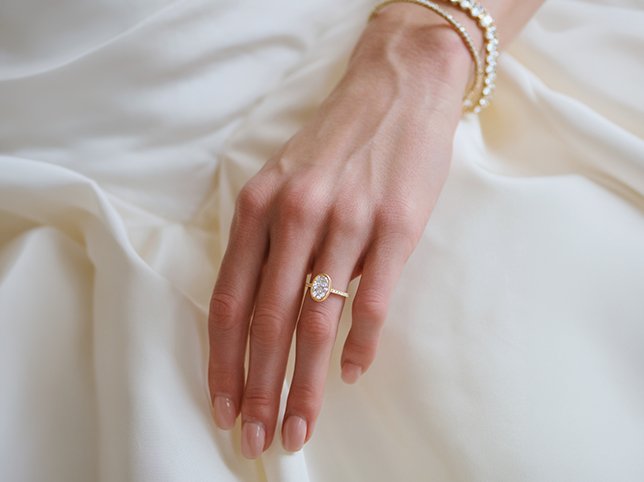
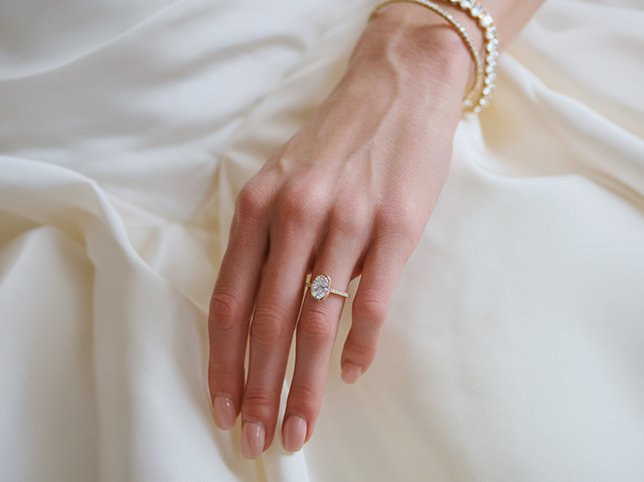
Jewellery on a model. Two subjects, one white balance, and the piece must not shift while the skin is corrected.
Slot 9: Worn. On a neck, a wrist, an ear. This does more for a jewellery conversion rate than any other single photograph, because it answers scale and drape at the same time.
Slot 10: In the hand. Held, not worn. It reads as human and it gives a second scale reference without a second setup.
Slot 11: Styled. Now bring the linen, the dried flowers, the ceramic dish. This is the slot props belong in, where the piece has already been seen plainly.
Slot 12: Packaging. The box, the pouch, the card. Half of Etsy jewellery is bought as a gift, and the person buying it wants to know what will arrive at the recipient’s door.
Slot 13: Process. The bench, the tools, the half-finished piece. On a marketplace built on handmade, evidence of making is a competitive advantage a drop-shipper cannot copy.
Slot 14: Materials. The wire, the raw stone, the sheet metal before it was a piece. Pairs naturally with slot 13 and supports whatever your description claims about materials.
Editing these six: the on-model shot is the one that needs real care, because there are two subjects with two different colour requirements. Skin has to be evened out without the metal warming up with it, and the piece has to stay exactly the colour it is in slot one. Styled and process shots need the lightest touch on the site: clean the background, leave the rest. Over-polished handmade reads as stock photography.
Slots 15 to 20: the ones that stop the messages
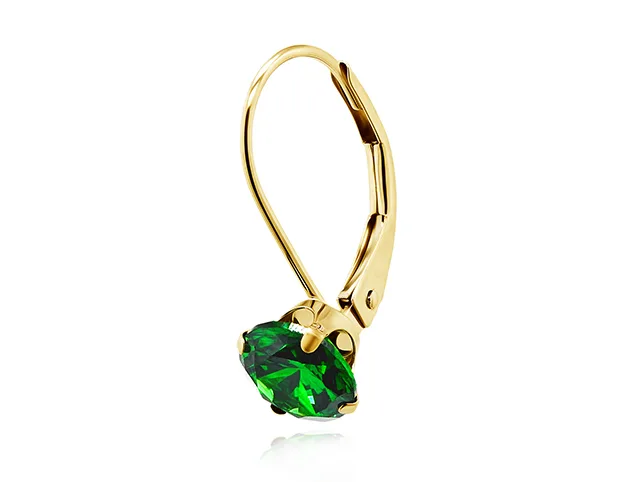
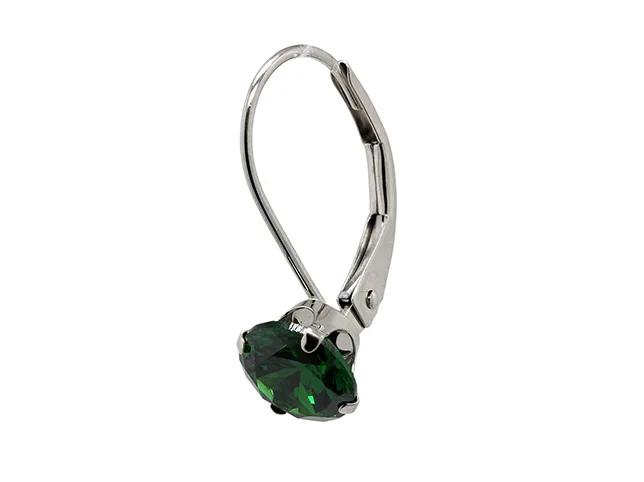
Before
After
A finish variant built from one shoot rather than a second one.
Slots 15 to 17: Variants. One photograph per metal or stone option. You do not have to shoot each one: a variant can be built from the original file, which is how most shops with six finishes avoid six photo sessions.
Slot 18: A size or length chart as an image, because Etsy’s description field is where information goes to be skimmed past.
Slot 19: Care and materials card. Sterling silver tarnishes, plated pieces wear, gemstones have hardness. Saying so in an image prevents a review that begins “nobody told me”.
Slot 20: Comparison. Your three chain widths side by side, or the piece next to its larger version. This is the slot that converts an undecided buyer into a specific order.
Editing these six: consistency is the whole job. Variants have to differ in exactly one respect, the finish, while framing, lighting, shadow and size in frame stay identical. Build them independently and a shopper flicking between options sees the piece jump around, which reads as three different products rather than three options for one.
If you only have an afternoon
Twenty is the ceiling, not the target. In order of what each one earns you:
- Hero, clean and cropped for both thumbnail shapes
- Scale
- Worn
- Stone or detail, close
- Packaging
- The back or the fitting
Six photographs, properly retouched, will outperform twenty that are dusty and inconsistent. If your time is limited, spend it on the first three and get them right rather than shooting fourteen more.
Where AI gets you and where it stops
Plenty of this can be moved along with a prompt, and we have written the jewellery prompts we would actually use if that is your route. For a plain band, a simple pendant or a background swap, a careful prompt does a reasonable job.
On the shots that carry the price it does not, and jewellery is unusually exposed here. Facet patterns are small, regular and reflective, which is the exact combination models handle worst; they approximate a brilliant cut rather than reproducing yours. Fine chains fall below the resolution a model reconstructs reliably, so links get dropped or fused. Hallmarks and karat stamps come back as something stamp-shaped that is not your stamp, and on a listing that quotes a karat, that is a misdescription rather than a design opinion.
The practical split most shops land on: prompt the straightforward pieces, and send the ones with stones, chains, marks or an on-model shot to a person. Our jewellery retouching service is built for that second group, and if you are running a whole Etsy shop rather than a single listing, photo editing for Etsy sellers covers the batch.
Frequently asked questions
How many photos can an Etsy listing have?
Twenty, plus one video. Etsy raised the limit from ten in August 2025, so a listing built before then is still capped at what you uploaded: the extra slots are there waiting.
What size should Etsy jewellery photos be?
At least 2000 pixels on the shortest side; Etsy recommends 2000 × 2500 for the listing image. Shoot larger than you need and crop down, because jewellery buyers zoom.
Does adding more photos improve Etsy search ranking?
Not directly. What extra photographs improve is the conversion of people who are already on your listing, and on Etsy that behaviour does feed back into how the listing performs over time.
What should the first Etsy photo be for jewellery?
The whole piece, plainly lit, centred, with space around it. Etsy crops the first image differently on desktop and mobile, so anything tight to the edge will lose something on one of them.
Do I need a model shot to sell jewellery on Etsy?
You do not need one, but it is the single most useful photograph after the hero, because it answers scale and drape in one frame. A hand or an ear on a plain background is enough: it does not need to be a shoot.
Is it worth editing photos for a small Etsy shop?
On jewellery, yes, and earlier than on most categories. Macro photography shows every fibre and fingerprint, and a listing where the metal reads a different colour in each photograph looks like several different pieces.
Try it on your own pieces
If you would rather judge this on your own jewellery than on our portfolio, send three photographs through the free trial. A retoucher edits them by hand and sends them back within 24 hours. No card, and you keep the files either way: a hero, a macro and an on-model shot is a good three to send, because they are the three that behave differently.