A disapproved product in Google Merchant Center does not fail loudly. The listing stops serving, the traffic stops arriving, and unless you are in the habit of opening the Diagnostics tab you find out from the sales figure at the end of the month.
Jewellery gets caught more than most categories, for two reasons that have nothing to do with each other. The pictures break Google’s image rules, and the descriptions break somebody else’s disclosure rules. This is both rulebooks in one place, with the numbers quoted from the source rather than paraphrased.
The images here are not AI output. Every before and after is real client work retouched by hand at Pixel Retouching. Drag the handle on any of them to see what is being described.
Why do jewellery listings get disapproved on Google Shopping?
Two different failures, from two different authorities, and it is worth knowing which one you are looking at:
- Image policy. Google publishes hard requirements for the main product image: size, format, and a list of things that must not appear in it. These are mechanical and a scanner enforces them.
- Misrepresentation. Google’s policy prohibits presenting a product under false or unclear pretences. For jewellery that usually means a stone described in a way that does not make clear what it actually is.
The second one matters more than it sounds, because the rule it usually breaks is not Google’s. In the United States it is the Federal Trade Commission’s Jewelry Guides. Google’s misrepresentation policy is simply the mechanism by which an FTC problem becomes a suspended account.
What are Google’s image requirements for a product?
From Google’s own product data specification, not from a summary of it:
- Minimum 500 × 500 pixels. Below that the image is rejected.
- 1500 × 1500 or above recommended, which is what you should actually be sending: the minimum is a floor, not a target.
- Accepted formats: JPEG, WebP, PNG, GIF, BMP and TIFF.
- No file over 16 MB, and no image over 64 megapixels.
For jewellery, treat 1500 px as the absolute minimum rather than the recommendation. A ring occupies a small part of its own frame, so a 1500 px image of a ring is a far smaller picture of the ring than the number suggests, and Shopping surfaces crop.
What must not appear in the image?
This is the list that catches jewellery sellers, because several of these are things the trade does habitually. Google prohibits:
- Promotional overlays: calls to action, price information, or adjectives like “best” or “cheap”.
- Watermarks, brand names and logos, unless they are inherent to the product itself.
- Borders around the image.
- Placeholder or generic images.
- Barcodes.
- Multiple colour variants shown together.
- Unrelated products in the frame.
The watermark problem
Watermarking is close to standard practice among jewellery sellers, for an understandable reason: product photographs get lifted. But a watermark is explicitly disallowed in the Merchant Center image, and so is a logo that is not part of the piece.
There is no clever way around it. The feed image has to be clean; watermark elsewhere if you want to. The one genuine exception is a maker’s mark that is physically on the jewellery, which is part of the product rather than an overlay.
The “multiple colour variants” problem
A ring shown in yellow, white and rose gold side by side in one photograph is a normal, useful jewellery image, and it is disallowed as a product image, because the listing is for one variant and the picture shows three.
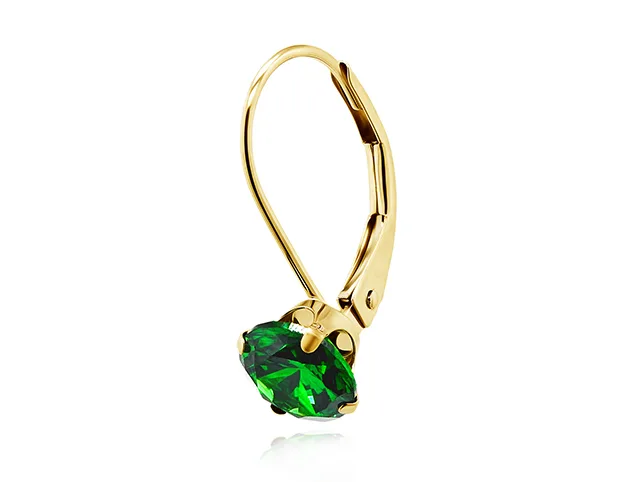
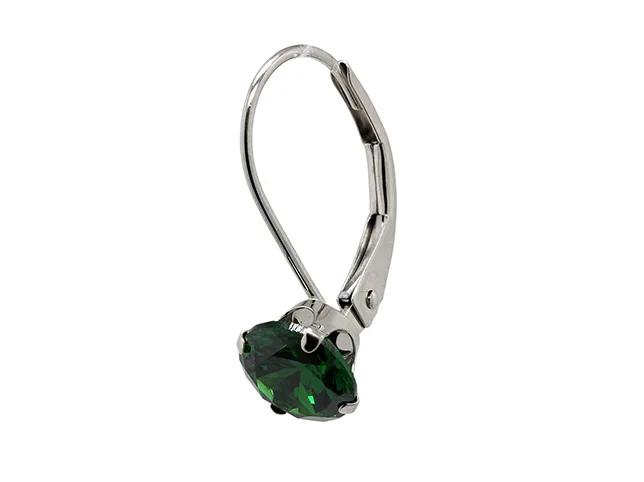
The fix is a separate image per variant, which does not mean a separate photoshoot. One photograph recoloured properly gives you a correct image for each metal, with the stones, the shadows and the surface texture intact, because recolouring changes hue and saturation while keeping the original luminance.
Before
After
One photograph, two metal variants, and two compliant images. Drag to compare.
One caution that matters more here than anywhere else: the recoloured image has to match the metal a customer will actually receive. Generating a rose gold variant that is prettier than the real alloy is the shortest route to a return, and under the misrepresentation policy it is also a feed problem rather than just a customer-service one.
What does the FTC require you to disclose?
This is the part that is not Google’s rule, and it is the part sellers most often get wrong because it applies wherever the product is described, not only in the feed.
The FTC’s Jewelry Guides, updated in 2018, require a clear qualifier whenever a laboratory-grown stone is marketed using the word “diamond”. The terms the FTC names as appropriate are “laboratory-grown”, “laboratory-created”, “[manufacturer name]-created”, “imitation” and “simulated”.
Three details decide whether a disclosure actually complies:
- Proximity. The test is that the disclosure is clear, conspicuous and in close proximity to the word “diamond” wherever it appears in a selling context. A line in the specification tab does not cover a title that says “Diamond Solitaire Ring”.
- “Cultured” is not enough on its own. It may be used, but it must be immediately accompanied, with equal conspicuousness, by “laboratory-created”, “laboratory-grown”, “[manufacturer]-created” or a phrase of like meaning.
- “Synthetic” is permitted but carries a trap in the other direction: using it to imply that a competitor’s lab-grown diamond is not a real diamond is itself deceptive.
Note what this means for a feed. “Wherever it appears in a selling context” includes the product title, and a title is the field most likely to be auto-generated from a supplier spreadsheet.
Should the disclosure go on the image?
No, and this is where the two rulebooks would collide if you tried to satisfy one with the other.
Burning a “Lab-Grown” badge into the main product image looks like diligence and reads to Google’s scanner as a promotional text overlay, which is prohibited. The disclosure belongs in the title, the description and the product attributes, where the FTC’s proximity test is satisfied and Google’s image rules are not engaged at all.
Keep the image clean and put the words in the data. That is the whole answer, and it is not obvious unless you have read both documents.
What else belongs in a jewellery feed?
Beyond the mandatory attributes, jewellery has a set of specifics that Google has no dedicated field for. They go in the product detail attribute as name and value pairs:
- Metal and purity: 14k, 18k, sterling silver, platinum, and the plating if it is plated.
- Stone type, and whether it is natural, laboratory-grown or a simulant.
- Carat weight, for the centre stone and total where both apply.
- Cut, clarity and colour for diamonds.
- Certificate: the grading laboratory and the certificate number where one exists.
- Treatments: heat, fracture filling, irradiation. These are disclosable under the same Guides as lab-grown stones.
Use one vocabulary and keep it. If one product says “lab grown”, another “lab-created” and a third leaves it blank, no filter can group them, and increasingly, neither can the systems that answer shopping questions in natural language.
What makes a compliant jewellery image a good one?
Compliance gets you served. It does not get you clicked. The images that do both have four properties, and none of them conflicts with Google’s rules.
One background, across the whole feed
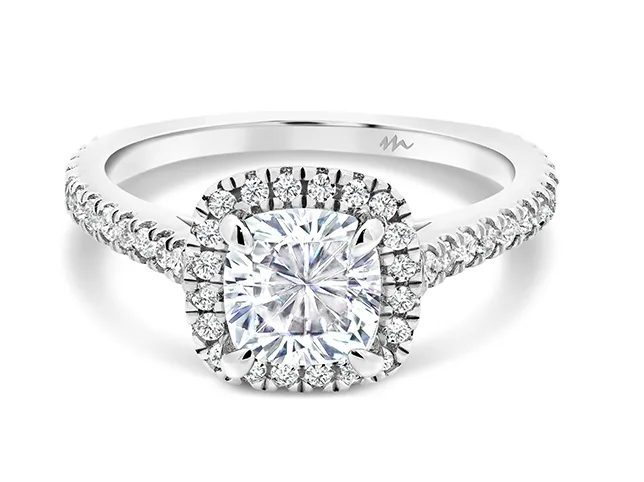
Google does not mandate white, but a mixed feed looks like a mixed shop. A single background across every product is what makes a Shopping grid read as one seller rather than a scrape.

Before
After
One catalogue white, applied across the feed. Drag to compare.
The piece large enough to survive a crop
Shopping surfaces crop to their own ratios. A ring sitting small and centred in a large frame becomes a very small ring on a phone. Fill the frame, then let the platform crop in rather than out.
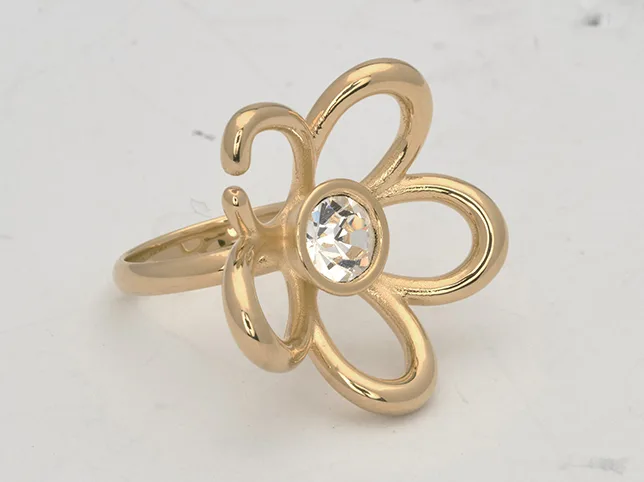
Metal that is the right colour, not just bright
Yellow gold, rose gold and brass separate by hue. Lift the exposure without correcting the hue and an 18k piece reads as costume, which loses the click and, if the customer buys anyway, produces the return.

Before
After
Matched to a reference, not corrected by eye. Drag to compare.
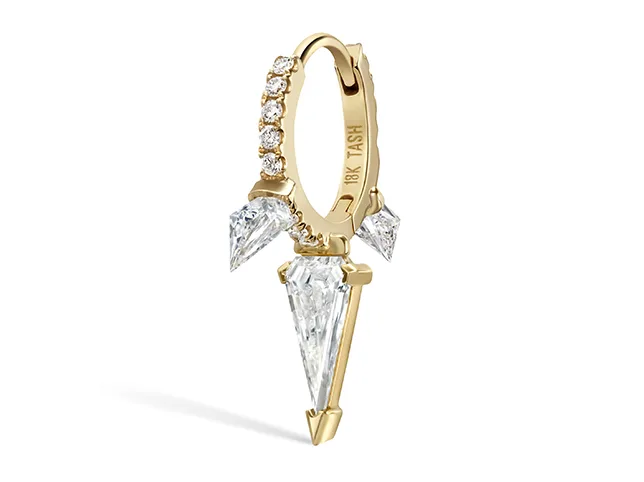
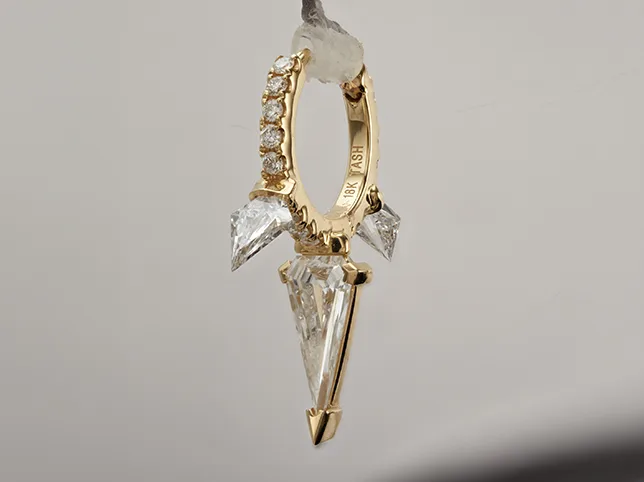
Stones that read as stones at full zoom
A cut diamond is a structure of small mirrors. Over-brightened it collapses into a white shape with a halo, which is exactly what a simulant looks like in a photograph. If your stones are real, the image has to show it.
Before
After
Facets kept, not flattened into white. Drag to compare.
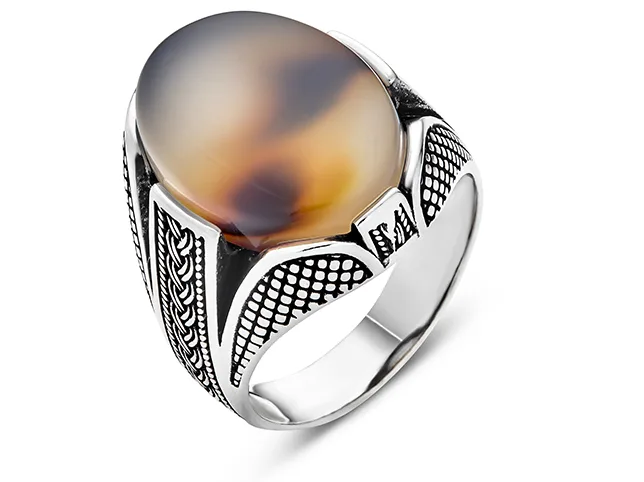
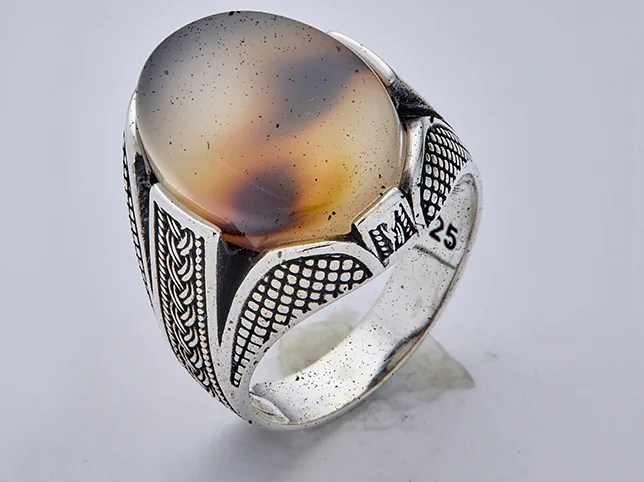
The same applies to the things zoom reveals that you would rather it did not: polishing compound in a setting, dust on a band, a fingerprint on a bezel.
Before
After
Cleaned at 1:1, where the customer will look. Drag to compare.
How do you find what is already disapproved?
Merchant Center tells you, but only if you look. Open Products → Diagnostics and read the item-level issues rather than the summary. Two habits are worth forming:
- Check after every feed update, not on a schedule. A bulk edit is when things break.
- Treat warnings as work. A warning is a product serving with a handicap, usually a missing attribute, and it will become a disapproval when the policy tightens.
If a whole class of products is failing on the image rules, it is normally one habit rather than a hundred mistakes: a watermark applied on export, a variant grid used as the hero, a supplier’s images passed through untouched. Fix the habit and the batch clears together.
Send us the images that are failing
If your feed is throwing image issues and you are not sure which of your photographs are the problem, send three of them. We will edit them to a clean, compliant standard free and tell you what was wrong with them: watermark, background, variant grid, resolution or colour.
Start a free trial: 3 images edited free. No credit card and no account required. Our jewellery retouching rates are on the price list, and if the whole catalogue needs a pass, this is how a batch runs.
Frequently asked questions
What size do jewellery images need to be for Google Shopping?
Google’s minimum is 500 x 500 pixels and its recommendation is 1500 x 1500 or above. For jewellery, treat 1500 px as the minimum rather than the target: a ring occupies a small part of its own frame, so the piece itself is far smaller than the pixel count suggests once Shopping surfaces crop. Files must be under 16 MB and under 64 megapixels.
Can I watermark my jewellery photos on Google Shopping?
No. Watermarks, brand names and logos are prohibited in the product image unless they are inherent to the product itself – a maker’s mark physically on the piece is fine, an overlaid logo is not. Watermark elsewhere if you need to; the feed image has to be clean.
Why was my jewellery listing disapproved for misrepresentation?
Most often because a stone is described in a way that does not make clear what it is. The underlying rule is usually not Google’s but the FTC’s Jewelry Guides, which require a clear qualifier such as laboratory-grown or laboratory-created close to the word diamond wherever it appears in a selling context – including the product title.
Do I have to disclose lab-grown diamonds?
Yes, under the FTC’s Jewelry Guides in the United States. Acceptable terms include laboratory-grown, laboratory-created, [manufacturer name]-created, imitation and simulated. Cultured may be used only if immediately accompanied, with equal conspicuousness, by one of those terms. The disclosure must sit close to the word diamond, not in a specification tab further down the page.
Should I put a lab-grown badge on the product image?
No. A badge burned into the image reads to Google as a promotional text overlay, which is prohibited, so you would break one rule trying to satisfy another. Put the disclosure in the title, description and product attributes, where the FTC’s proximity test is met and the image rules are not engaged.
Can I show all three metal colours in one product image?
Not as the product image – multiple colour variants shown together are prohibited, because the listing is for one variant. Use a separate image per variant. One photograph recoloured properly produces a correct image for each metal without a second shoot, as long as each result matches the alloy the customer will actually receive.
How do I find out which jewellery products are disapproved?
Merchant Center, under Products then Diagnostics, at item level rather than the summary. Check after every feed update rather than on a schedule, since bulk edits are when things break, and treat warnings as work – a warning is usually a missing attribute that becomes a disapproval when policy tightens.