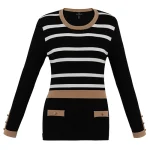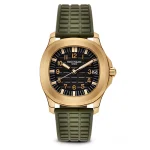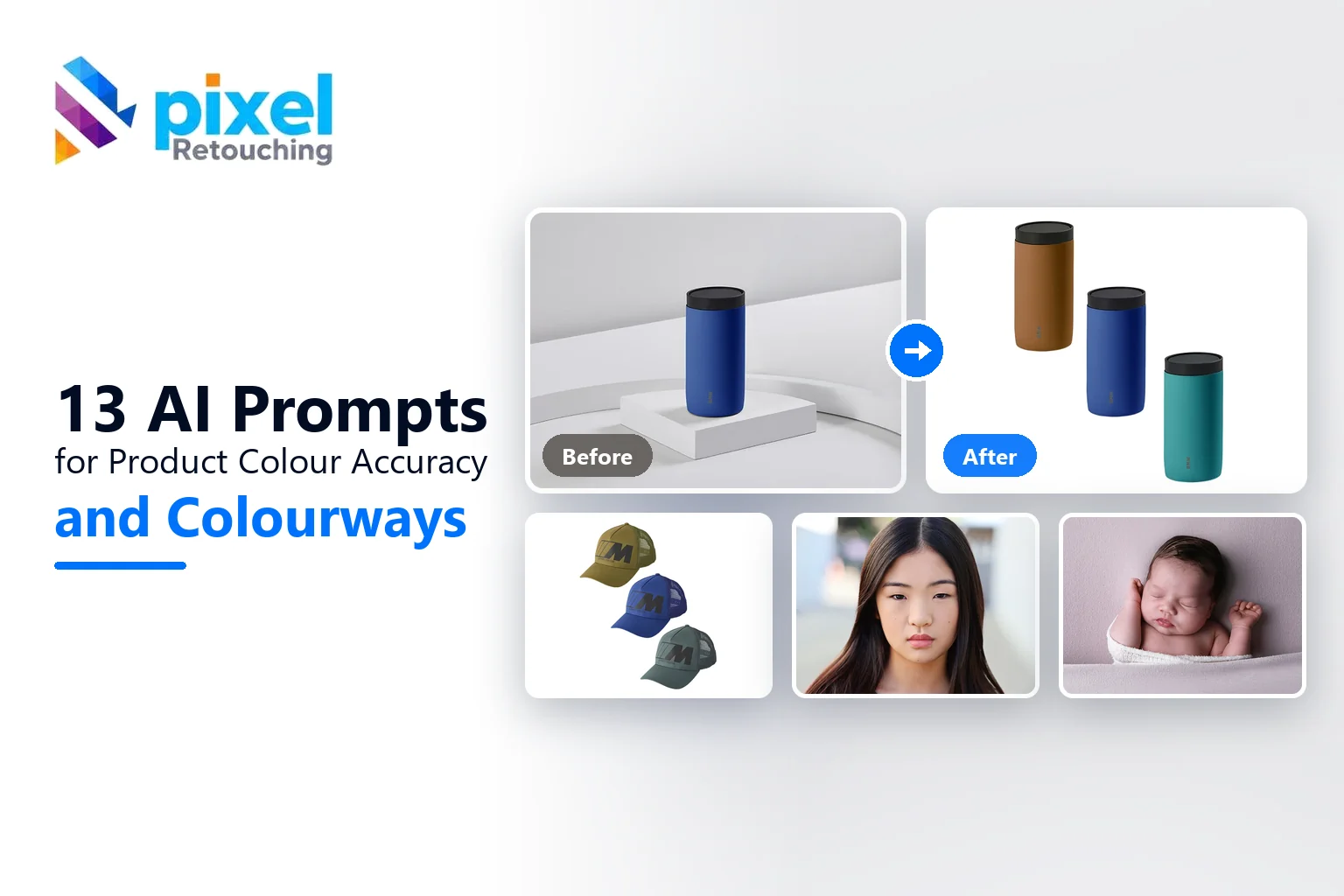
Colour is the most expensive thing to get wrong in product photography, because it is the one mistake that comes back to you as a return. Nobody sends a jumper back because the shadow was soft. They send it back because it looked terracotta online and arrived orange.
AI image tools are good at making colour look attractive and unreliable at keeping it accurate, and those are opposite goals. The prompts below are written to hold colour still, and to build variants deliberately rather than letting a model drift towards whatever it finds pleasing.
Please read this before you scroll: the images in this article are not AI output.
Every before and after on this page is real client work, retouched by hand by the team at Pixel Retouching. We have used our own portfolio deliberately, because we would rather show you the standard these prompts are aiming at than show you a set of AI attempts and call them finished.
So treat the sliders as the target, not as a promise. A good prompt will get a straightforward piece surprisingly close to what you see here. It will not get a difficult one all the way there, and the note under each prompt tells you exactly where the gap usually opens up.
How to talk to a model about colour
Separate correcting from changing. Correcting means removing a cast so the photograph matches the object. Changing means making a new colourway. Mixing the two in one prompt gets you neither.
Ban the improvements. Say “do not increase saturation, contrast or vibrance” explicitly. Enrichment is the default behaviour and it is exactly what causes a return.
Give it a reference if you have one. A hex value, a Pantone reference, or a phrase like “match the colour of the swatch in the second image” anchors the result far better than a colour name.
1. Correcting a cast without changing the product
Before
After
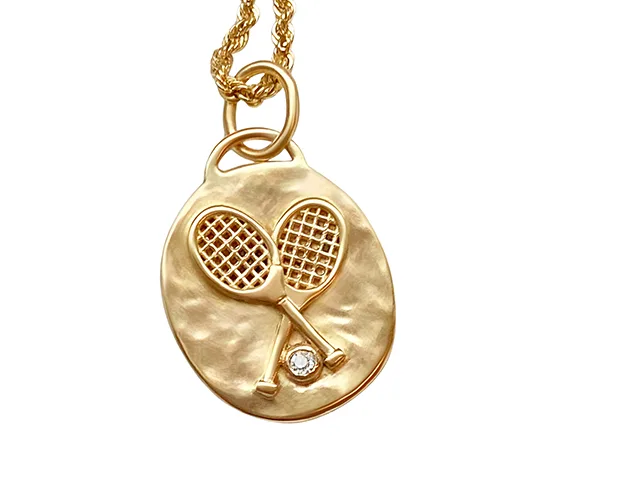
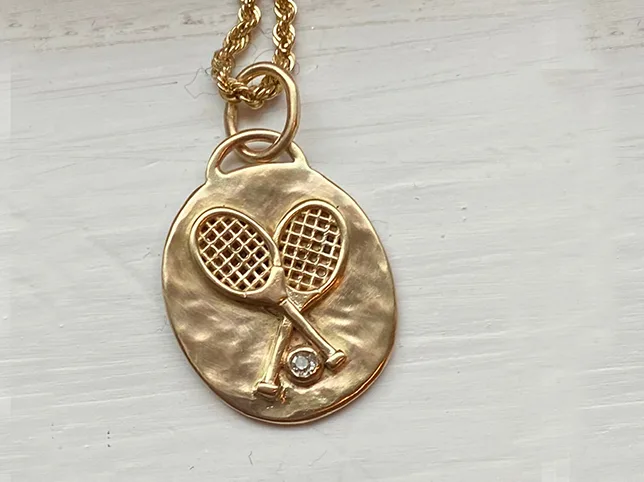
Colour correction across a product set. Drag to compare.
Colour correct this photograph only. Neutralise the colour cast from the lighting so that neutral surfaces read as neutral and the product shows its true colour. Do not increase saturation, vibrance, contrast or clarity. Do not change the product’s shape, texture or detail. Limit the change to white balance and exposure.
What to watch for: everything else moving. Asked to correct colour, a model will often sharpen and brighten too. Compare texture detail before and after, not just hue.
2. A single product colour change


Before
After
Product colour change.
Change the colour of this product to the specified colour, keeping everything else identical. The new colour must follow the existing shading, highlights and shadows so the material still reads the same: do not flood it with flat colour. Keep the texture, the stitching and any hardware exactly as photographed. Leave the background and any other object in the frame unchanged.
What to watch for: flat fill. The tell is a product that has the right hue and no longer has any form: highlights gone, shadows gone, material unreadable.
3. Building a colourway from one shoot
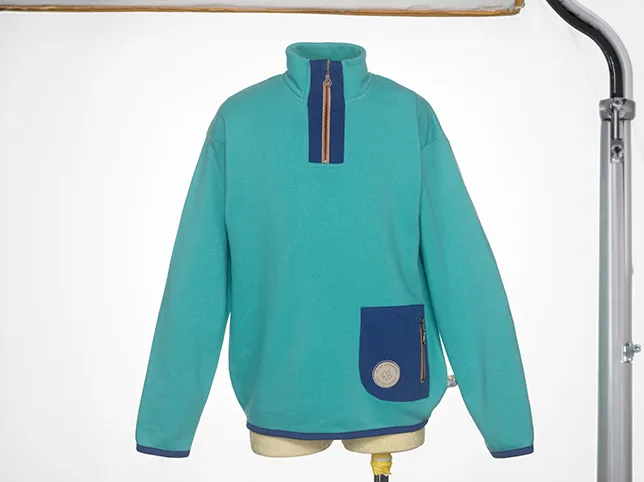
Before
After
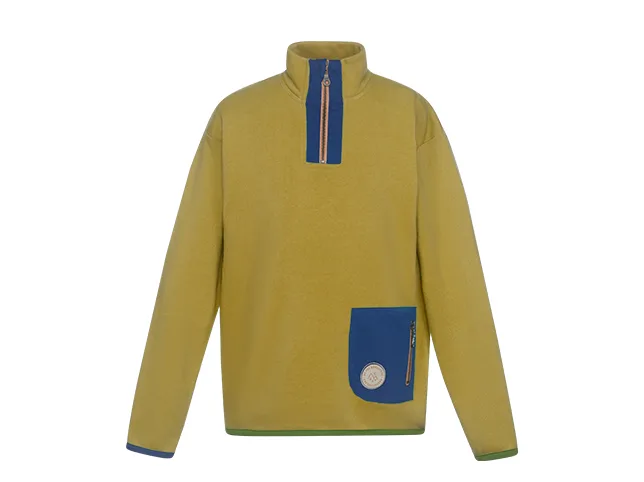
Sweatshirt colour change.
Produce a colourway variant of this garment in the specified colour. Preserve the fabric texture, the knit or weave structure, the seams and every shadow fold exactly as they are, only the hue changes. The new colour must react to light the same way the original does, with the same highlight and shadow positions. Do not alter the shape, the fit or the background.
What to watch for: lost fold detail. Deep shadow areas are where colour changes fail first, because there is little colour information there to work with. Check the folds, not the flat panels.
4. Matching a variant to a real sample
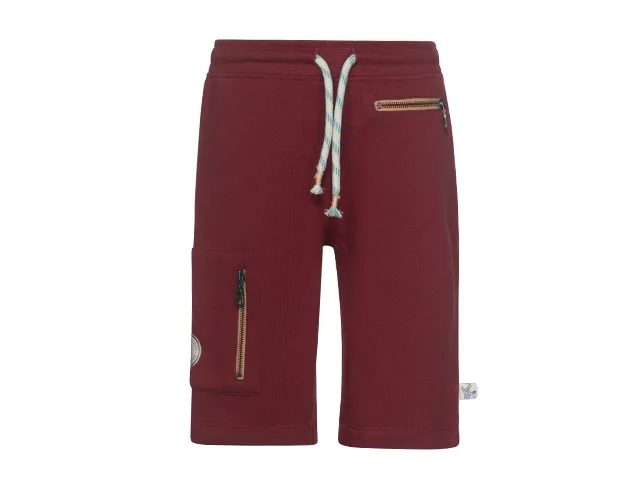
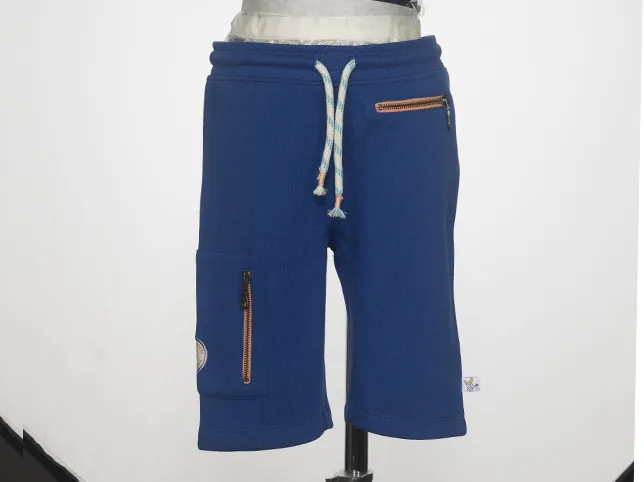
Before
After
Shorts colour change, matched to a reference.
Recolour this garment to match a specific reference colour rather than an approximation. Hold the exact hue and saturation of the reference across the whole garment, adjusting only for the lighting already in the photograph. Do not let the colour drift lighter in the highlights or towards a different hue in the shadows. Keep the fabric texture and all construction detail unchanged.
What to watch for: hue drift into the shadows. A colour that is right in the flat areas and wrong in the folds is the most common outcome, and it is what a customer sees when the garment arrives.
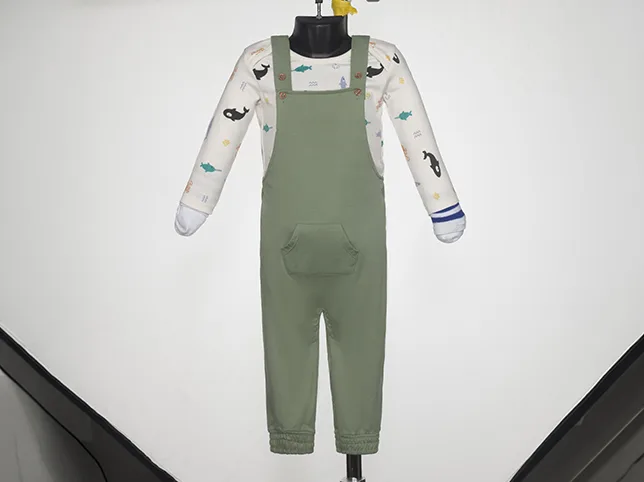
5. Complex garments with more than one material
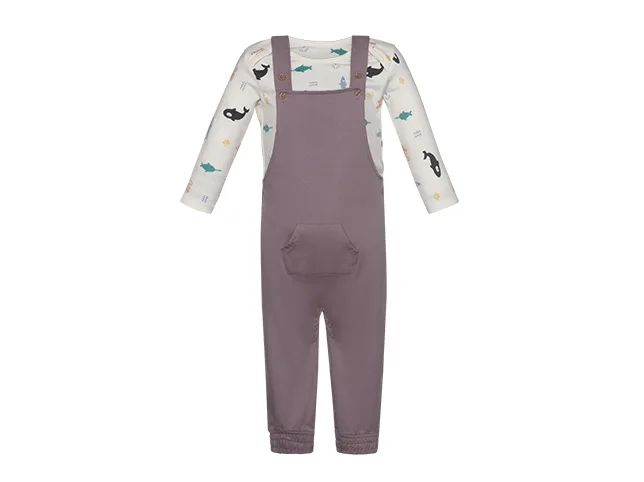
Before
After
Overalls colour change. Only one of these materials should move.
Change only the main fabric of this garment to the specified colour. Every other element must stay exactly as photographed: the buttons, the zip, the rivets, the topstitching thread, any label and any contrast trim. Preserve the fabric texture and the shadow folds in the recoloured area. Do not let the new colour bleed onto adjacent materials.
What to watch for: bleed onto hardware. Metal buttons and zips picking up the new colour is the usual failure, and it turns a brass fitting into a painted one.
6. A set of variants that must match each other
Before
After
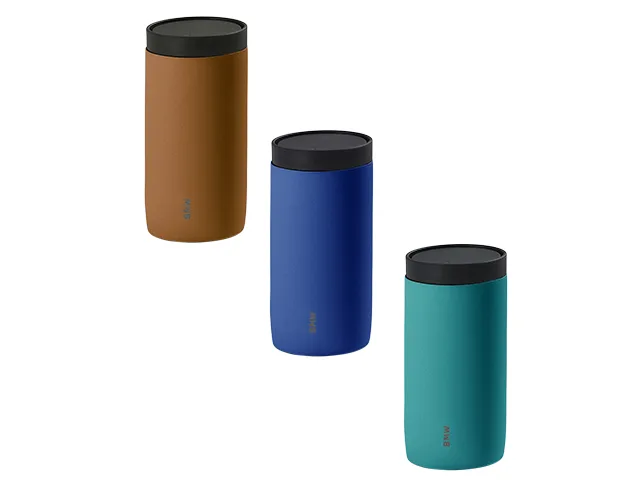
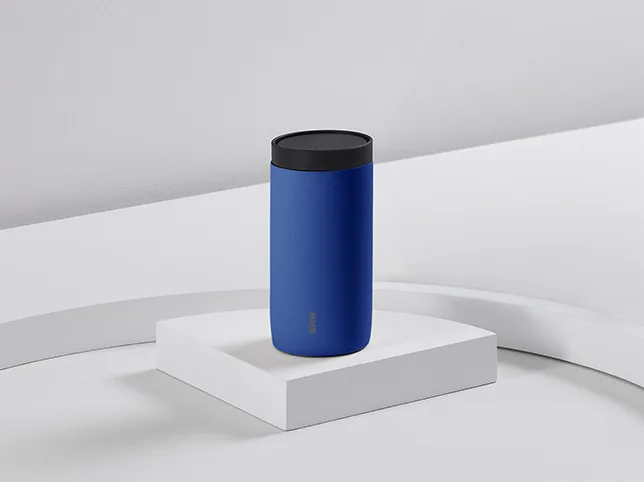
Drinkware colour change across variants.
Create this product in the specified colour as one of a set of variants. The lighting, the shadow, the framing, the size in frame and the background must be identical to the other images in the set: the colour of the product is the only difference. Preserve the material finish and any printed detail exactly.
What to watch for: everything except the colour changing. Generated variants drift in size, brightness and framing. Stack them and flick between them; anything that moves is a defect.
7. Colour on a textured natural material
Before
After
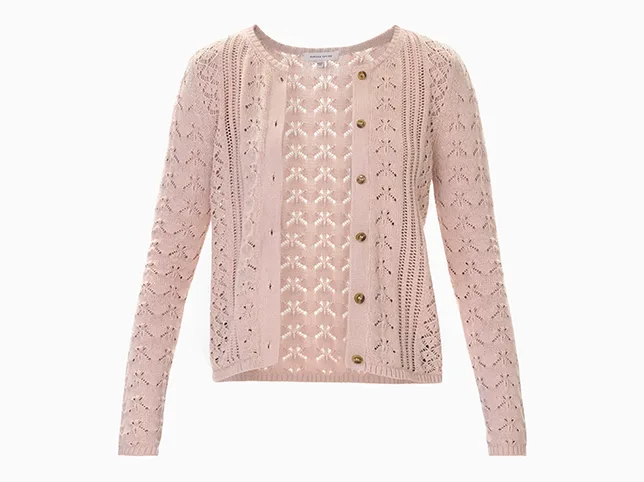
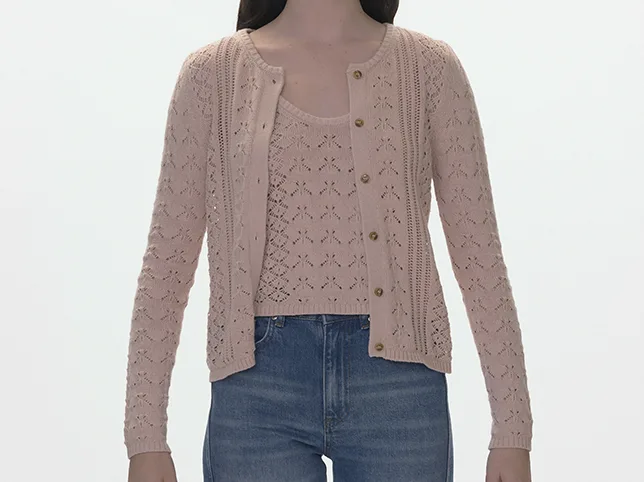
Knit cardigan colour correction.
Colour correct this knitted garment. Neutralise the lighting cast so the yarn colour is accurate. Preserve the knit structure completely: every stitch, cable and rib must stay as defined as it is now. Do not smooth, denoise or soften the surface while correcting. Do not increase saturation.
What to watch for: a flattened knit. Colour work on textured material tends to arrive slightly smoother, and on knitwear the texture is a large part of what the customer is buying.
8. Backgrounds and props that should not move
Before
After
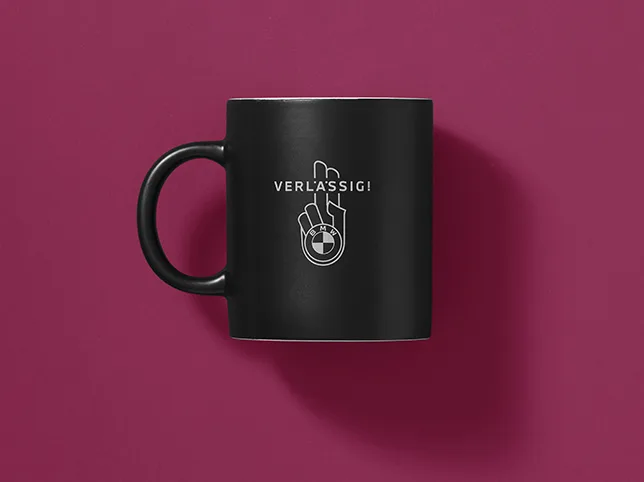
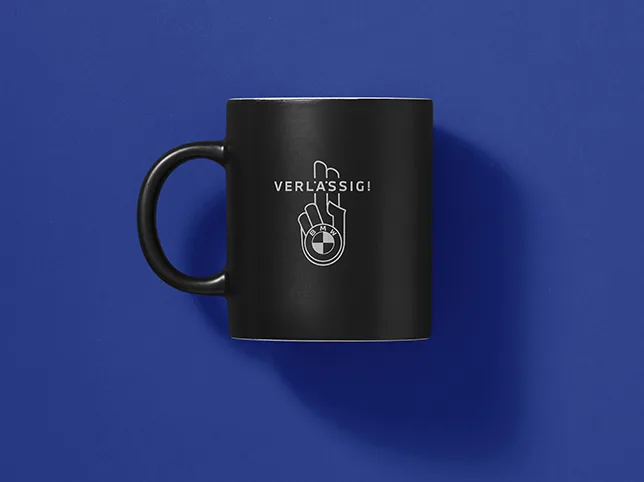
Background colour change for a mug.
Change the background colour of this photograph to the specified colour. The product must be completely unaffected: its colour, its highlights, its shadow and any printed branding stay exactly as they are. The new background should be even, with no gradient and no colour spill onto the product edges. Keep the product’s contact shadow, adjusted so it reads correctly against the new background colour.
What to watch for: spill onto the product. A coloured background reflecting onto a white product is realistic in a photograph and wrong in a composite, because it changes the product colour a customer is judging.
9. A full colourway range from one shoot


Before
After
Colourway built from one shoot.
Build a colourway variant of this garment in the specified colour, as one of a range shot from a single original. Keep the framing, the lighting, the shadow and the garment’s position identical to the original. Preserve the fabric structure and every fold shadow. Only the hue of the main fabric changes; trims, stitching and hardware stay as photographed.
What to watch for: the range drifting apart. Build six variants independently and you get six slightly different garments. Compare them stacked, not one at a time.
10. Recolouring an accessory with hardware

Before
After
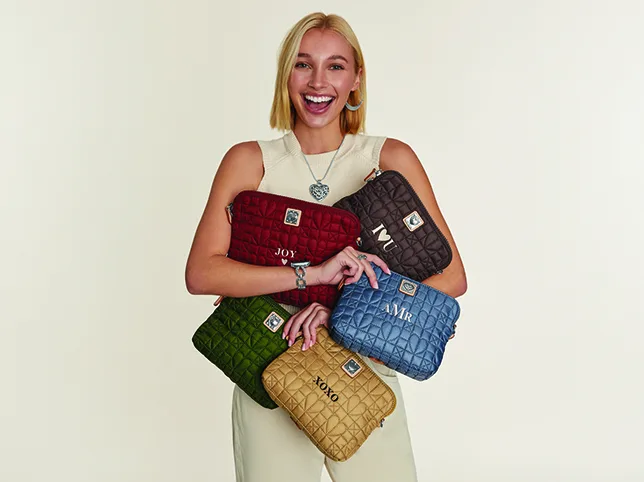
Handbag colour change.
Change the colour of this bag’s body only. Every metal element, buckles, studs, feet, zip pulls, chain, must keep its original colour and finish. Preserve the leather grain, the stitching colour and the edge paint. The new colour must follow the existing highlights and shadows so the material still reads as leather rather than as flat colour.
What to watch for: colour creeping onto metal. Hardware picking up the body colour is the single most common failure here, and it turns gold fittings into painted plastic.
11. Furniture and large flat surfaces
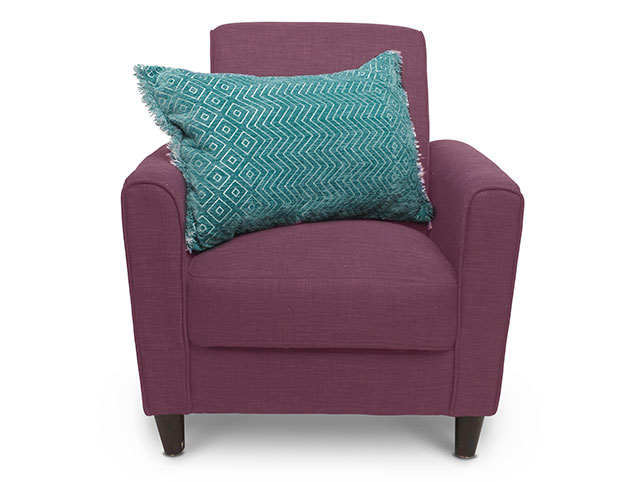
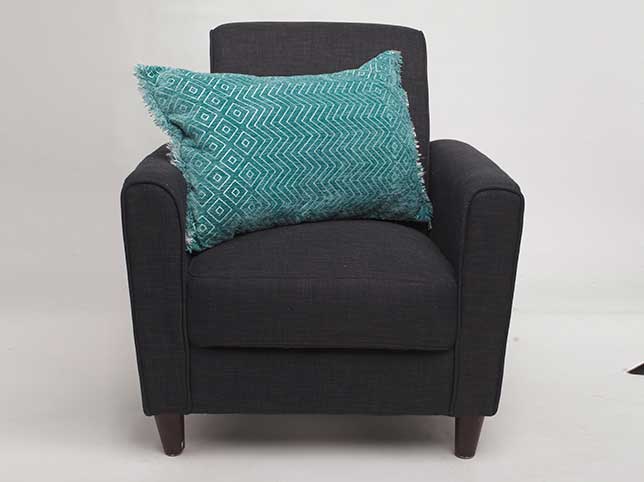
Before
After
Armchair colour change.
Recolour the upholstery on this piece of furniture to the specified colour. Keep the weave or grain of the fabric fully visible, along with every seam, piping detail and button. The new colour must darken correctly in the creases and lighten on the raised areas. Leave the legs, feet and any wooden or metal element unchanged.
What to watch for: flat panels. Large surfaces are where a colour change most often loses its texture, because there is more area for the model to simplify.
12. Homeware, where the finish reads as quality
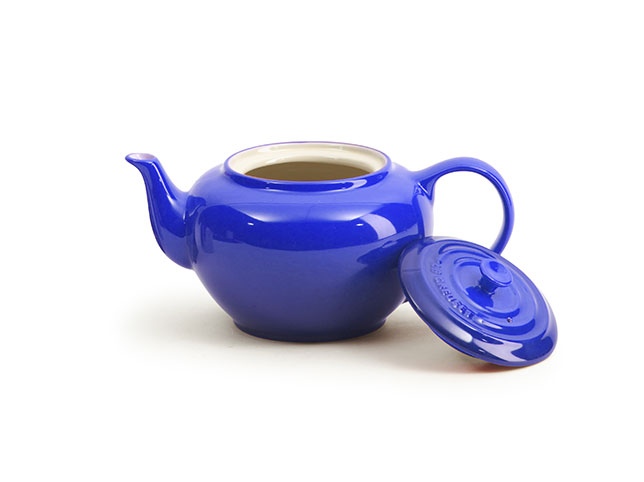
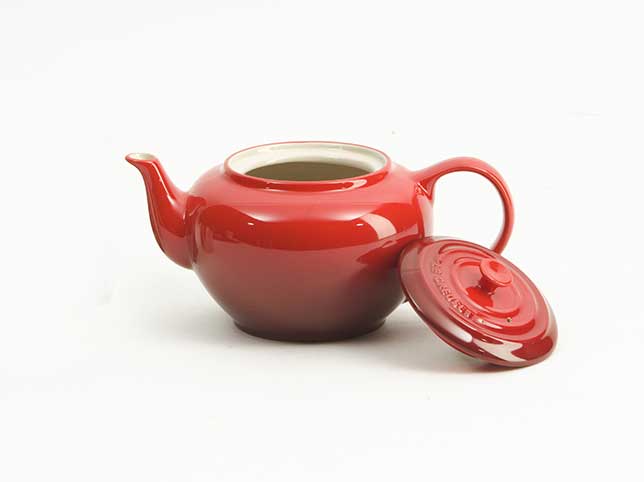
Before
After
Cookware colour change.
Change the colour of this item to the specified colour while preserving its finish exactly, if the surface is enamelled, it must still read as enamel, with the same sheen and the same highlight behaviour. Keep handles, rims and any branded element in their original colours. Do not alter the shape or add reflections.
What to watch for: a finish that changes with the colour. Enamel, powder coat and matte ceramic reflect differently, and a model recolouring often swaps one for another without being asked.
13. Evening out the background rather than the product


Before
After
Background colour correction.
Correct and even out the background in this photograph only. Remove any colour cast, gradient or unevenness in the backdrop so it reads as one consistent tone. Do not change the product or the subject in any way, not its colour, not its brightness, not its edges. Do not brighten the background so far that the product’s edge disappears into it.
What to watch for: the product lifting with the background. A global exposure change moves both. Check the product’s own brightness before and after, not just the backdrop.
Where a prompt is not enough
A flat-coloured product in even light corrects well. These do not:
Colours that sit near each other. Navy against black, cream against white, rose gold against copper. Small hue errors here change what the product is.
Materials whose colour depends on angle. Satin, velvet, iridescent finishes, metallics, anything with a sheen that shifts as it turns.
Anything that must match a physical sample. A Pantone reference or a lab dip is a specification, and matching one is a measured process, not a described one.
Sets where consistency is the deliverable: a full range in eight colourways that has to look like one shoot.
Our colour correction service covers the first two, and colour change builds variants to a reference rather than to an impression.
Check your own product colours for this
Two minutes, on images you already have. If any of these fails, the problem is in your listings right now:
- Put the photo next to the actual product under daylight. This is the only test that matters, and almost nobody does it.
- Look at the shadow folds, not the flat panels. If the hue changes as the fabric turns, the colour is not holding.
- Check hardware and trims on any recoloured garment. Buttons, zips and stitching should not have moved.
- Flick between your variants. Anything but the colour changing between them is a defect a customer will notice.
If your return rate mentions colour, one of these checks will usually tell you where it is coming from.
Frequently asked questions
Are these before and after images AI generated?
No. All of them are real client work retouched by hand at Pixel Retouching, shown as the standard the prompts aim at.
Why does AI keep making my product colours more saturated?
Because models are trained to produce attractive images, and enrichment is what attractive looks like. Product photography needs the opposite: accuracy, even when it is duller. Say so explicitly in the prompt.
Can AI create colourway variants I can actually sell?
For simple, flat-coloured products, often yes. For textured fabric, multi-material garments and anything matching a physical sample, the variant will look plausible without being right, and the difference arrives with the customer.
How do I stop the colour changing in shadows?
Give the model a reference colour rather than a colour name, and tell it not to let the hue drift in shadow areas. Then check the folds specifically, because that is where it fails first.
Is colour accuracy really worth the effort?
It is the edit with a direct financial number attached. Every other retouching decision affects whether someone buys; colour affects whether they keep it.
See it on your own products
If colour is behind your returns, the fastest diagnosis is to send us the product you have argued with customers about. Send three images through the free trial and a retoucher will edit them by hand and send them back within 24 hours. No card, and you keep the files either way, including any you have already run through a prompt, which is the quickest way to see the two side by side.