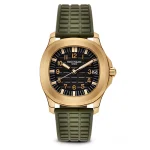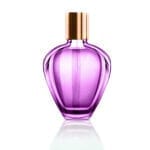
Shopify and Etsy give you something Amazon does not: freedom. No pure-white rule, no 85 percent framing, no ban on props. Which means the thing that sells your listing is no longer compliance: it is whether your grid looks like a shop or like a folder of photos.
That is a consistency problem more than a photography one, and it is the one thing AI is genuinely poor at, because every generation is independent. The prompts below are written for a small catalogue: a first image that stops the scroll, a grid that holds together, and detail shots that answer the question a customer would otherwise message you about.
Please read this before you scroll: the images in this article are not AI output.
Every before and after on this page is real client work, retouched by hand by the team at Pixel Retouching. We have used our own portfolio deliberately, because we would rather show you the standard these prompts are aiming at than show you a set of AI attempts and call them finished.
So treat the sliders as the target, not as a promise. A good prompt will get a straightforward piece surprisingly close to what you see here. It will not get a difficult one all the way there, and the note under each prompt tells you exactly where the gap usually opens up.
What matters on these platforms
Your grid is your shopfront. Buyers see twenty thumbnails before they see one product. Matching framing and brightness across those twenty does more for conversion than perfecting any single image.
Etsy rewards the handmade truth. Over-smoothed, over-generated images work against you on a platform where buyers are specifically looking for something made by a person. Clean is good; synthetic is not.
Detail shots reduce messages. Every question you answer in an image is a message you do not have to reply to and a hesitation that does not cost you a sale.
1. A first image that holds the grid


Before
After
Ghost mannequin for a collection grid. Drag to compare.
Prepare this photograph as the first image in a shop grid. Clean background, product centred, filling 80 percent of the frame height with equal margin left and right. Neutral white balance and soft even lighting. Keep the product’s colour and texture exactly as photographed. Use these same framing and lighting settings for every product in the collection so the grid reads as one set.
What to watch for: drift between products. Generate ten of these separately and they will not match. Lay them out at thumbnail size before you publish the collection.
2. Straightening and aligning for a tidy grid


Before
After
Symmetry and alignment correction.
Straighten and align this product photograph. Make the product’s vertical axis truly vertical and centre it horizontally in the frame. Level any horizontal line in the product. Do not change the product’s proportions, do not slim or reshape it, and do not crop into it. Keep the background even.
What to watch for: quiet reshaping. Asked to tidy an image, models narrow and lengthen products. On a garment that is a sizing complaint waiting to happen.
3. Colourway variants for one listing


Before
After
Cap colour change for a variant listing.
Produce a colourway variant of this product in the specified colour. Everything except the colour stays identical: the framing, the lighting, the shadow, the size in frame and the background. Preserve the material texture and any embroidery or print, and keep stitching and hardware in their original colours.
What to watch for: variants that do not match each other. Flick between them at full size; if the product moves or changes brightness, the set is broken even though each image looks fine alone.
4. A detail shot that answers a question
Before
After
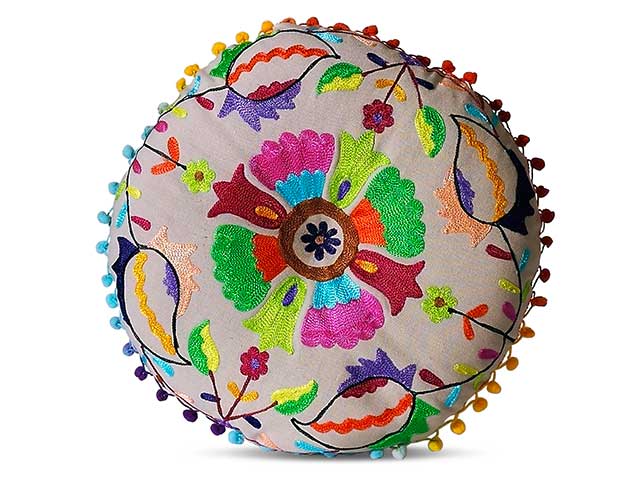
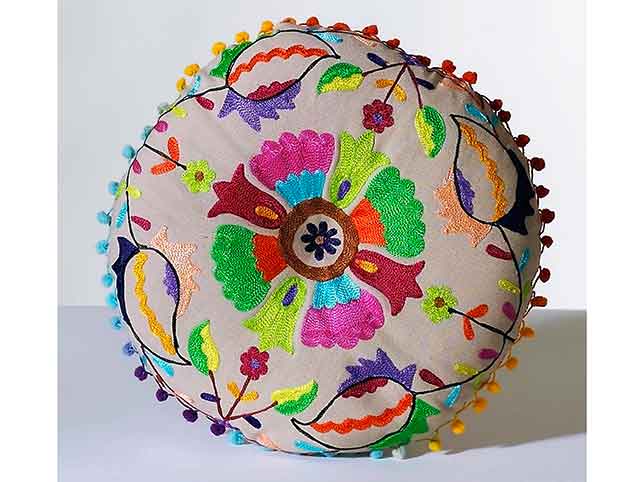
Embroidered cushion cut-out. On Etsy the stitching is the product.
Clean up this detail photograph without softening the craft. Remove dust, stray threads that are not part of the product, and background distractions. Keep every stitch, weave irregularity and hand-finished mark exactly as it is: these are evidence the item was made by a person and must not be smoothed away. Even background, natural colour, no added sharpening.
What to watch for: removed irregularity. A model tidying a handmade item will regularise the stitching, which quietly removes the thing an Etsy buyer is paying for.
5. Cosmetics and small packaged goods


Before
After
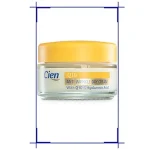
Cosmetics jar advertising retouch.
Retouch this packaged product for a listing. Remove dust, fingerprints and reflections of the studio from the container. Keep every word on the label exactly as photographed at the same size and position: do not redraw or reflow any text. Preserve the finish of the packaging, whether matte or gloss. Clean even background, accurate colour.
What to watch for: rewritten label text. This is the one that carries legal weight on ingredients and claims. Read the label in the output against the label in your hand.
6. Glass and bottles


Before
After
Champagne bottle retouching.
Retouch this bottle for a product listing. Keep the glass reading as glass, with its own edge thickness and highlights. Remove studio reflections and dust from the surface without flattening it. Keep the label completely legible and unaltered, including any foil or embossing. Even background, accurate glass colour, no visible reflection of a light source or a room.
What to watch for: a bottle that becomes a silhouette. Over-cleaned glass loses its edges and turns into a flat coloured shape with a label pasted on.
7. Isolating a product from a styled shot

Before
After
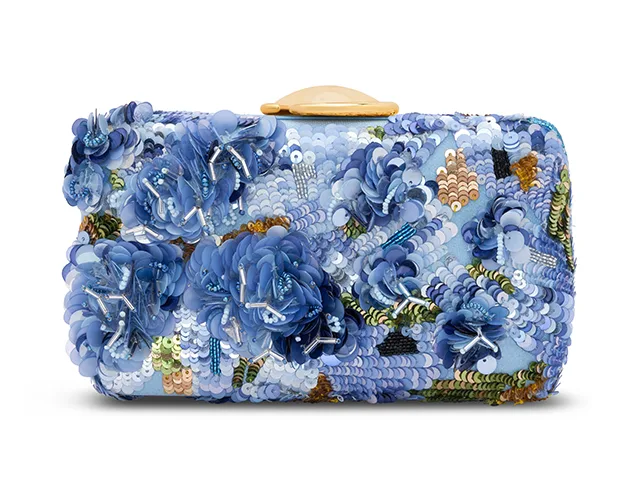
Handbag isolated to white.
Isolate this product from its styled photograph onto a clean white background. Follow the true edge including any strap, handle and the gaps beneath them. Remove all props and background elements completely. Keep the product’s colour, hardware and texture exactly as photographed. No halo along the edge, and no leftover shadow from the original scene.
What to watch for: gaps under straps and handles. Enclosed areas are the most missed part of any cut-out, and a bag is mostly enclosed areas.
8. The hero image for the shop front

Before
After
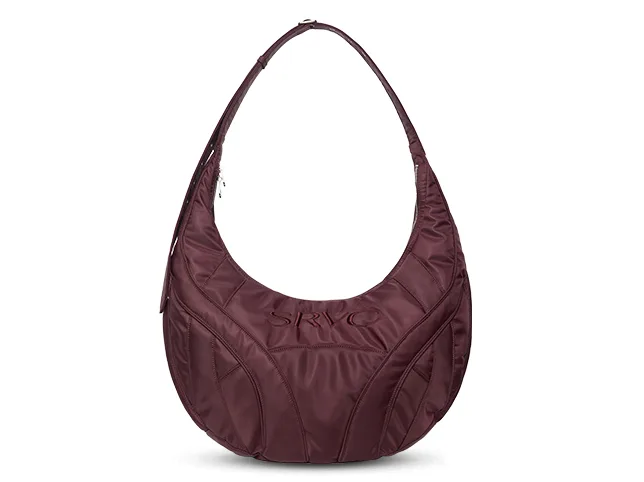
Handbag retouching for a hero image.
Retouch this product as a hero image for a shop homepage. Clean the surface of dust and marks, even out the lighting, and correct the colour so it is accurate. Keep the material texture and every piece of hardware exactly as photographed. This image will be seen large, so nothing may be softened or approximated. Clean background, accurate colour, no added effects.
What to watch for: softness at large sizes. A hero image is viewed at four times the size of a grid tile, and edits that pass at thumbnail size fall apart there.
9. A styled set shot, tidied rather than rebuilt
Before
After
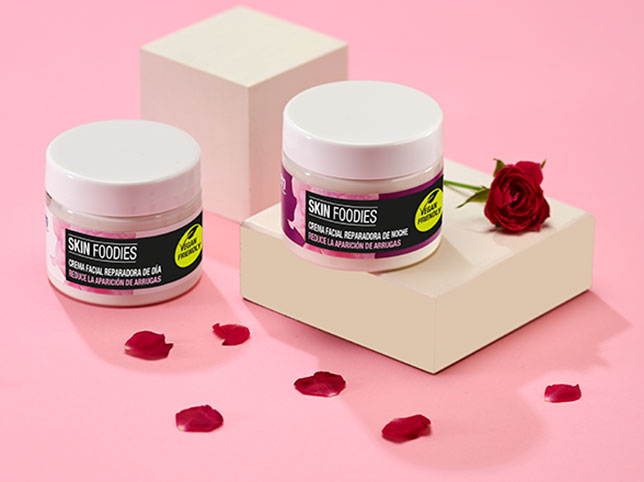
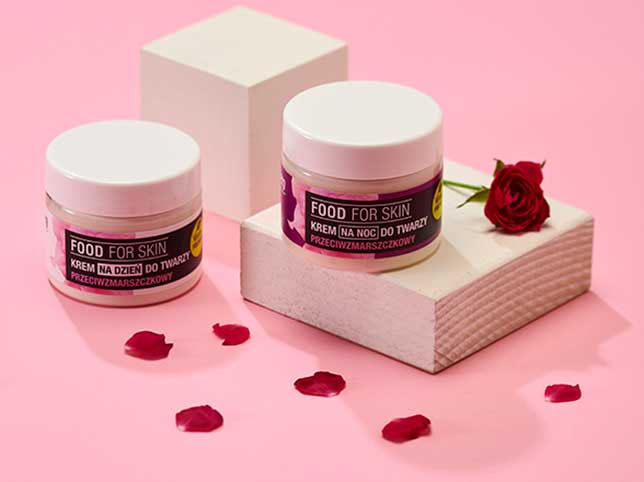
Cosmetics set styling clean-up.
Clean up this styled product photograph without restyling it. Remove dust, stray marks and distractions from the background. Keep every product in its photographed position, at its photographed size, with its labels unaltered. Even out the lighting across the scene. Do not add, remove or move any item, and do not add props of your own.
What to watch for: helpful restyling. Asked to improve a styled shot, models rearrange it, and the arrangement you shot is usually the one that matches the listing description.
What a small shop should not automate
Most of a small catalogue is fine to prompt. The exceptions are worth naming, because on Shopify and Etsy they are the images that actually sell:
The hero. Seen largest, judged hardest, and the one that decides whether a visitor keeps scrolling.
Anything handmade in close-up. The irregularity is the value, and tidying it removes the reason for the price.
Labels, ingredients and claims. Regenerated text is a compliance risk, not a design one.
A full colourway range. Consistency across variants is the one thing independent generations cannot give you.
We work with a lot of shops this size. Photo editing for Shopify stores and for Etsy sellers are built around small batches and quick turnaround rather than minimum orders.
Check your own shop for this
Two minutes, on images you already have. If any of these fails, the problem is in your listings right now:
- Open your collection page and squint. Do the tiles read as one set, or as photos taken on different days?
- Open one product at full size. Does it hold up larger, or does it go soft?
- Flick between your variants. Does anything move except the colour?
- Read your last ten customer messages. How many asked something an image could have answered?
The first and the last of those are the two that usually explain a conversion rate, and neither needs any software to check.
Frequently asked questions
Are these before and after images AI generated?
No. Every one is real client work retouched by hand at Pixel Retouching, shown as the standard the prompts aim at.
Does Etsy allow AI-edited photos?
Etsy’s rules concern how the item is made and described rather than how the photograph was processed. The practical risk is different: buyers there are looking for something handmade, and over-processed images work against you.
Do Shopify listings need a white background?
No. Shopify leaves it to you, which is why consistency matters more than any single rule. Pick one background treatment and hold it across the whole catalogue.
How many images should a listing have?
Enough that a buyer does not have to message you. In practice that is a clear first image, a scale or on-body shot, at least one detail close-up, and a shot of anything a customer might worry about.
Is it worth editing photos for a small shop?
The grid is worth it before any individual image is. A tidy, consistent collection page changes how the whole shop is read, and it costs less than perfecting one hero.
See it on your own products
If your collection page does not look like one set, send us three tiles from it. Send three images through the free trial and a retoucher will edit them by hand and send them back within 24 hours. No card, and you keep the files either way, including any you have already run through a prompt, which is the quickest way to see the two side by side.
Selling jewellery in particular? Etsy allows twenty listing photographs and the shot list for a piece of jewellery is its own problem: there is a slot-by-slot walk-through of what goes in an Etsy jewellery listing.