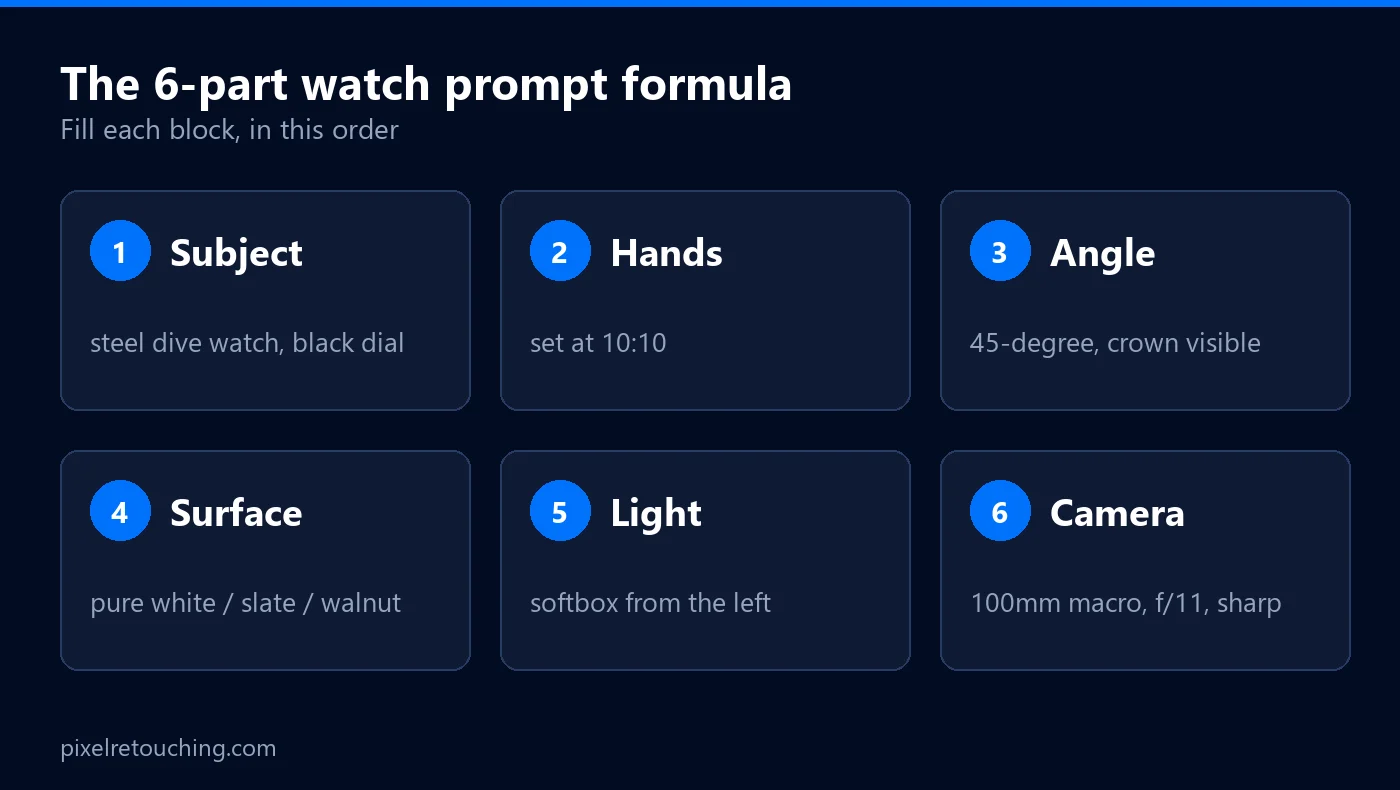
A watch is a small product with a lot of jobs to do in one photograph. The dial has to be readable, the crystal has to look like glass, the case has to look like metal, and the brand name has to be exactly the brand name. Each of those lives in a few millimetres of reflection, and each one is something an AI model is happy to improvise.
The AI prompts for watch product photos below are written the way a retoucher would brief a watch job: naming the case material, the crystal, the dial and what must not move, instead of asking for “a luxury watch photo”. Copy any of them into ChatGPT, Gemini, Midjourney or the AI editor in your product-photo tool, upload your own shot, and you will get much closer than a one-line request will.
Please read this before you scroll: the images in this article are not AI output.
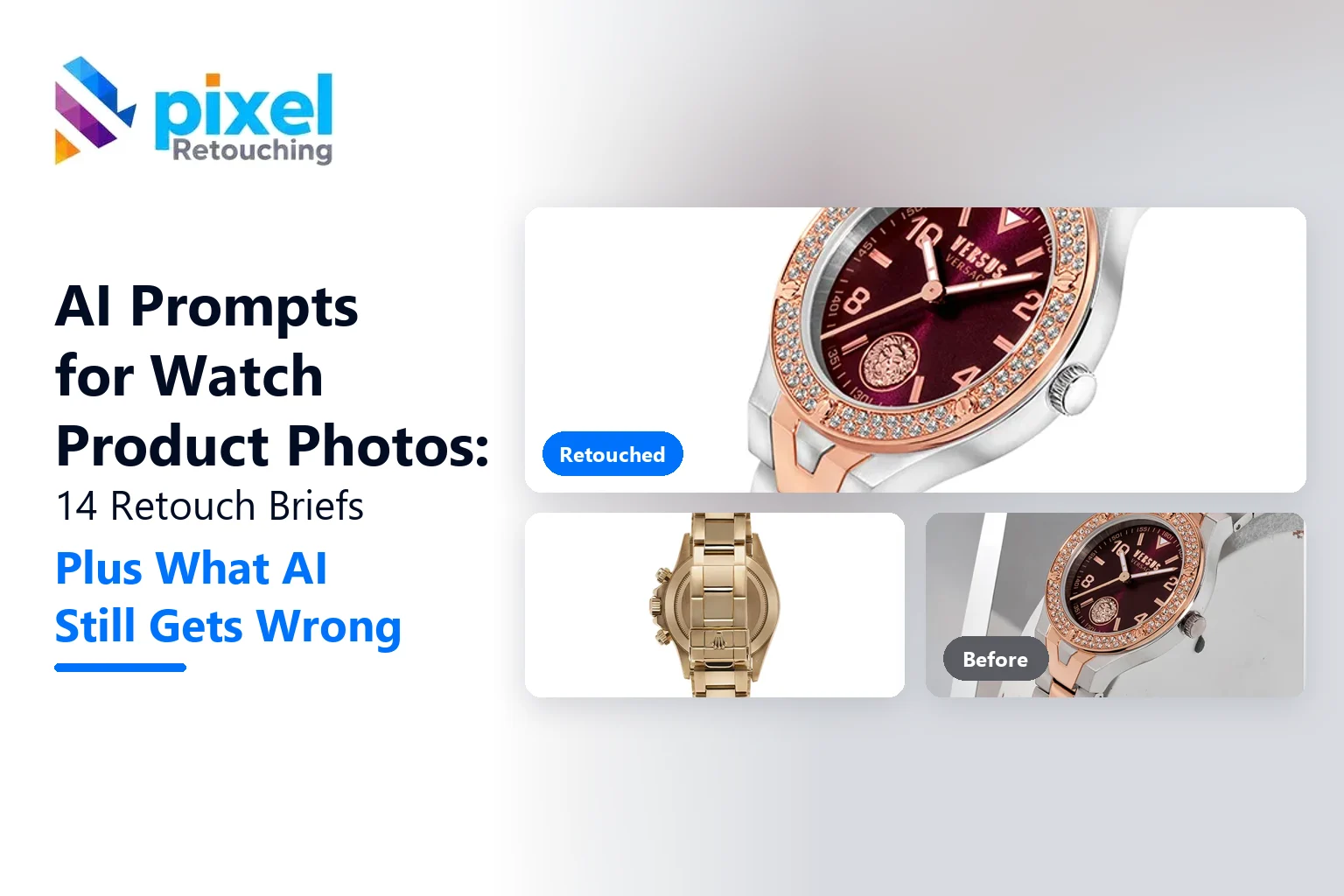
Every before and after on this page is real client work, retouched by hand by the team at Pixel Retouching. We have used our own portfolio deliberately, because we would rather show you the standard these prompts are aiming at than show you a set of AI attempts and call them finished.
So treat the sliders as the target, not as a promise. A good prompt will get a straightforward watch surprisingly close to what you see here. It will not get a difficult one all the way there, and the note under each prompt tells you where the gap usually opens up.
Three rules before you start
Upload your watch; do not ask for one. These are editing prompts. A model asked to generate a chronograph will give you a handsome chronograph that does not exist, with sub-dials, a logo and a bracelet that are not yours. Always start from your own photograph.
Name the materials. “Silver” covers polished steel, brushed steel, white gold and titanium, and they do not reflect light the same way. “Glass” covers sapphire crystal, mineral glass and acrylic. The more precisely you name it, the less the model invents.
Read the dial at 100% every time. This is the one habit that matters. Brand names, indices, date windows and sub-dial numbers are where generated watches fall apart, and the damage is invisible at thumbnail size, which is exactly the size you will be looking at when you approve it.
1. A watch on pure white for a marketplace listing
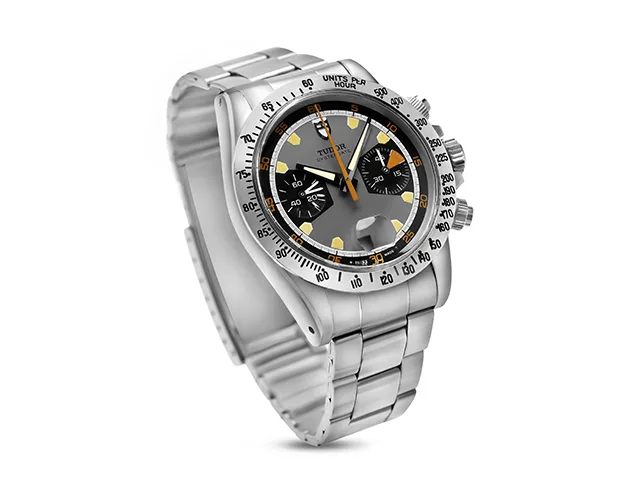
Before
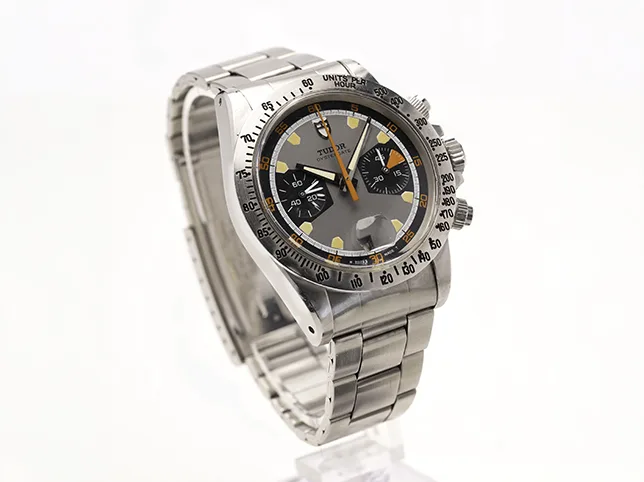
After
Wristwatch retouching for a listing. Clean, white and still the same watch.
Edit this watch photo for a marketplace main image. Place the watch on a pure white background, RGB 255, 255, 255, with the watch filling about 85% of the frame. Keep the dial, hands, logo and bracelet exactly as photographed. Remove dust and fingerprints from the case and crystal. Add a soft, natural contact shadow under the case only. No props, no text, no added reflections.
What to watch for: the white. Ask for “white” and you usually get something just off it, which looks fine on screen and fails a corner-pixel check. Our AI prompts for Amazon main images go deeper on the marketplace rules.
2. A dial where every marking must survive
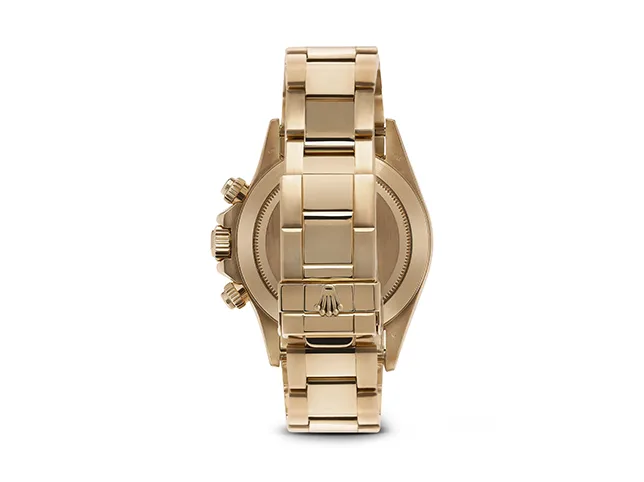
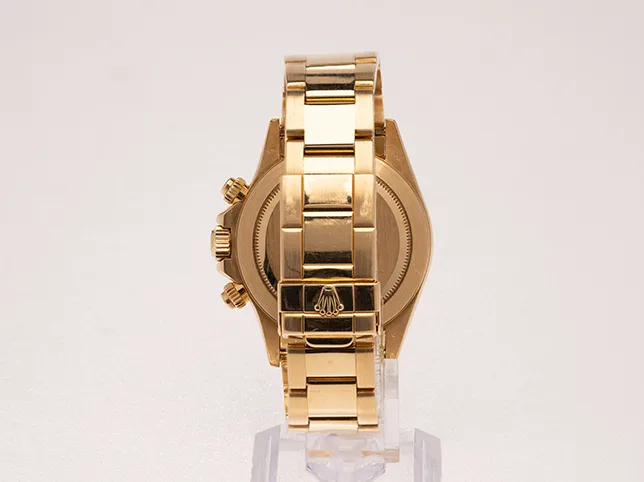
Before
After
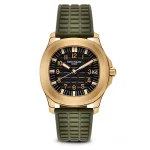
Gold watch retouching. The dial is text, and text is where models improvise.
Retouch this watch for a product page. Do not alter, redraw or reposition anything on the dial: the brand name, model name, indices, numerals, sub-dials and date window must stay exactly as photographed. Clean dust from the crystal and case. Keep the gold tone as it is. Pure white background, soft even light.
What to watch for: the logo. A model will cheerfully redraw a brand name into something almost right, and an almost-right logo on a listing is a trademark problem as well as a photography one.
3. A crystal or gem-set bezel
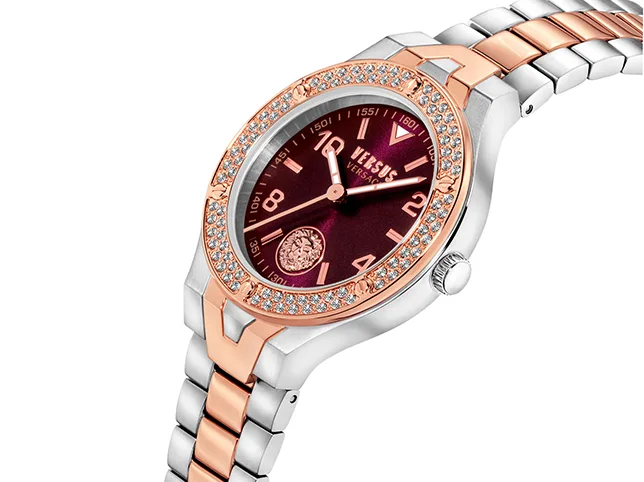
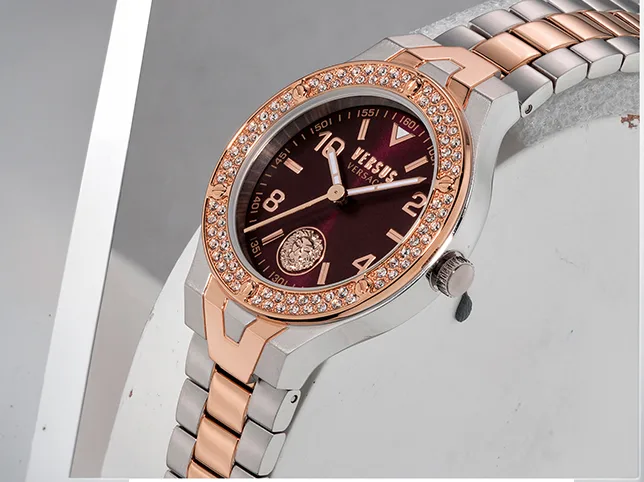
Before
After
Crystal-bezel watch retouching. Sparkle is managed, not painted on.
Retouch this watch with a crystal-set bezel. Clean each stone so it looks bright and clear, but keep the number of stones, their size and their spacing exactly as photographed. Do not add sparkle effects or star highlights. Keep the dial colour accurate. Remove dust from the case. Pure white background, soft even light.
What to watch for: the stone count. Models tidy an uneven row by adding or merging stones, and a customer who counts them will notice before you do.
4. Removing the studio from a polished case
This watch has a polished steel case that reflects the camera and the room. Remove the reflection of the camera, the photographer and any windows from the case and crystal. Replace them with soft, even gradient highlights that follow the curve of the case, so the metal still reads as polished steel. Do not change the shape of the case or the lugs.
What to watch for: flat metal. Remove every reflection and polished steel turns into grey plastic. Steel needs a light edge and a dark edge to look like steel.
5. Glare on the crystal
Reduce the glare across the watch crystal so the dial is fully readable, but keep a faint, natural reflection so the crystal still reads as sapphire glass. Do not change anything under the crystal. Keep the hands in their photographed position.
What to watch for: a missing crystal. With the glare gone completely, the dial looks like a print with no glass over it.
6. Brushed and polished finishes on one case
This case has brushed surfaces on the top and polished bevels on the edges. Keep that contrast: brushed areas should show fine straight grain with a soft sheen, polished bevels should show sharp, bright highlights. Clean dust and scratches from the polished areas only. Do not smooth the brushed grain away.
What to watch for: one finish everywhere. Models average the two into a single satin surface, and the watch loses the detail that makes it look expensive.
7. Setting the hands to 10:10
Reposition the hour and minute hands to show 10:10, keeping the hands’ exact shape, length, colour and lume. Do not cover the brand name or any sub-dial. If the second hand is visible, place it at about the 7 o’clock position so it does not cross the logo.
What to watch for: new hands. Models often draw a generic pair instead of moving yours. If the shape changes, it is safer to reshoot the watch set to 10:10.
8. A metal bracelet, where links repeat
Clean this metal bracelet link by link: remove dust, fingerprints and small scratches. Keep the number of links, the clasp and the link shapes exactly as photographed. Even out the reflections so every link looks consistently lit, without making the bracelet look like a single smooth band.
What to watch for: links that merge or multiply. Repeated patterns are where models lose count, so compare the link count with the original.
9. A leather strap
Clean this leather watch strap: remove lint and dust, soften small creases from handling, and keep the grain, stitching and colour exactly as photographed. Do not make the leather look glossy or plastic. Keep the buckle and any engraving unchanged.
What to watch for: vinyl leather. Too much smoothing removes the grain, and the strap starts to look like the cheapest version of itself.
10. Lume shot in low light
Edit this low-light photo of a watch with glowing lume. Keep the lume colour and brightness on the hands and indices as photographed, reduce noise in the dark areas, and keep the dial edges and logo legible. Do not add glow to areas that do not have lume.
What to watch for: extra glow. A model asked to “make it glow” will light up numerals that have no lume on the real watch.
11. Correcting dial colour
Correct the colour of this watch dial to match the real product: [describe the colour, for example sunburst navy blue]. Keep the sunburst pattern and how it changes with the light. Do not change the colour of the case, hands or strap.
What to watch for: a flattened sunburst. The pattern is what makes the dial look real, and colour changes often wipe it into a single tone. Our AI prompts for product colour accuracy cover this in more detail.
12. A lifestyle scene from your packshot
Place this exact watch on a dark walnut desk beside a leather notebook, with soft window light from the left and a shallow depth of field. Keep the watch itself completely unchanged: the dial, hands, logo, case shape and strap. Match the shadows and reflections on the watch to the new light direction.
What to watch for: light that does not match. A watch lit from the right sitting in a scene lit from the left looks pasted in, even when nobody can say why.
13. On the wrist
Show this exact watch worn on a wrist, shot from slightly above, with a plain light grey sleeve and a neutral background. Keep the watch’s size realistic for its case diameter of [size] mm. Do not change the dial, case or strap.
What to watch for: size. Without a case diameter, models make every watch look like a 44 mm dive watch, and a customer who orders a 36 mm watch will feel misled.
14. A natural shadow and reflection
Add a soft, realistic contact shadow under this watch, as if it were lying on a white surface lit from above. Add a faint reflection of the case underneath, fading out within a short distance. Keep the background pure white everywhere else.
What to watch for: floating watches. A shadow that starts a few pixels below the case makes the watch hover. Our AI prompts for product shadows explain how to make it sit.
Where these prompts stop working
Everything above assumes a watch the model can read: a sharp shot, a clear dial and a case big enough to resolve. On a simple, plain-dial watch, a good prompt saves real time.
Watches are also where AI runs out of road quickly, and it is worth being specific about where:
Anything with text. Brand names, model names, sub-dial numbers, date wheels and engraved case backs. Models produce something text-shaped, reliably, and it is reliably not yours.
Exact mechanics. Hands, crowns, pushers and bezel clicks are specific to the model. A generated version replaces them with a generic ideal.
Metal that has to be accurate. Rose gold against bronze, white gold against steel, titanium against aluminium. A small hue shift changes what the watch is.
Gem settings. The count, cut and spacing of stones are part of what the customer pays for.
Used honestly, that is not an argument against prompting. It is the case for knowing what to prompt. Run the simple watches through a model, and send the ones that carry the price to someone who will open the file. Our watch photo retouching exists for exactly that second group, and the same team handles jewellery retouching.
Frequently asked questions
Are the watch images in this article AI generated?
No. Every before and after on this page is real client work, retouched by hand by the Pixel Retouching team. They show the standard the prompts are aiming at, not results produced by the prompts.
Why are watches set to 10:10 in product photos?
At 10:10, the hands frame the brand name below 12 o’clock, keep the sub-dials and date window visible and make the watch look balanced. It has been the standard in watch advertising for decades.
Can I use AI-edited watch photos on my listings?
Yes, if the watch in the photo is the watch the customer receives. Removing dust and glare is normal. Changing the dial, logo, size or stones misrepresents the product and can break marketplace rules and trademark law.
Why does the logo on my watch look wrong after AI editing?
AI models redraw small text instead of copying it, so brand names and numerals come out almost right. Tell the model not to alter the dial, and always check the logo at 100% before you use the image.
Which AI tool is best for watch photos?
Tools that edit an uploaded photo, such as ChatGPT, Gemini or the AI editor in your product-photo app, suit listings better than pure generators like Midjourney. Whichever you use, start from your own photo and name what must not change.
See it on your own watches
If you would rather judge this on your own photographs than on ours, send three images through the free trial. A retoucher edits them by hand and sends them back within 24 hours. No card, and you keep the files either way, including any you have already run through a prompt, which is the fastest way to see the difference side by side.