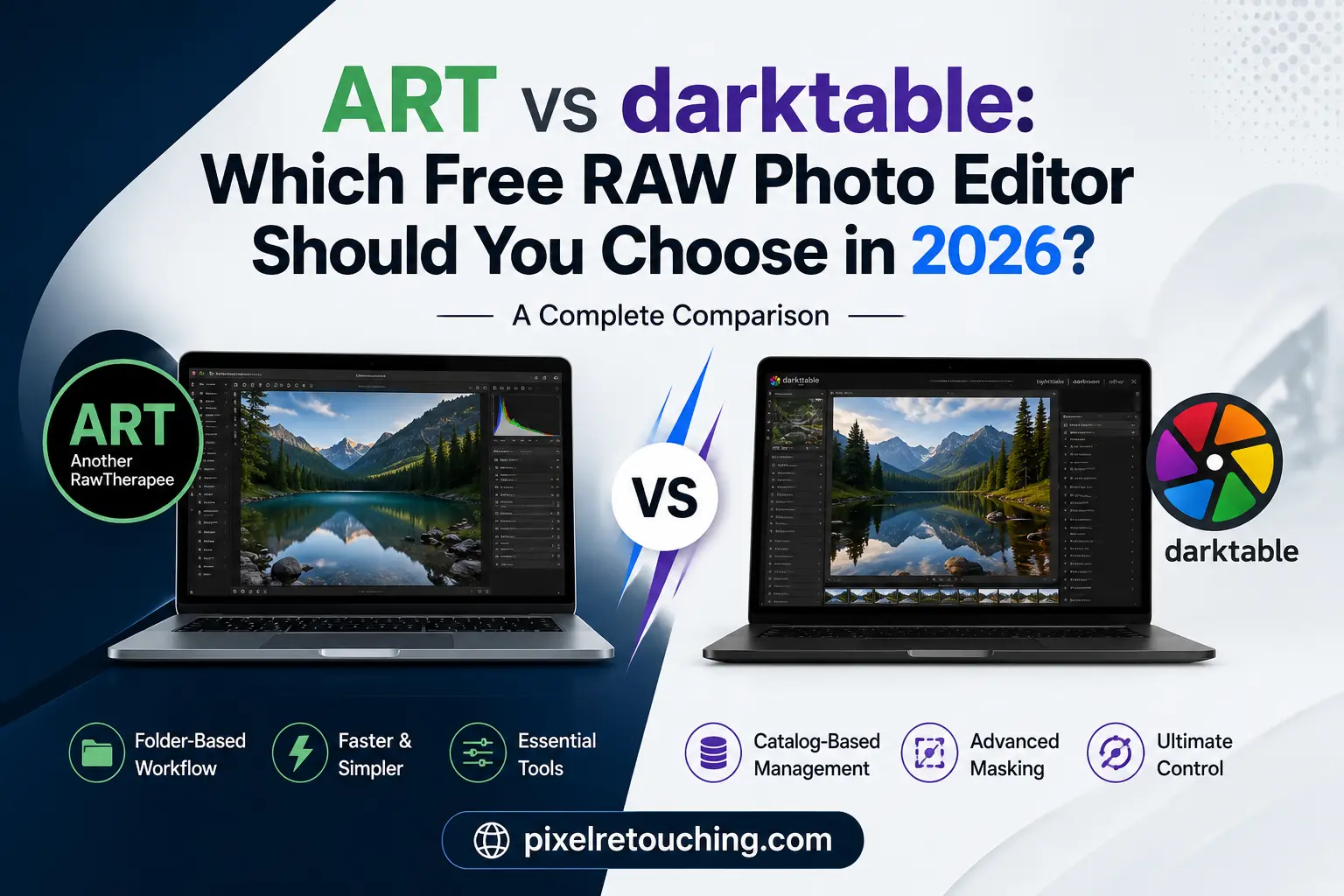
If you’re searching for a powerful alternative to Adobe Lightroom, you’ve probably come across ART (Another RawTherapee) and darktable. Both are free, open-source RAW editors capable of producing professional-quality images, but they take very different approaches to photo editing.
One focuses on speed, simplicity, and a straightforward editing experience. The other offers an advanced digital darkroom with deep color science, sophisticated masking, and a complete photo management system.
So which one is the better choice?
The answer depends on how you edit, organize, and process your photographs. This guide compares ART and darktable across workflow, performance, masking, usability, and professional features to help you decide.
What Is ART?
ART, short for Another RawTherapee, is a modern fork of RawTherapee. It retains the excellent RAW processing engine while simplifying the interface and removing unnecessary complexity.
Instead of overwhelming users with dozens of experimental controls, ART focuses on the tools photographers actually use every day. The result is a faster, cleaner editing experience that feels familiar to anyone coming from Lightroom or Capture One.
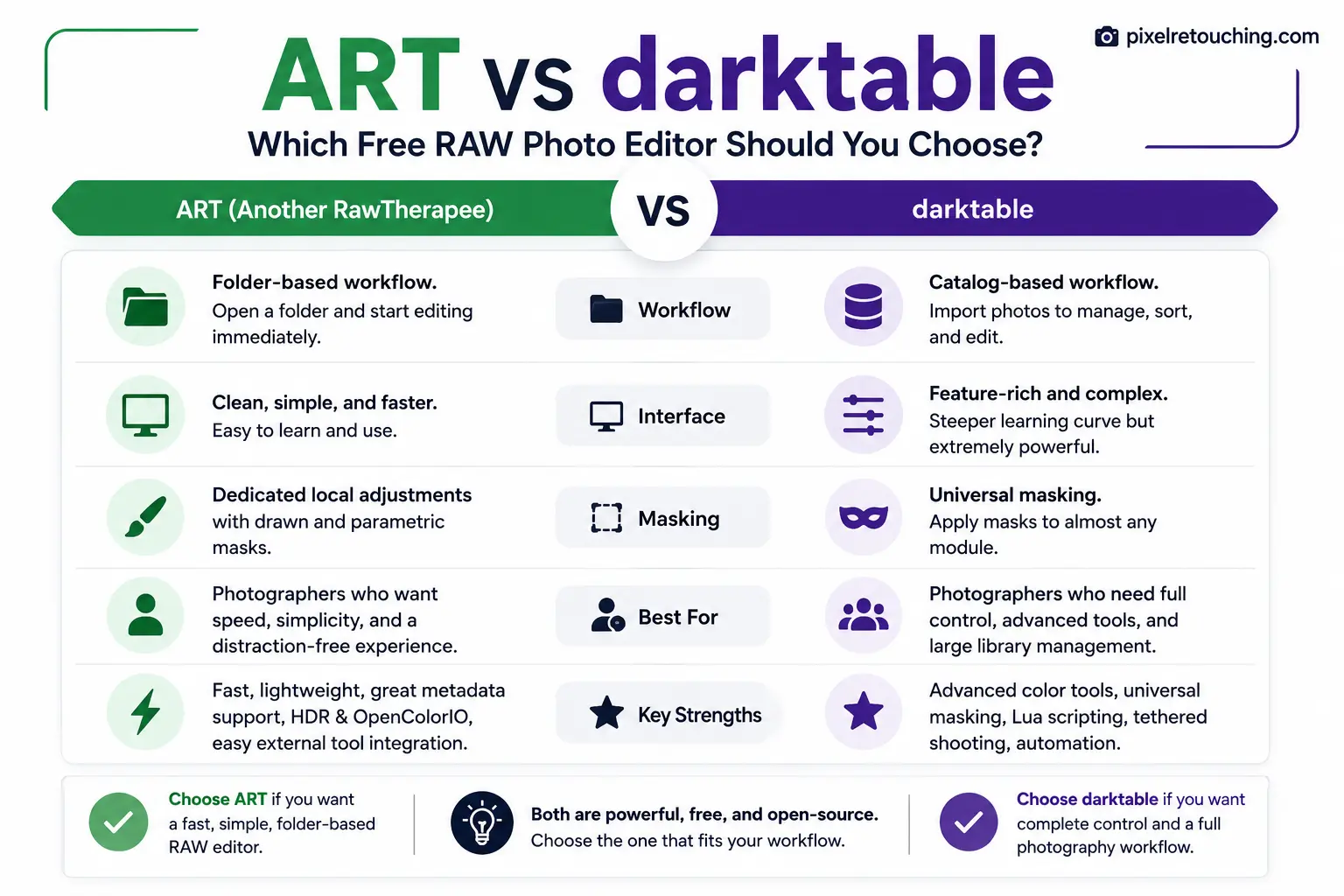
One of ART’s biggest advantages is its folder-based workflow. You simply browse to your images, open a RAW file, edit it, and save the result—no importing or catalog creation required.
What Is darktable?
darktable is a complete photography workflow application designed as a full Lightroom replacement.
It combines RAW development, image organization, keyword management, rating systems, color grading, masking, tethered shooting, and automation into one platform.
Unlike ART, darktable uses a catalog system called Lighttable, where images are imported into a database before editing begins inside the Darkroom module.
This approach makes darktable especially attractive for photographers managing thousands of photos across multiple projects.
Workflow: Folder Browser vs Photo Catalog
The first major difference between these applications is how they manage images.
ART uses your existing folders
If you already organize photos using Windows Explorer, Finder, or Linux file managers, ART feels natural.
There is no database.
There is no import step.
You simply open a folder and start editing.
This lightweight workflow works particularly well for:
- Product photography
- Jewelry photography
- Portrait sessions
- Small client projects
- Individual RAW processing
Photographers who dislike maintaining catalogs often appreciate this simplicity.
darktable uses a Digital Asset Manager
darktable treats photo management as part of the editing process.
After importing images, photographers can:
- Rate photos
- Apply color labels
- Add keywords
- Filter collections
- Search metadata
- Organize large libraries
For wedding photographers, wildlife photographers, travel photographers, and event shooters handling tens of thousands of RAW files, this system offers a significant advantage.
User Interface and Learning Curve
Both applications are feature-rich, but their design philosophies couldn’t be more different.
ART prioritizes usability
ART removes much of the visual clutter found in RawTherapee.
The controls are easier to understand, the sliders behave predictably, and common adjustments like exposure, white balance, contrast, sharpening, and color correction are readily accessible.
Photographers switching from commercial software usually become productive quickly.
darktable rewards patience
darktable is considerably more advanced.
Instead of offering simple editing controls, it introduces concepts such as:
- Scene-referred editing
- Filmic RGB
- Tone Equalizer
- Sigmoid workflow
- Diffuse and Sharpen
- Parametric masks
These tools provide extraordinary flexibility but require time to master.
Beginners often face a steeper learning curve before achieving consistent results.
Local Adjustments and Masking
Masking is one area where darktable clearly separates itself.
ART keeps local editing straightforward
ART includes dedicated local adjustment tools with support for:
- Brush masks
- Gradient masks
- Parametric masks
- Color selections
- Brightness selections
These features are more than sufficient for most portrait, landscape, and product photography edits.
Because masking is limited to specific adjustment tools, the interface remains uncluttered.
darktable offers masking almost everywhere
In darktable, nearly every editing module can use its own mask.
You can combine:
- Drawn masks
- Parametric masks
- Shape combinations
- Color ranges
- Luminance selections
- Multiple mask instances
This allows extremely precise adjustments that rival premium commercial software.
Professional retouchers who rely heavily on selective edits often appreciate this level of control.
Performance and Editing Experience
Performance isn’t only about speed—it’s also about how quickly photographers can reach the final image.
ART generally feels lighter and more responsive.
Its simplified interface reduces unnecessary clicks, making it easy to process individual photographs efficiently.
darktable may require additional setup and familiarity before the editing process becomes fluid. However, once users establish a preferred workflow, batch processing and large-scale image management become highly efficient.
Advanced Features
Although both applications produce excellent RAW conversions, each includes features aimed at different types of photographers.
ART strengths
- Fast folder-based workflow
- Simplified interface
- Excellent RAW processing quality
- OpenColorIO support
- HDR compatibility
- Strong metadata handling
- Easy integration with GIMP and external editors
darktable strengths
- Complete photo catalog
- Advanced scene-referred workflow
- Universal masking system
- Lua scripting for automation
- Tethered camera support
- Professional batch processing
- Extensive color grading capabilities
Which Software Is Better for Different Photographers?
The better choice depends on your workflow rather than image quality.
Choose ART if you:
- Prefer editing directly from folders
- Want a cleaner interface
- Are moving away from Lightroom
- Process individual projects
- Value speed over endless customization
Choose darktable if you:
- Manage large photo libraries
- Need advanced masking
- Enjoy learning professional editing techniques
- Want complete workflow management
- Frequently edit thousands of RAW files
Both tools reward time you may not have. If the RAW backlog is the bottleneck, photo editing for photographers takes the batch and returns it in your own grade.
ART vs darktable: Final Verdict
Both ART and darktable are among the best free RAW editors available today.
If your priority is efficient editing with minimal distractions, ART delivers an impressive balance of speed, image quality, and simplicity. It feels modern, approachable, and highly productive for everyday photography.
darktable, meanwhile, is designed for photographers who want maximum control. Its advanced modules, powerful masking system, and integrated photo management make it one of the most capable open-source photography platforms available.
Neither application is objectively better.
Instead, each serves a different type of photographer.
If you value simplicity and a folder-based workflow, ART is likely the better fit.
If you need a complete Lightroom alternative with professional asset management and highly advanced editing capabilities, darktable remains one of the strongest choices in the open-source ecosystem.
Ultimately, the best RAW editor is the one that complements your workflow, helps you edit efficiently, and lets you focus on creating better photographs rather than navigating complicated software.