A real estate photo has one job: to show the property as it is, at its best. That’s a narrow line. Brighter windows, a blue sky and a tidy room are normal edits. A bigger garden, a fresh lawn that isn’t there or a removed power line can mislead a buyer, and in many places it can break advertising rules.
The AI prompts for real estate photo editing below are written the way an editor would brief the job: naming the room, the light and what must stay true, instead of asking to “make this house look amazing”. Copy any of them into ChatGPT, Gemini or the AI editor in your editing tool, upload your own shot, and you will get much closer than a one-line request will.
Please read this before you scroll: the images in this article are not AI output.
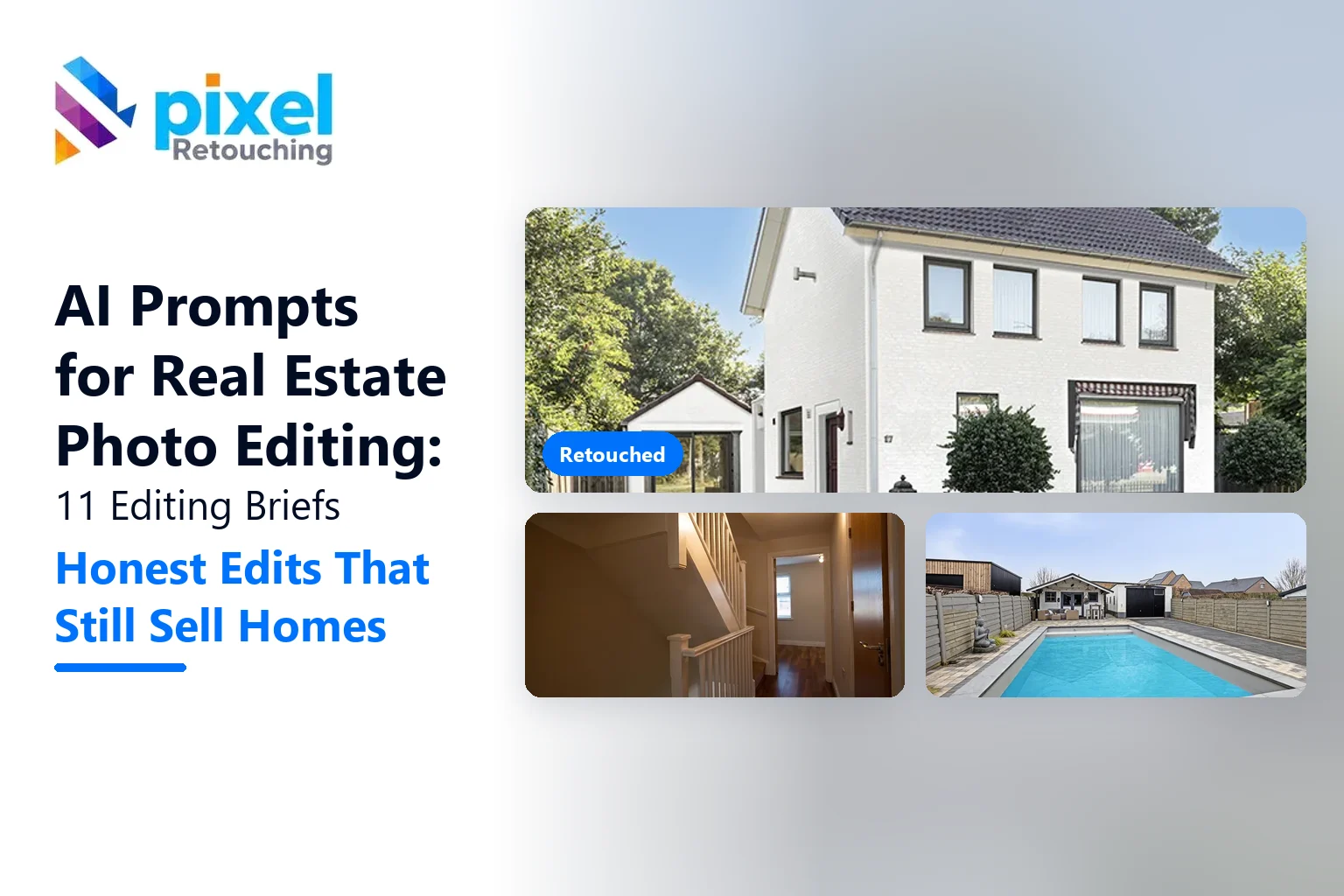
Every before and after on this page is real client work, edited by hand by the team at Pixel Retouching. We have used our own portfolio deliberately, because we would rather show you the standard these prompts are aiming at than show you a set of AI attempts and call them finished.
So treat the sliders as the target, not as a promise. A good prompt will get a straightforward room surprisingly close to what you see here. It will not get a difficult one all the way there, and the note under each prompt tells you where the gap usually opens up.
Three rules before you start
Edit the light, not the property. Exposure, colour, sky and clutter are fair. Walls, views, room size and fixtures are not. If a buyer would notice the difference at the viewing, don’t make it.
Name the room and the light. “A north-facing kitchen with warm downlights and a bright window” gives the model something to work with. “Make it bright” gives you a grey, flat room.
Check straight lines. Door frames, windows and wall edges must be vertical. Models often bend them slightly, and buyers feel it even if they can’t name it.
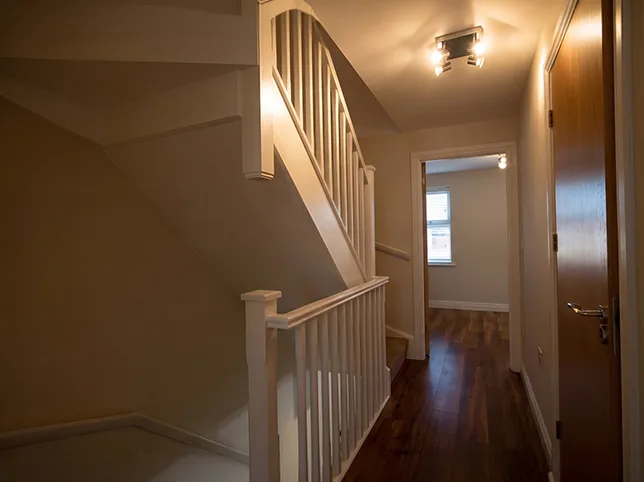
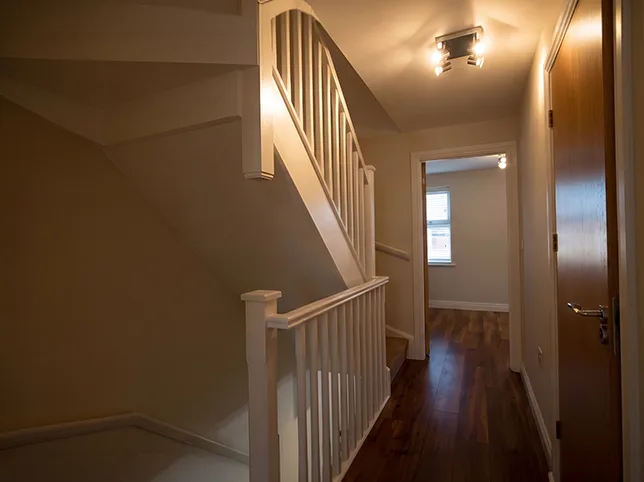
1. Balancing a bright window and a dark room
 n
n Beforen Aftern
n n
n
Interior hallway editing. The window view and the room both have to read.
n
Balance the exposure in this interior photo so both the room and the view through the window are clearly visible. Keep the window view exactly as it is; do not replace or invent it. Remove any colour cast from the indoor lights so white walls look neutral white. Keep all vertical lines straight.
What to watch for: an invented view. If the window is very bright, models fill it with a generic garden. That’s a view the buyer won’t find.
2. A twilight-ready exterior
 n

n Beforen Aftern
n n
n
Exterior HDR editing. Brighter and cleaner, still the same house.
n
Edit this exterior photo of a house. Brighten the shadows on the front so the facade and the entrance are clear. Correct the colour so the brick and paint look as they do in daylight. Keep the house, the driveway, the trees and the neighbouring buildings exactly as they are. Keep vertical lines straight.
What to watch for: a tidier street. Models remove bins, cars, power lines and neighbours. Some of those are fine to remove. Some, like power lines, are part of the property’s reality.
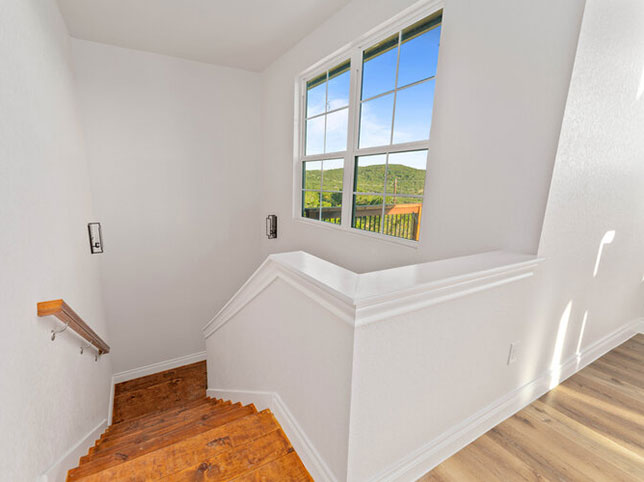
3. Sky replacement
 n

n Beforen Aftern
n n
n
Sky replacement. The new sky has to match the light already on the house.
n
Replace the grey sky in this photo with a soft blue sky with a few light clouds. Match the brightness and colour of the light on the house to the new sky. Keep the edges of the roof, chimney and trees clean, with no halo. Do not change anything below the roofline.
What to watch for: light that doesn’t match. A bright blue sky over a house lit by flat, grey light looks pasted in. The shadows on the house have to agree with the sky.
4. The pool and garden
 n

n Beforen Aftern
n n
n
Pool editing. Clear water and clean colour, without a new garden.
n
Edit this photo of a pool area. Make the water look clean and clear with natural blue colour, remove leaves floating on the surface, and balance the exposure between the bright patio and shaded areas. Do not change the size or shape of the pool, the plants or the fencing.
What to watch for: an upgraded garden. Models love to add lush plants and green lawns. A brown lawn is a fact about the property in that season.
5. Correcting mixed light in a kitchen
This kitchen has warm downlights and cool daylight from a window. Correct the colour so the cabinets, worktops and walls look like their true colour, with no orange or blue cast. Keep the light fittings switched on and looking natural. Do not change the cabinets, appliances or finishes.
What to watch for: new finishes. In fixing colour, a model may turn oak cabinets grey or change the worktop pattern.
6. Straightening verticals
Correct the perspective in this room photo so all vertical lines (walls, door frames, window frames) are perfectly straight and parallel. Keep the room’s proportions and the position of every object. Crop only as much as needed.
What to watch for: a stretched room. Too much correction makes ceilings look higher and rooms look bigger.
7. Decluttering
Remove these small personal items from the photo: [list them, for example fridge magnets, toiletries on the bath, cables behind the TV]. Fill the areas they covered with the surface behind them. Do not remove or change any furniture, fixtures or fittings.
What to watch for: missing fixtures. A model asked to “declutter” may remove a radiator, a light switch or a smoke alarm too.
8. Virtual staging an empty room
Furnish this empty living room in a modern, neutral style: a grey sofa, a wooden coffee table, a rug and a floor lamp, sized realistically for a room of [size] square metres. Do not change the walls, windows, floor, ceiling or light fittings. Match the furniture shadows to the window light.
What to watch for: furniture that couldn’t fit. Small sofas make rooms look bigger. Many markets also require you to label staged photos as virtually staged.
9. A day-to-dusk conversion
Convert this daytime exterior to a dusk scene: a deep blue evening sky with a warm glow near the horizon, and warm light from the windows and exterior lights. Keep the house, the garden and the surroundings exactly as photographed.
What to watch for: light from nowhere. Glowing windows need to match the actual rooms behind them, and lights should only appear where there are real fittings.
10. Making the TV and screens neutral
Replace the reflection on the TV screen with a plain, dark neutral screen. Keep the TV frame and the wall around it unchanged.
What to watch for: a reflection of the photographer elsewhere. Mirrors, glass doors and oven fronts often show the camera too.
11. Matching a full listing
Edit this photo to match the reference image I have uploaded from the same property: same white balance, same brightness and contrast, same style of window view. Do not change the room itself.
What to watch for: drift across 30 photos. A listing where every room has a slightly different colour looks careless.
Where these prompts stop working
Everything above assumes a clean set of photos: sharp, well exposed, ideally with bracketed shots. On a simple, bright room, a good prompt saves time.
Real estate is also where AI creates the most risk, and it is worth being specific about where:
Views and windows. Models invent views when the window is blown out. Bracketed exposures and careful blending keep the real view.
Room size and lines. Small changes to proportions are hard to spot in the edit and easy to spot at the viewing.
Permanent features. Power lines, neighbours, cracks and damp marks are facts about the property. Removing them can mislead.
Consistency. A full listing needs every image to look like the same day and the same house.
Used honestly, that is not an argument against prompting. It is the case for knowing what to prompt. Our real estate HDR photo editing handles bracket blending, verticals and windows by hand, and our sky replacement services keep the light on the house consistent. For interiors, read our guide to interior photography retouching.
Frequently asked questions
Are the real estate images in this article AI generated?
No. Every before and after on this page is real client work, edited by hand by the Pixel Retouching team. They show the standard the prompts are aiming at, not results produced by the prompts.
Is it legal to use AI-edited photos in property listings?
Usually yes, for edits that improve light, colour and sky without misrepresenting the property. Removing permanent features, changing views or room sizes can break advertising rules in many places. Virtually staged photos often need a label.
Can AI do HDR for real estate photos?
AI can brighten shadows and recover window detail from a single photo, but results are best when you shoot bracketed exposures. Blending real brackets keeps a true window view and natural light.
Can AI replace the sky in property photos?
Yes. Ask for a natural sky and tell the model to match the light on the house and keep edges clean. Check for halos around the roof and trees, and make sure the shadows on the house match the new sky.
Do I need to label virtually staged photos?
In many markets, yes. Listing portals and advertising rules often require virtually staged or digitally altered photos to be labelled. Check the rules for your country and portal before you publish.
See it on your own listings
If you would rather judge this on your own photographs than on ours, send three images through the free trial. An editor works on them by hand and sends them back within 24 hours. No card, and you keep the files either way, including any you have already run through a prompt, which is the fastest way to see the difference side by side.
More prompt libraries
- 9 AI Prompts for Shopify and Etsy Product Photos
- 14 AI Prompts for Product Shadows and Reflections
- 13 AI Prompts for Product Colour Accuracy and Colourways
- 12 AI Prompts for Amazon Main Images (Copy & Paste)
- 11 AI Prompts for Background Removal and White Backgrounds
- 18 AI Prompts for Jewellery Product Photos (Copy & Paste)
- 15 AI Prompts for Ghost Mannequin Photos (Copy & Paste)
- 10 Best AI Prompts for Clothing Product Photos (Copy & Paste)